No preview images/thumbnails

Hi all,
I'm having some issues with the C1 browser and I didn't find any solution so far: I can't see the thumbnail pictures that normally should appear in the browser section. I can just see the name of the picture and the valuation (stars and color) but not the image itself. But if I select one of those pictures, it will appear in full size in the viewer section. So the problem is not, that C1 can't find the pictures, the problem is that they are just not displayed. Is there someone else having the same problem? It's hard to find a certain picture I took some months ago, if I have to select them one by one, especially if I don't even know at what day I have to search...
I am using C1 21 in Version 13.1.3.13
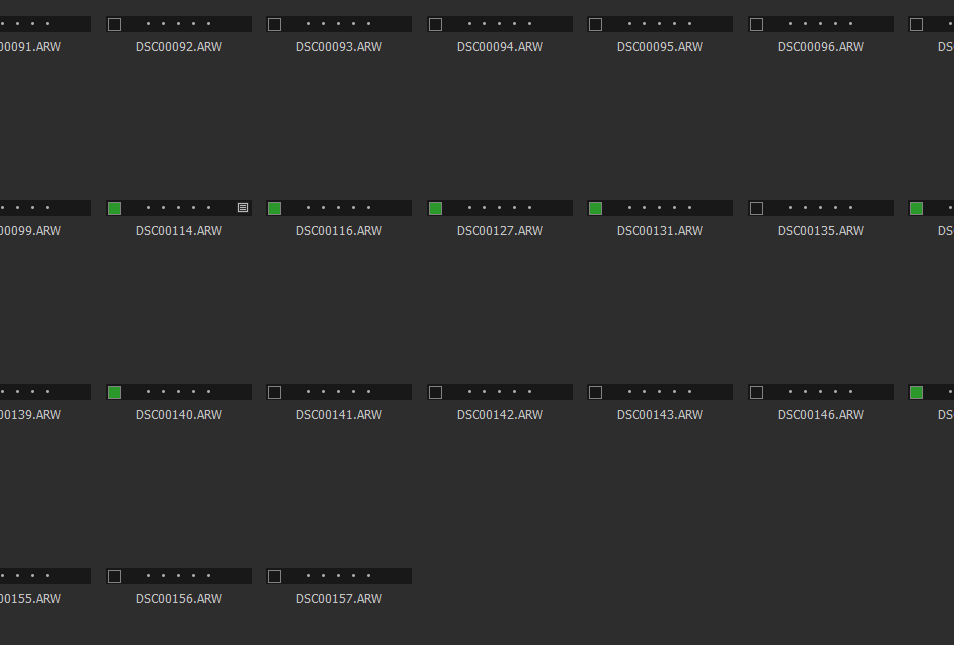
Edit: All of a sudden it works now. But I hat this issue repeatedly and I'm convinced that it will show again so I would still be relieved if someone with the same problem already figured out a solution.
-
 Permanently deleted user
Just on the off-chance: what happens if you turn off hardware acceleration?
Most display-related problems with Capture One seem to relate to that, one way or another.
Out of curiosity - which camera?
0 -

I would guess it is simply loading time.
That can be dependent on a number of factors starting with whether you are using a large or small catalog or session, where the files are, how many images might be in the selected collection being loaded and how quickly the system can load the Preview files at the time.
So it's tricky to offer much by way of reliable advice.
I use sessions, typically with 3 to 6000 images in a session.
Loading from a local drive in the system is usually pretty quick. Loading from my NAS over a WiFi connection can be slow to start, especially if the NAS is hibernating at the time of the request or otherwise busy with alternative tasks.
I have also seen times with Windows 10 when Windows seems to have taken a rest from doing anything for a while before responding to a request - and that's not just a Capture One based experience.
Things seem to have improved recently but I'm not sure the pauses have been eliminated as yet.
0 -

I have exactly the same issue on C1 V2 15.2.0 and 15.3.1 and Windows 10 21H1 and 21H2. Tried it on desktop and laptop. Same strange behaviour.... Restarting the C1 program, helps initially, but not very long and the problem reappears. My HW acceleration is OFF!
Furthermore, another issue is that the thumbnail does not reflect the changes I have done e.g. change exposure +4 or changing from color to black/white.
0
Post ist für Kommentare geschlossen.
Kommentare
3 Kommentare