Using TopazLab modules in C1

I have just bought the 3 modules of TopazLab, sharpening, denoise and gigapixel. Downloads and registrations are in place. However, following the instructions in this tutorial
despite it's for Mac, and I am a PC user, I cannot find any links for my 3 topazlab modules. Which is the correct way of operation? Or is there anything, which I should do in C1, in order to make it work? Or is it in fact unfinshed business on your part?
Pls. let me know on bateleur@privat.dk
best wishes
Per Hirslund
Denmark
-

At what point does the process you linked to break down? Your software is located in Program Files, e.g. C:\Program Files\Topaz Labs LLC\Topaz Sharpen AI, at least that's where mine is found using the English language version of Topaz/Windows.
When you right click on an image and choose Edit or Open with, this menu comes up:
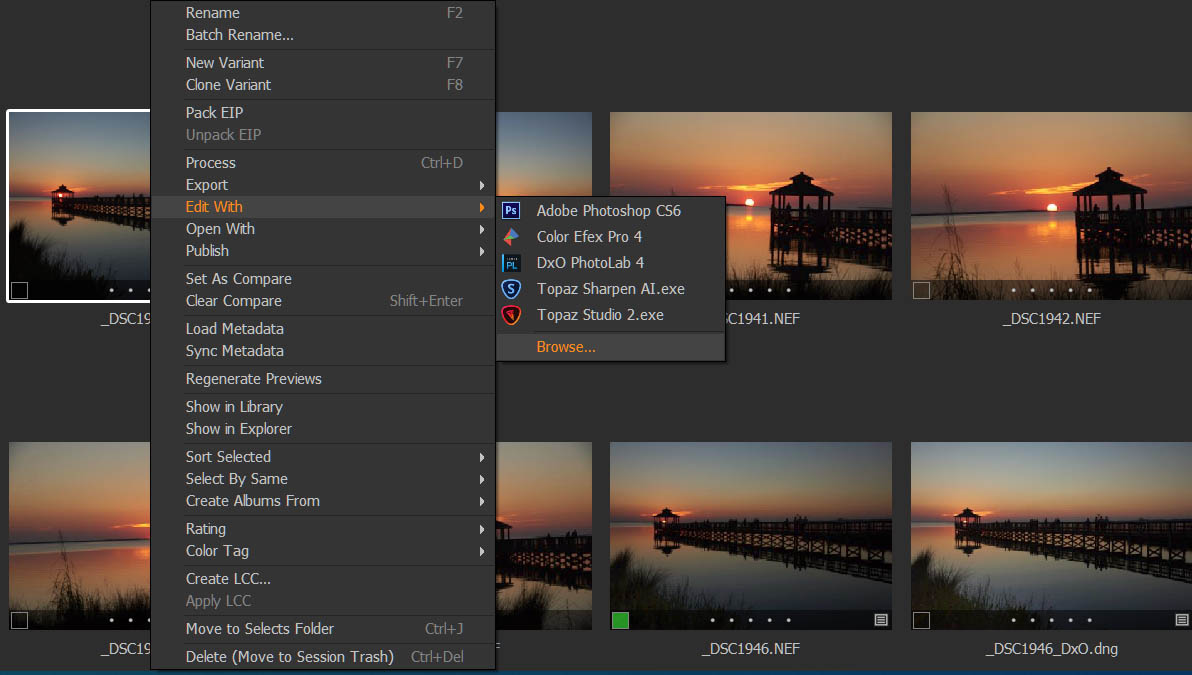
If the desired app is not listed, choose *browse* and go to where your Topaz apps reside as shown earlier. Select the Topaz exe you wish to use and the app will launch. To make the apps always appear in the Edit menu and avoid navigating to them each time, you may have to shut down C1 and open a file in each Topaz app (in stand alone mode). Then, upon resuming C1, go to the Open With Plugin in Prefs and select the apps you wish see in the Edit menu. Note that sometimes C1 has its own ideas about what should appear in that menu and it may change what you see without your input. Such is life with C1.
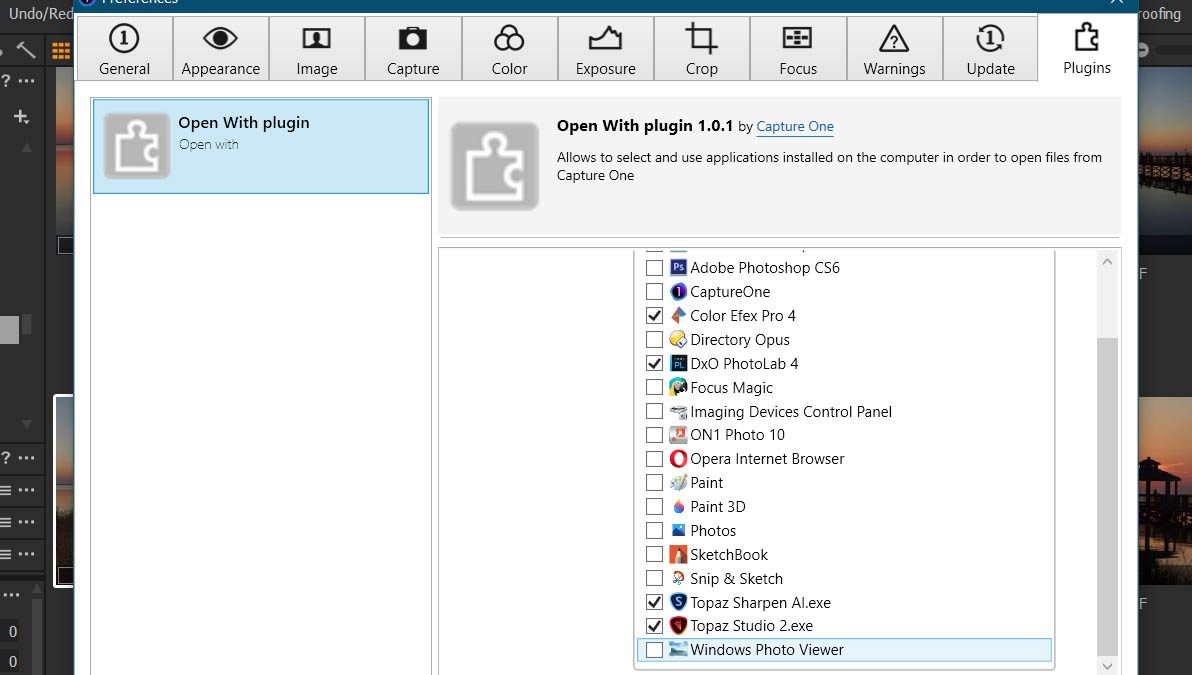
I hope this is useful.
0
Post ist für Kommentare geschlossen.
Kommentare
1 Kommentar