Get rid of crop mask in Grid view

I know this is possible because I've done it before. How can get rid of the crop mask in the Grid view and just see my cropped image (without the mask)?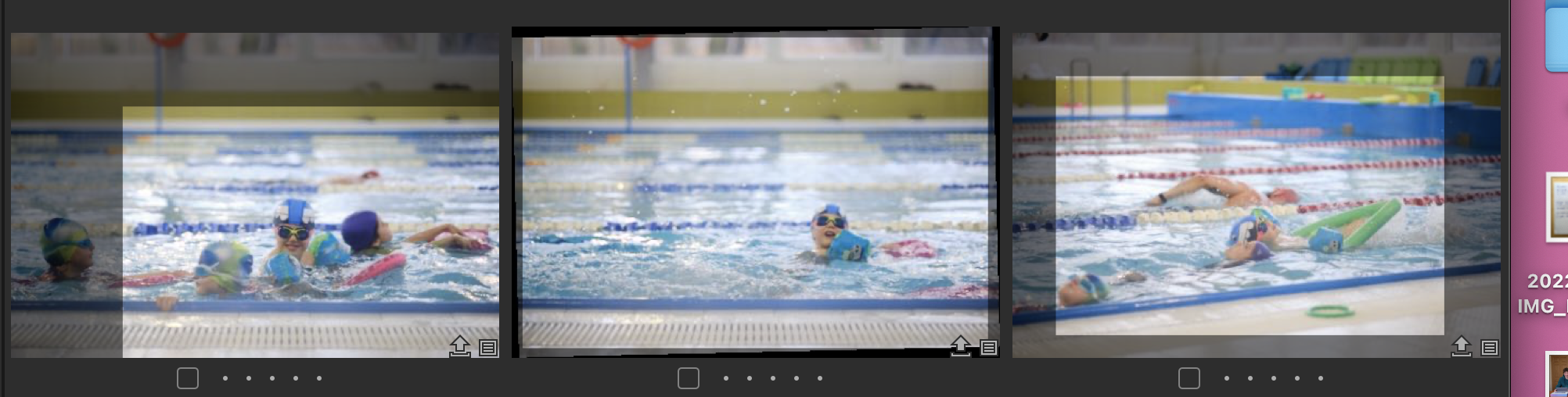
-

How can get rid of the crop mask in the Grid view and just see my cropped image (without the mask)?
Select any tool other than the crop tool?
0 -
I'm not using the crop tool. I'm just in the normal grid view looking at my photos.
0 -
You can't. There is no option to show the cropped version rather than the whole image in grid view.
Ian
0 -
Is this a new restriction? I am 99.9% positive I was able to do this in early January. I was even toggling it off and on.
0 -
No, it's always been like that in grid view (the "browser"). You might have seen something like you are thinking of if you had selected several images at once in the Viewer.
Ian
0 -

... so I would like to see this as a Feature Request.
2

Post ist für Kommentare geschlossen.
Kommentare
6 Kommentare