Capture one demosaicing on raw files

Hello all-
It has been a good half year since I made the switch from Lightroom over to Capture One mainly for improved color accuracy. The program has really started to feel intuitive and just as fast to use in my workflow compared to the pace I had with Lightroom.
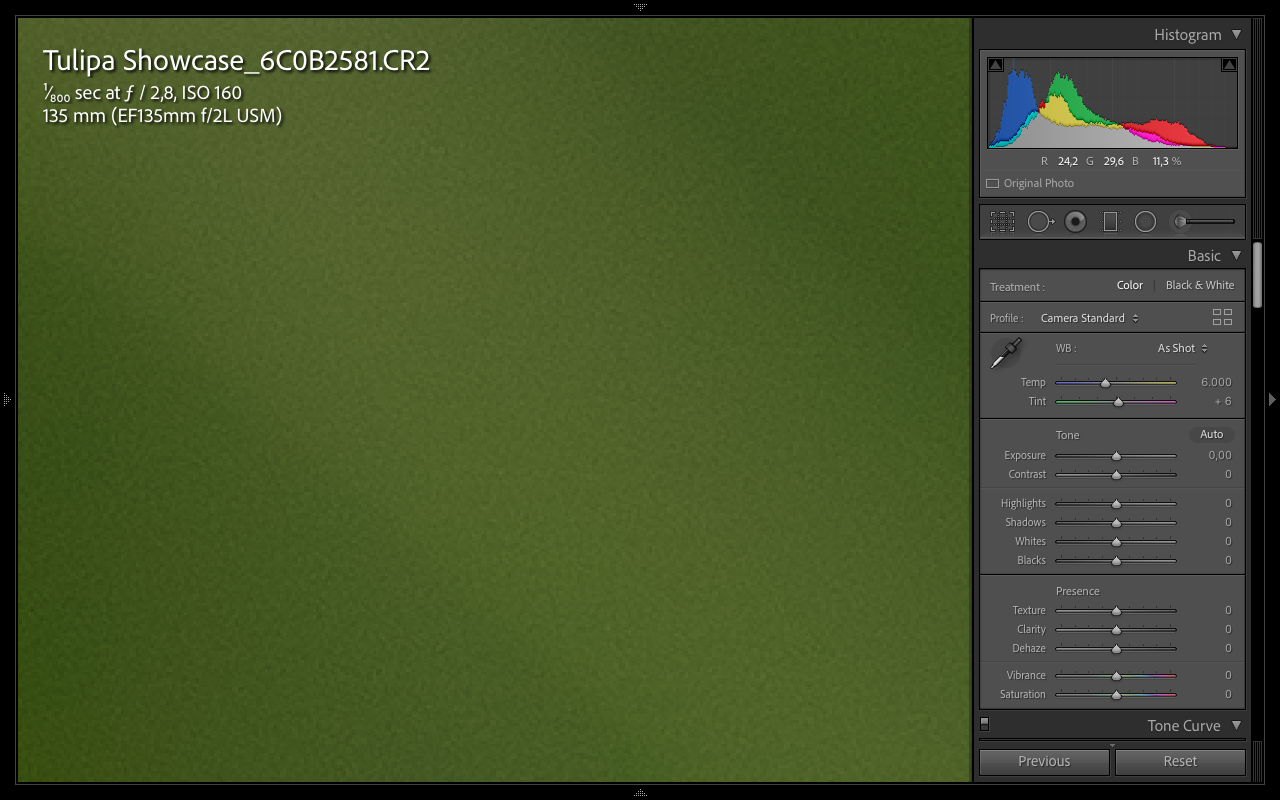
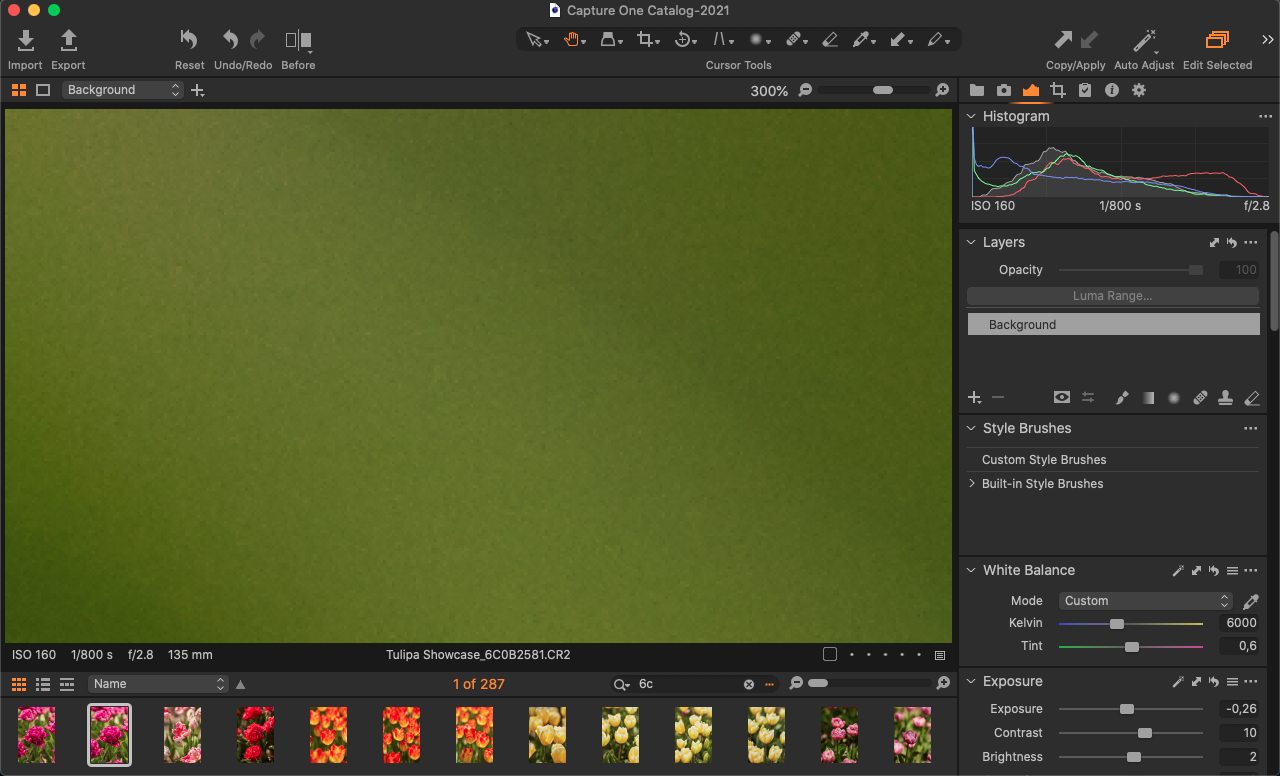
There is however one thing which I found no answer to yet and that is the demosaicing algorithm leaving quite harsh artifacts behind where Lightroom has a uniform sharpening artifact which from a distance looks quite film grain-like. Adding soft grain to the Capture One image hides the unappealing demosaicing in the out of focus areas but it forces me to add grain to images that I would otherwise prefer to stay clean. If anyone has an idea to deal with the standard demosaicing and make it look more like Lightroom's rendering that would remove the only caveat I have encountered with Capture One- and I would highly appreciate that.
Lightroom demosaicing:
Capture One demosaicing:
-

Hi Marc,
It isn't clear, on your screenshots, which software is the best in demosaicing for reducing artefacts. It seems to me grain-like artifacts are worst in LR than in C1. However, you could try disabling hardware acceleration in the C1 preferences in order to see if it improves the result.
1 -
Permanently deleted user
It could be a camera-specific thing.
For example the old Canon 7D had a reputation for "maze" artefacts, and I know from experience that Capture One was "good" at pulling them out at some expense to image quality, so it would help to know which Canon you're using here, Marc - your screenshots have something of this issue about them.
I agree with Robert though - the Lr version actually looks much worse than the Capture One version, which is consistent with what I used to see with the 7D.
1 -
Keith-
Thank you for your insights. I am using a Canon R5 now but I have seen the exact same behavior for a canon 5DIV.
I do agree that the Capture One result is cleaner but somehow it renders more aggressively with darker pixels and random patterns creating a "blotchy" look. I could live with it as long as it takes the uniform approach from the Lightroom demosaicing
0 -
Permanently deleted user
Hmmm... I shoot with a R5 myself, but - never feeling the need to view my files at 300% - I don't have a problem with smooth areas of images.
Pixel-peeping doesn't have much to recommend it, in my opinion: if a problem isn't visible at the image level, it's not a problem as far as I'm concerned.
With that said, it would be interesting to see if the same thing happens with files from, say, a Nikon body - that would help establish whether it's a Capture One problem or a Canon problem.
0 -
Hi Robert-
I tried enabling and disabling hardware acceleration but I havent found any perceptible changes unfortunately.
Thank you for the lead though.
Marc
0 -
Keith-
I am not much of a pixel peeper myself but I do make quite a big deal about such texture details as it affects all the 100.000's of images that go though my library every year. On screen viewing I usually don't pick up on it but with medium to large prints it does show on the smooth surfaces. I also never apply any noise reduction to make it smoother and therefore erase details. My personal taste is to keep some grain like structure in the image but like I said I don't find the structure in capture one very pleasing. I am afraid though that there is not much tweaking to be done to the demosaicing except applying another layer to taste (i.e. applying film grain over the demosaicing grain/artefacts.)
Marc
0 -
Hi Marc,
Unfortunately you cannot apply film grain as a local adjustment. If you open a feature request I will vote for it.
The demosaicing result of C1 is indeed a bit coarser, in many cases this gives me a more lifelike result, in other cases a finer demosaicing would be preferable, e.g. for bokeh parts of an image,. As there are no details local applied NR can help.
I often use a smaller sharpening radius with higher amount than the default settings are on the background layer and selectively add sharpening in layers.
BeO
0 -
Thanks BeO,
Yes I see what you are saying. I am not looking to apply any local adjustments though, just a universal texture adjustment throughout the frame. The capture one demosaicing doesn't bother me in detailed areas but I find it less pleasing in out of focus areas. I was hoping that changing any of the sharpening parameters would help and it does to a certain extent but not without affecting detailed areas in a big way.
0

Post ist für Kommentare geschlossen.
Kommentare
8 Kommentare