Tethered photos captured today LOST without a trace

I was shooting tethered to an external hard drive.
I was using overlays and live view during capture... everything was working fine as it always does. Yesterday I sorted the images I captured into folders, one for each product, and today I added new photos to those folders, as we shot the same products with today's setup.
After today's session I packed up my gear and moved to another location to back up my images to a second hard drive.
Problem is, the session file has NO images or data from today and I can't find today's images anywhere. They're not on the hard drive I was tethering to and they're not anywhere on my Mac.
The folders looked as they did before we started shooting. I have lost all of today's images, culling, and organizing!
The only evidence that I did anything today is my iPad – I was using Capture Pilot to color-rate images. When I opened my iPad for a spit second it showed the last image I captured TODAY... before the screen went black and gave me a "Server Unavailable" message. But the file name of the last image is still on the screen.
I did a search of both hard drives and my Mac hard drive for that last image and it's no where!
I've been using CaptureOne pro since 2017 and I never lost any files during a tethered session.
I'm in a bit of a panic because I'm on location in California (I live in Texas) and the products are not available to reshoot.
Can anyone explain what happened or *hopefully* where I could find all the images I shot for my client this morning?
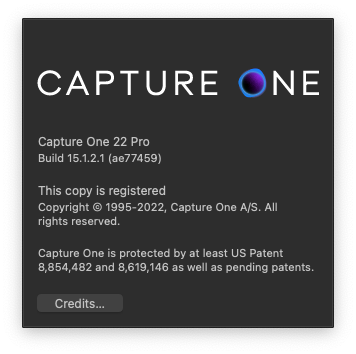
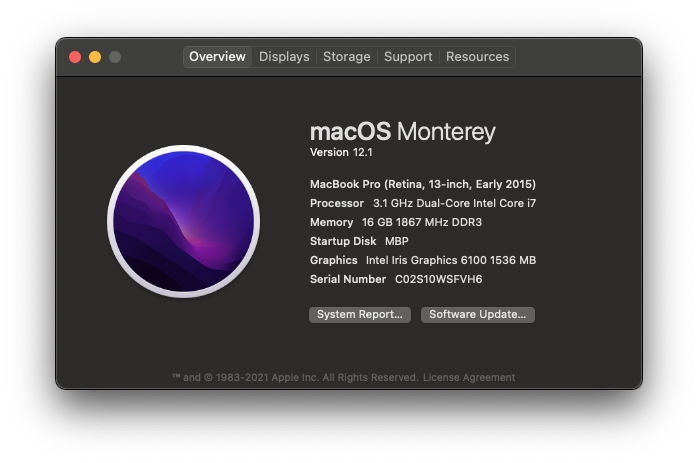
Here is what I'm using:
CaptureOne Pro 22
It's like they were never taken.
-

Hi Rich,
It sounds like you moved images into subfolders and that might be why you don't see them in Capture One. What might also be relevant is whether you changed capture folder for every new product change or if new images went into capture folder.
I assume you already searched through Finder on your Mac and not only in Capture One as you might
have filters applied in Capture One, hiding your images or new subfolders not being revealed from selecting the parent folder.
If the 3 dots in the search field panel in the Library tab are orange, you have a filter applied. click the x icon to remove all filters.

Also check the menu View > Global Filters, that you are not hiding any file types.
Try to right click the session folders/favourite folders in Library while external hard drive is connected and select 'Show in Finder'.
If you had other open session windows in the background, at the time of shooting tethered, check these sessions, if the images could have been shot into the wrong session.
Fingers crossed, you'll find them. If they were not deleted you should be able to find them as you saw them coming in.
I assume you did not have composition mode on:
https://support.captureone.com/hc/en-us/articles/360013827377-Taking-test-shots-in-the-Composition-mode-1 -

Generally speaking I've never seen CaptureOne "delete" any images by itself.
Make sure you were actually shooting to the external drive and did not accidentally use a different drive (internal drive or a different external drive) - it could happen by either selecting the wrong drive or having another session opened in the background.
If your camera has the option to also capture files on a card (or maybe even two cards) whilst tethering you might want to select that. It may be marginally slower (though with product photography that doesn't matter). This may sound a bit like overkill but having on-the-spot real time backups is fantastic for exactly these kinds of situations.
In my case (GFX 50S) I can even shoot to both cards (mirrored) and tethered at the same time, so I'll have at least 2 backups for every photo - and then back home I'll have another 3 backups on top of that.
Right now you should check every possible drive and computer that you were using or you had attached whilst shooting as well as cards that were in your camera.
Check the recycle bin, search with Finder for the Raw extensions(!) and maybe you'll get lucky.
0 -

Hi, Rich,
My friend had the same problem recently. Have you find your images at last? We've tried almost everything we could but failed to solve the problem. :(
-1 -

Hi Rich
Did you find any solution to it? We are kind of facing the same issue.
So after yesterday's shoot we copied everything into our backup hard disk and today directly opened the session from the hard disk as we were using a different system this time, we did the shoot and made some adjustments too but in the evening when we opened the session there was no trace of the images.
0 -

Same problem, images missing from my shoot from yesterday after moving my external drive. So 4 hour of work lost. I used also a cloud backup and I could not find them anywhere. What I noticed is that I created by mistake a new catalog for the shoot instead of new session.
0
Post ist für Kommentare geschlossen.
Kommentare
5 Kommentare