How to remove the 10 Sessions in LIBRARY when the Clear Menu feature does not seems to work.

I am unable to remove the 10 Sessions that appear in my Library, each time I open Capture One Pro, version 22, causing my Apple iMac to take several minutes to load before the program will work for me. The "Clear Menu" option in Library does not clear out those 10 prior Sessions held in the Library, as each time I re-open Capture One Pro, those 10 Sessions are there again. Thanks in advance for any guidance.How to remove the
0
-

Hi Mark,
try to uncheck the "Open in new Window" option in preferences.
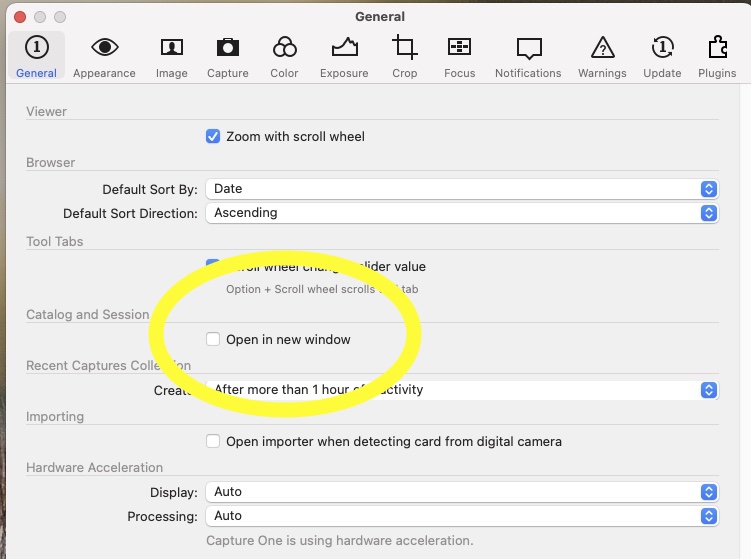
Then close all open Windows/Sessions, restart.
Kassur
0
Post ist für Kommentare geschlossen.
Kommentare
1 Kommentar