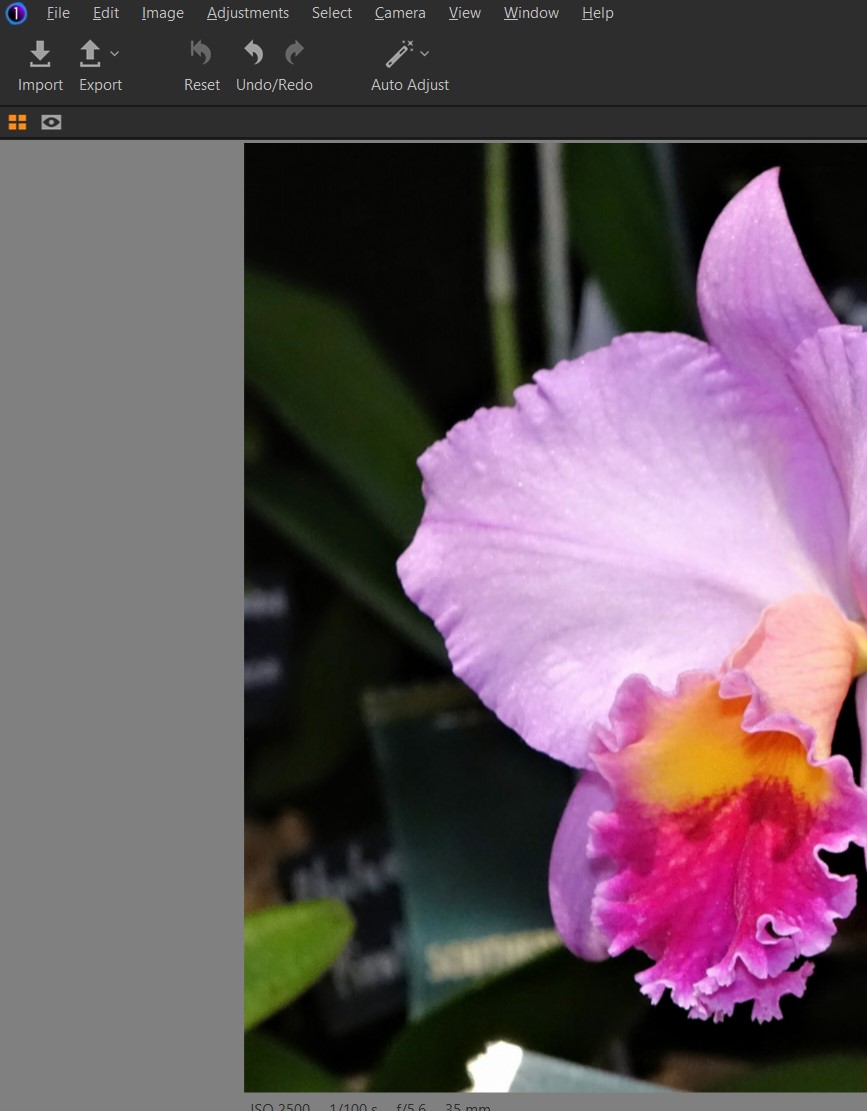
Capture Icon between Export and Reset on toolbar missing after install Update 15.2.1


-

First: Why not installing the newest version 15.3.1?
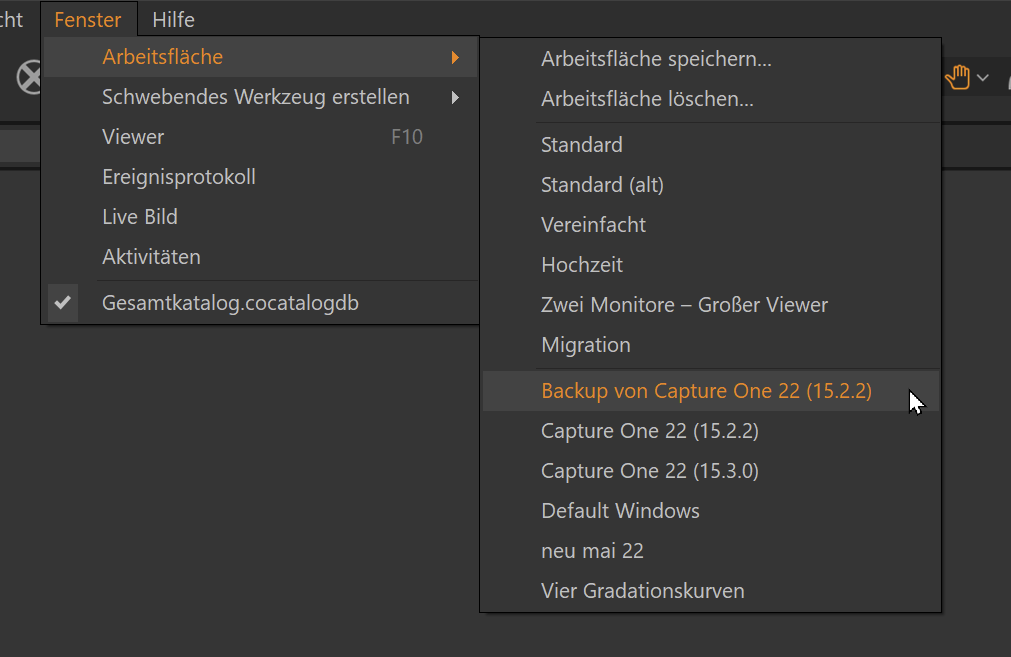
Second: Take a look at your Workspaces. There should be a backup of your prevoius Workspace containing all your customizations.
0 -
First: Why not installing the newest version 15.3.1?
Second: Take a look at your Workspaces. There should be a backup of your prevoius Workspace containing all your customizations.
0 -
Hi Michael,
"First: Why not install the newest version 15.3.1?"
I have updated to 15.3.1. My Capture icon is still missing between Export and Reset. How to restore it?
Thanks, Andrew
 0
0 -
Look under /Window/Workspaces if there is a workspace called "Backpu of..." followed by your old version number.
 0
0 -
Sarna, consider watching Pauls video. It might answer your question as well.
https://www.youtube.com/watch?v=cmRDuA0QxQU&list=WL&index=1&t=2424s
Cheers
0 -
Thanks Michael,
Good link. I think my problem is that my Capture 15.3.1. is a Sony Express version.
Need to get the Pro version. It came with a Sony 7RMK iv.
I Can then move my Catalogs over to Capture One.
Thanks for your trouble.
Andrew (Sarna)
0
Post ist für Kommentare geschlossen.
Kommentare
6 Kommentare