Export of photos in a batch

I need your help/advise to solve the following problem:
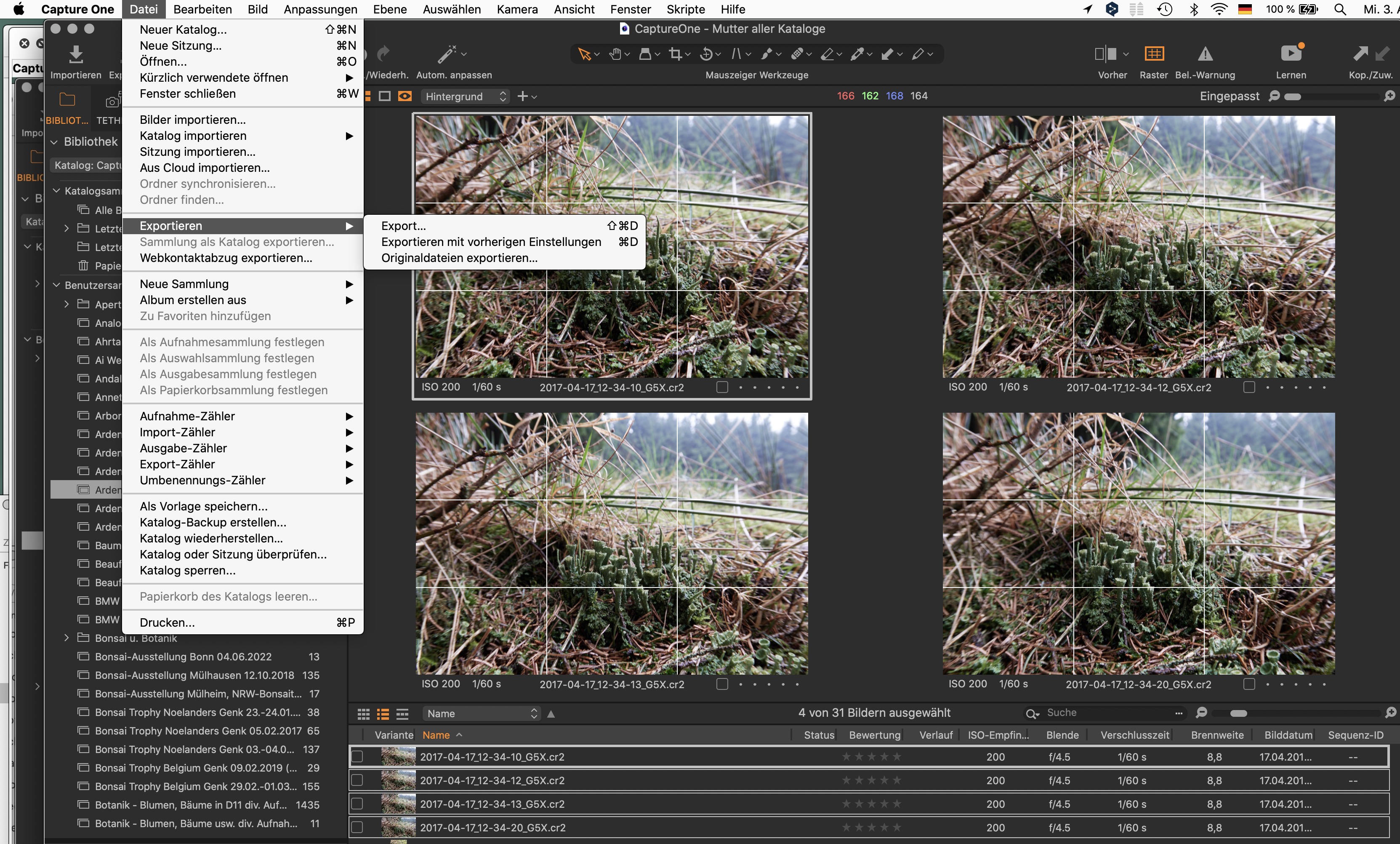
Since Upgrade to Version 22 the export of a number of photos more than one (in a batch) fails. Only one single photo will be exported though several have been choosed (see screenshot attached). That is some kind of strenuous if you want to export hundreds of photos or so.
In earlier versions that batch export was pretty easy.
Thank you for your help in advance.
-

How is your "Edit Selected" ?
 0
0 -
This is the screenshot. Under "Export" it is not possible to choose anything so the procedure only takes place for 1 photo.
 0
0 -
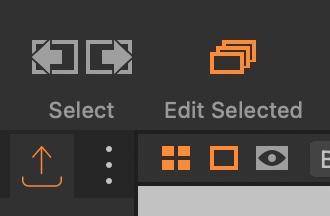
You should click FIRST the tool "Edit Selected" (main toolbar) in order to turn it to orange, then, if you choose "Export" as you did, you'll see that all your batch will be treated and exported.
An other way is to export using the dedicated tool, as seen on the screenshot below, after having turned "Edit Selected" to orange.
Both options work perfectly with me.
 0
0 -
Sorry, but there is no tool or button "Edit Selected"! (please look at the screenshot.)
0 -

Hello Rob,
since your system is in german...
unter dem Menupunkt "Bild" ist es der erste Eintrag "Bearbeite alle ausgewählten Varianten"
In der Symbolleiste heisst der Befehl "ausgewählte bearbeiten" und erscheint in der Symbolleiste, wenn man mit gedrückter ctrl-Taste in die Symbolleiste klickt, "Symbolleiste anpassen" wählt und daraufhin den Eintrag auswählt.
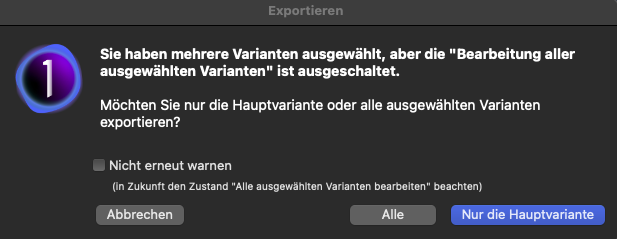
diese Meldung erscheint wenn mehrere Bilder ausgewählt sind, "ausgewählte bearbeiten" aber nicht aktiviert ist.
0 -
Danke, nun habe ich es verstanden und gefunden.
Thank you. Now I got it. The translation in the menu in the software from english to german seems a little bit confusing so it is not too easy to search the support database (moreover for someone whose knowledge of english language is rather on the small side).
0
Post ist für Kommentare geschlossen.
Kommentare
6 Kommentare