Images "run" through eachother

I've no idea how to explain it better, but sometimes images seem to overflow through each other in the main View. The Previews are ok. Here is an example of this, really weird, behaviour:
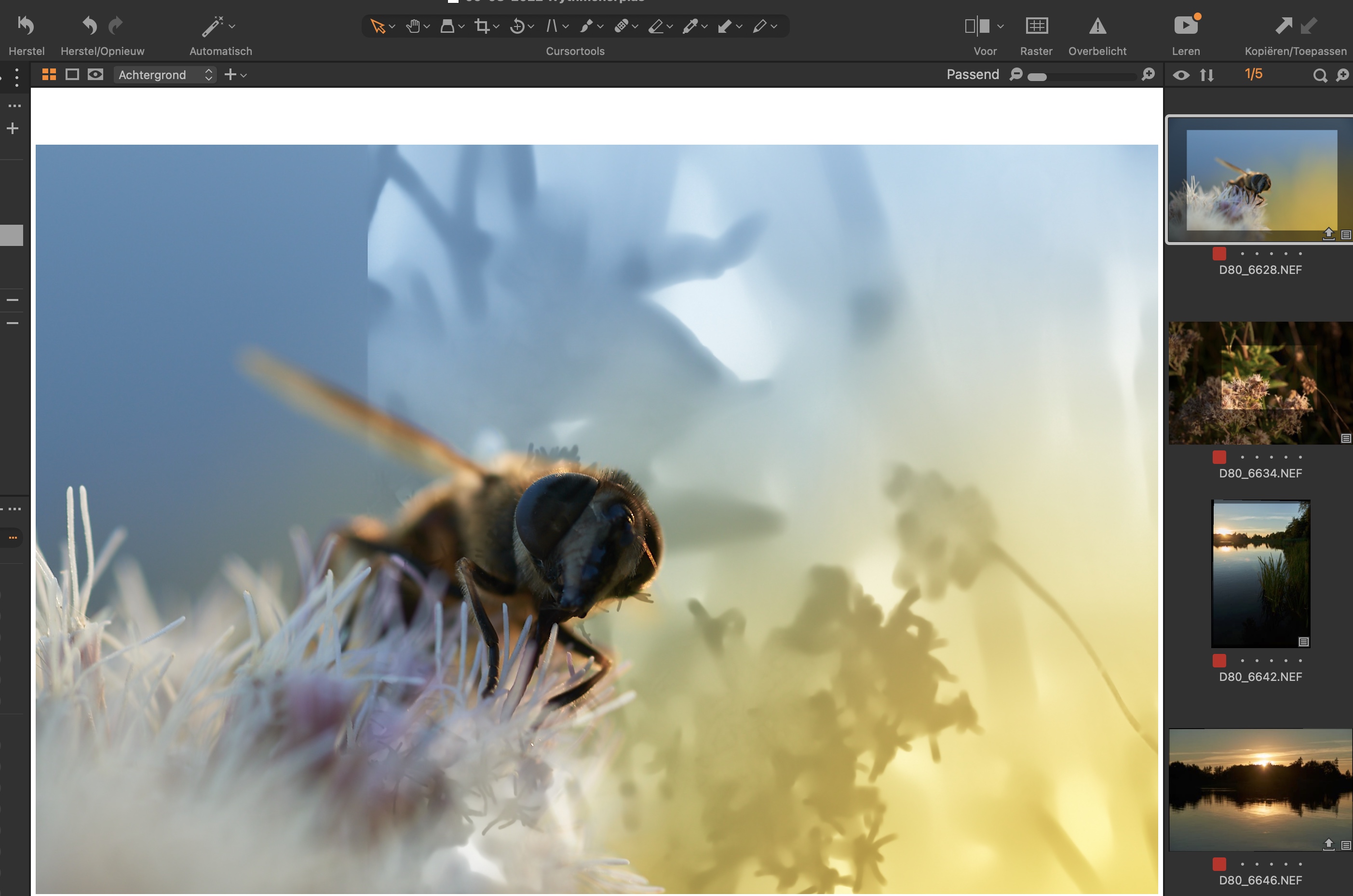
If you look closely you can see that the image that runs through the Bee picture is the image that is below it in the Preview sidebar. This also happened to me in different versions of C1 (e.g. 21) and different hardware (my previous ancient MBP). Generating previews didn't help so I thought I'd check out if anyone knows about this.
If I output the image via a recipe all is fine, so that's working. If I adjust anything it flips back to the OK state. When pressing Cmd-Z to undo that change it sometimes flips back to the weird state but mostly back to an ok state.
Current Mac specs:
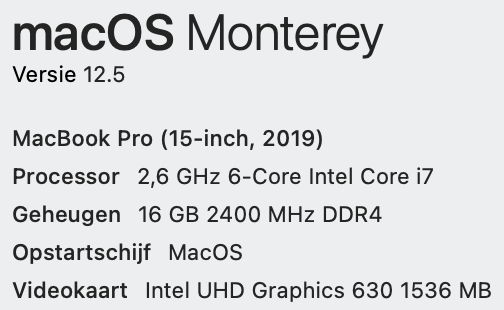
There's also a Radeon Pro 560X in the machine.
It's not that big of a bother, but I figured I asked anyway. Thanks for your time!
-

you have probably copied an adjustment mask from the previous file
try CMD+R to reset the file0 -
Hi Domien,
Thanks for your answer, but that's definitely not it. As soon as I make change, e.g. change white balance or whatever the file resets to what it should look like. I've also double checked the image which is shining through and that has no mask (I rarely use masks anyway, so it could be a thing, but unfortunately it's not).
0 -
Maybe is related to recent hardware acceleration updates to capture one, you may want to disable them in the settings.
0 -
Possibly. I've seen it for quite some time, so I'm not sure. I will turn the HW acceleration off for a while and see what happens. It seems like a more logical explanation for the erratic appearance of this issue.
0 -

Did turning hardware acceleration off fix this? I have a similar but different issue that's been plaguing me. The viewer shows the wrong image unless I'm zoomed into 100%. Somehow it is loading the wrong preview, it doesn't overlay them like you are experiencing though.
0 -
So far so good. The issue is very intermittent though, so I can't say for sure it was fixed. The weather permitting I'll be shooting more the coming days ...
0 -
Still no issue to be seen. Everything seems ok. Weird thing is, as I mentioned, it was like from 21 to 22, so it has to be something very basic. I'm not seeing any performance degradation so far (I'm a hobby shooter, not a pro) so I don't really care about this. Thanks!
0
Post ist für Kommentare geschlossen.
Kommentare
7 Kommentare