Capture One needs to allow users to zoom out further. It is very useful for assessing the image on a different perspective.

Hello. I hope Capture One will add a feature that allows. users to zoom out further. It is very useful for assessing the image on a different perspective.
Currently the furthest you can zoom out is only towards the fit mode. Now that is a good perspective for editing but when you want to assess how the image looks and also its composition, it is very helpful to be able to look at the image in further back/zoomed out perspective. This will allow the user to examine it clearer with the dark background and not just buttons and sliders around the image border.
Now there are some suggested workarounds like increasing the viewer's margin but that doesnt fix or improve the problem. On the other hand it makes the viewing area more cropped.
I hope capture one will consider this feature in the coming updates. Thanks.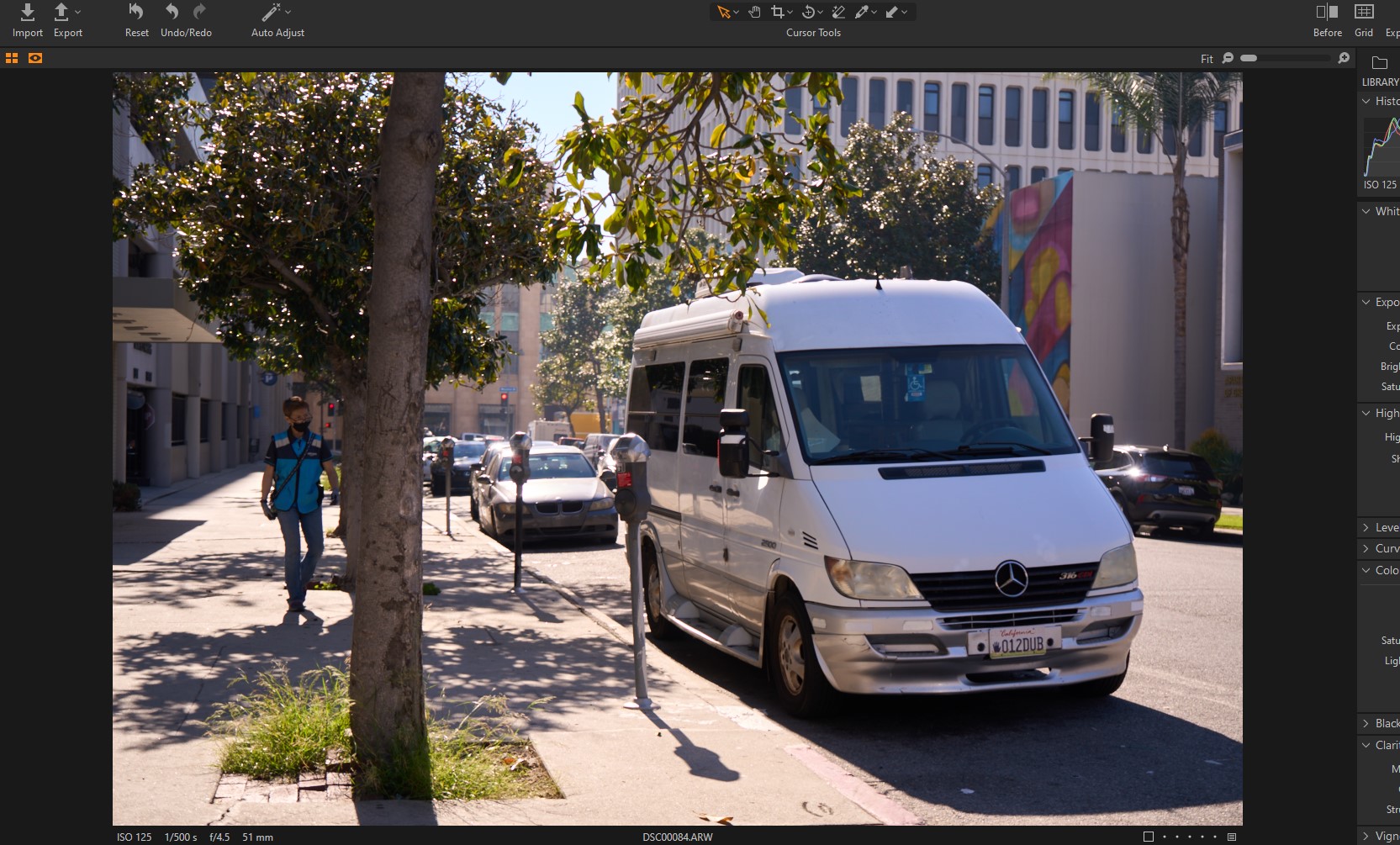
-
There are several requests for this already.
1 -
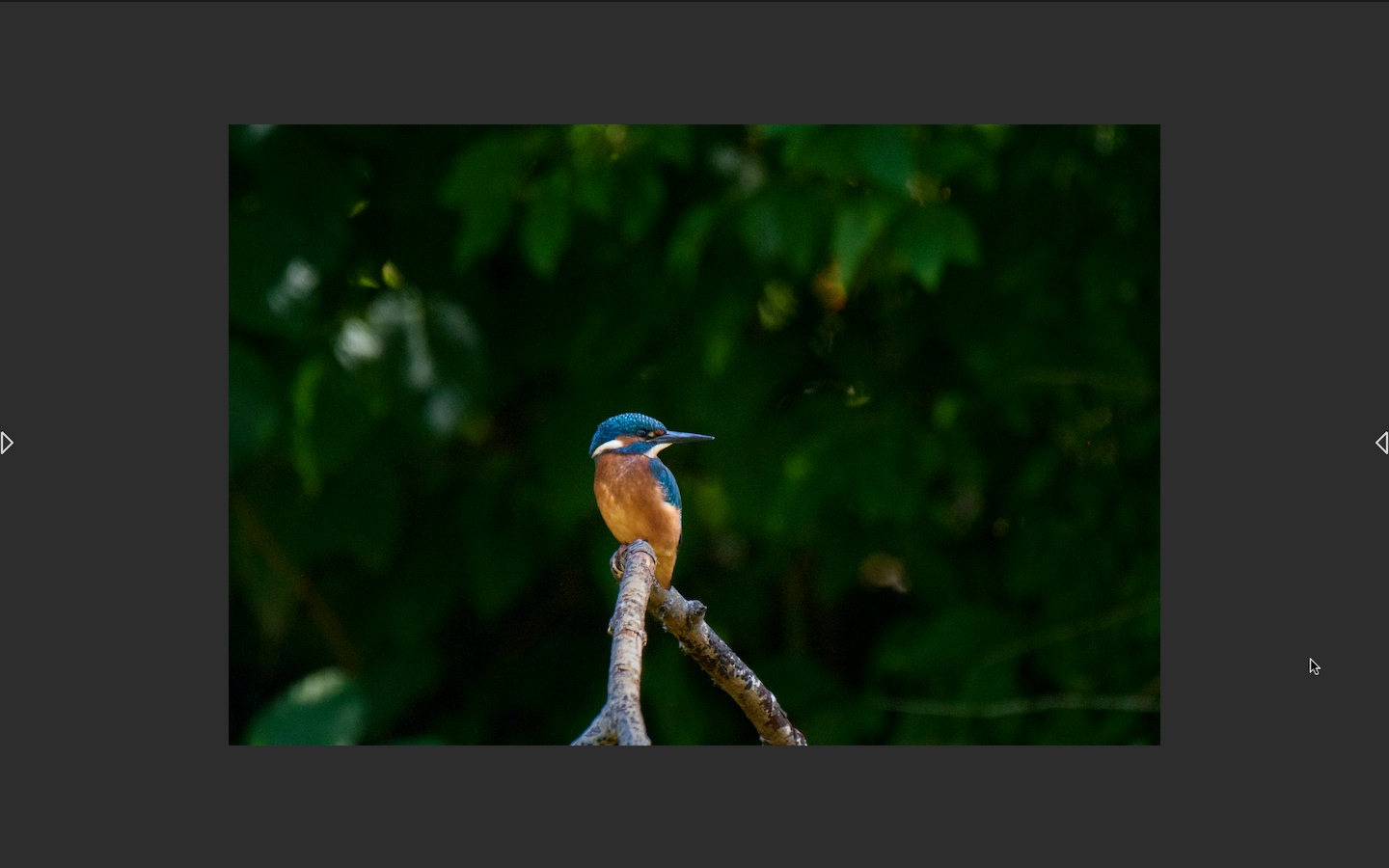
I realise it's a workaround. But you can show the proof margin, and then view full screen. In this case I have set the proof margin to 125 px, and it looks like this in a MacBook Pro screen. If you hover on the arrows at the right and left the tools or the browser will appear, or you can use the Speed Edit feature. And of course you can change the background colour. I sometimes use it like this with a white background.
 0
0 -
@Ian Wilson
This workaround is good but it it is very limited and tedious if you just want to access it from time to time while editing. It would be very useful to have it available anytime and you can just quickly scroll down and look at the zoomed out perspective and quickly come back again to editing interface.
I also observed that my capure one version doesnt allow the same margin as yours. I can only increase it up to 40 px. I am in capture one express and I am still planning to buy a pro version.
It may be because I am using windows and that makes my feature request more relevant. Another possible reason might be because I am not using a pro version but that would be a very strange move for capture one to limit a very basic feature to anyone that is not in pro version yet.
I hope capture one will update this soon to their software. Its a very simple and basic tool that doesnt even affect their editing system.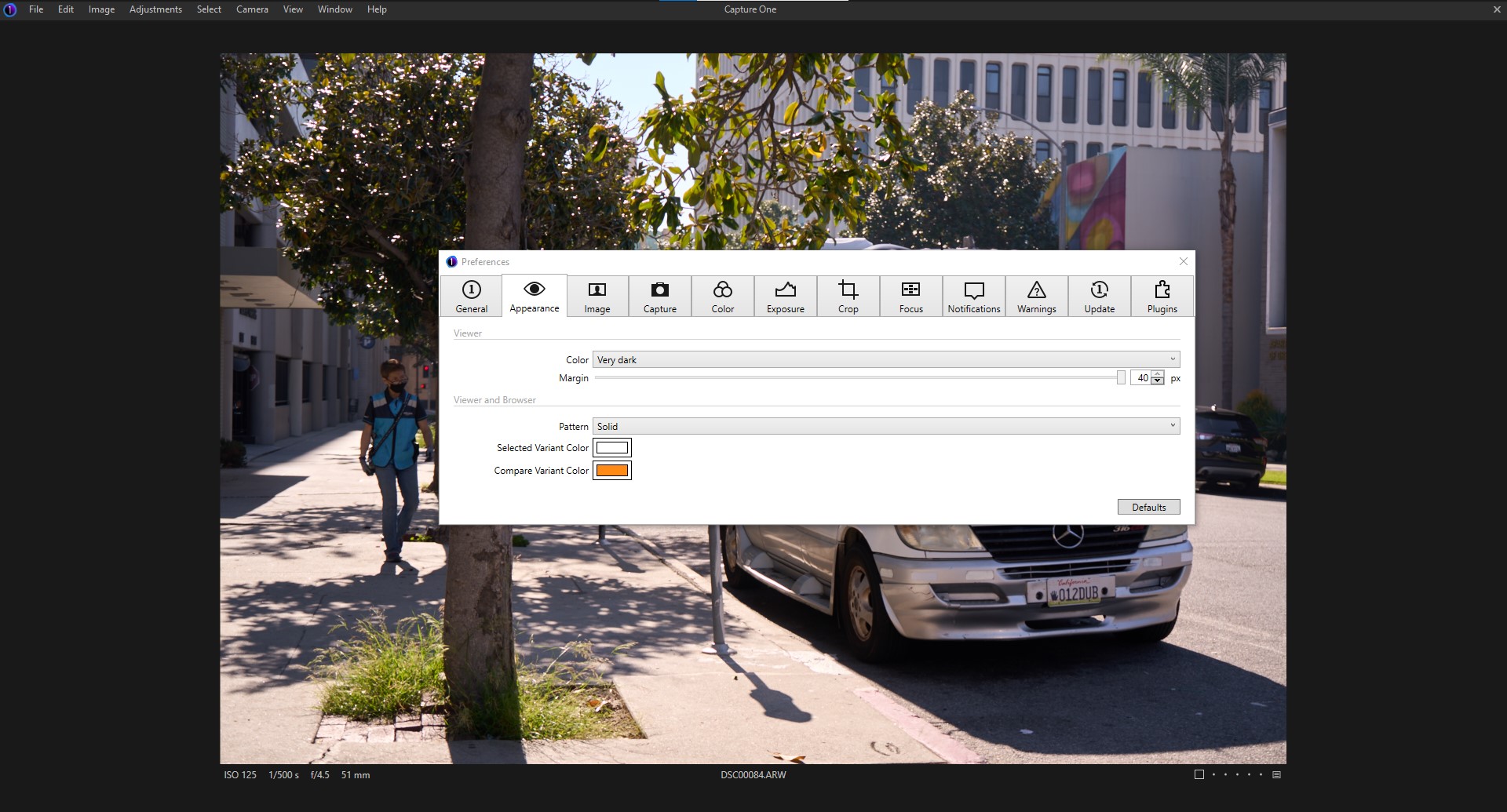 0
0 -

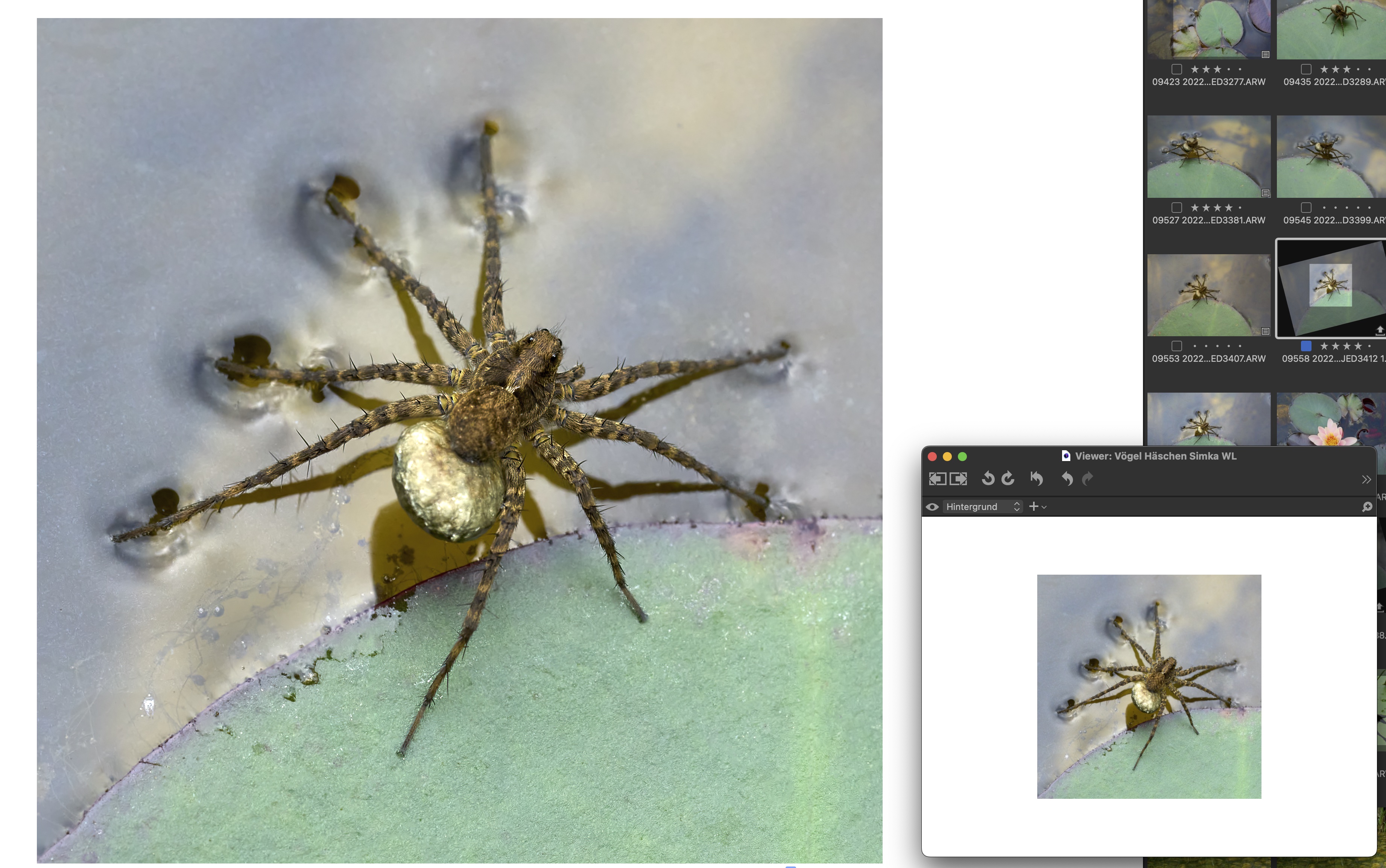
My workaround is a second display window scaled down - like in other applications. Which is handy since you can see the changes in the small version.
 0
0 -

+1
I always export an image, open the available image viewer of my OS, change to windowed mode and adjust the window size to have the same effect. Quite cumbersome, and doing it within C1 would improve that workflow a lot.
However in this video they show another workaround: to create a processing receipe that has a certain width (ie. 1080px). https://youtu.be/OKvYZZ1cFyE?t=618
0


Post ist für Kommentare geschlossen.
Kommentare
5 Kommentare