Remove Image From Only 1 Session Album

Hi.
I created a new Session Album for photos I will send to Instagram. Good.
When I remove a photo from of the Instagram session album it deletes it from All Images session album. Bad.
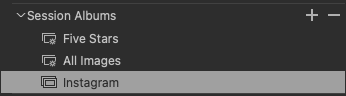
Q. How do I remove a photo from 1 Session Album (Instagram) without deleting it from All Images?
Thanks,
Jeremy
-

> Jeremy Williams: Bad
Unexpected indeed. If possible, create a few more session albums for test, may be start with a new test session and import images. Document the steps required to reproduce it (perhaps in a video?). Report it to C1 support (use the Submit a request link near the upper right on this page) and attach your document/video.
FYI: I just did a similar test in my aged v20 on a Windows 10 computer. Any image I removed from one of my test albums, was still present in other albums where it had been included, and it certainly did not disappear from the All Images album.
0 -
Hi OddS. Thanks for your help.
I made a video of the error. In it, if I delete the 1 photo from the Instagram folder, it removes it from All Photos. But if I delete all of the photos from the Instagram folder, non of them are deleted from All Photos including the 1.
I'll submit it to C1 support as you suggested.
0 -
> Jeremy Williams: if I delete the 1 photo from the Instagram folder...
Instagram folder? Your first post said Instagram album. I think you should study the album concept to learn the difference.
0
Post ist für Kommentare geschlossen.
Kommentare
3 Kommentare