not managing to import jpgs

Please advise how can I unblock capture from importing jpgs? At the moment I am just managing to import raw files.
-
There is a setting in the Image section of Preferences that decides what formats are editable.

Ian
0 -
thanks Ian for your reply but its not this as I've already checked.
0 -
there is any other way that jpeg could be blocked? I can import raw files.
0 -
I am not very good with sessions and catalogs , however I been watching some tutorials and doing what they instructed but not succeeding. I am so frustrated as spent the whole day and got nowhere.
0 -
Where are the JPGs that you are trying to import? What camera are they from? What size are they?
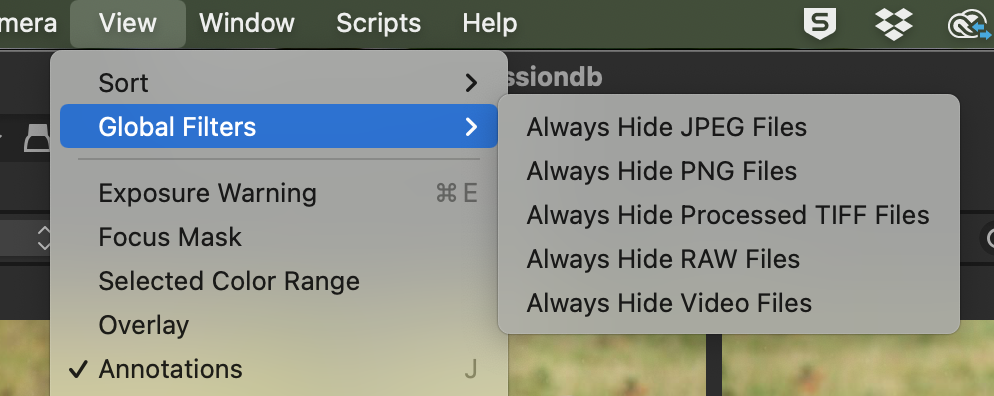
Also, on the View menu, there is a Filter option that might be selected to hide JPG files.
Ian
0 -
It was the global filters!!!! Thank you so much Ian for your amazing help!! Its sorted now. :)
0 -
Great!
Ian
0

Post ist für Kommentare geschlossen.
Kommentare
7 Kommentare