Crop | Straighten | Keystone Vertical - apply / cancel

Hi.
I have some problem with application.
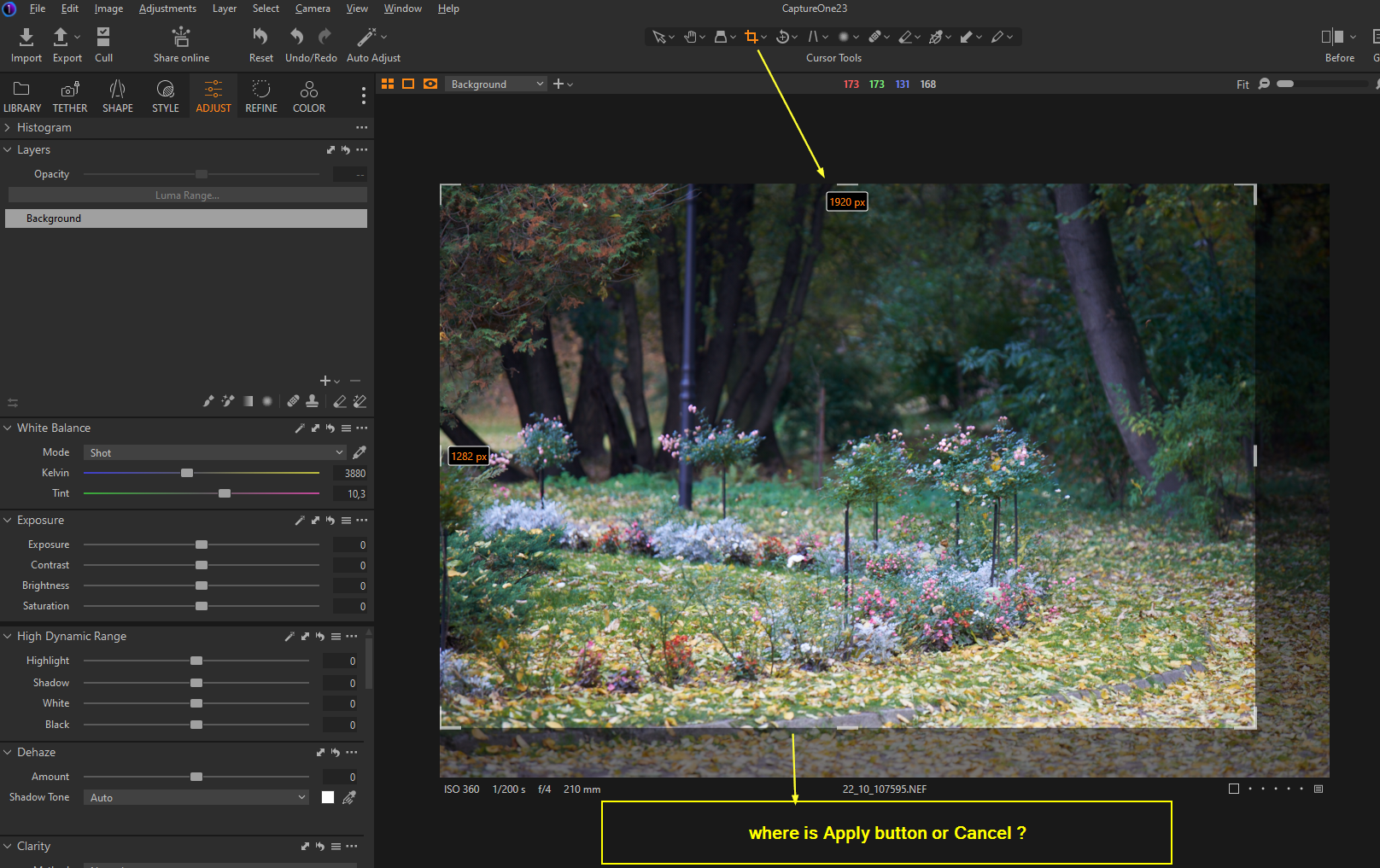
When I used, Crop or Straighten, i can't apply my changes by mouse.
On the interface I can't see Apply Button, or Cancel.
Only Enter on keybord, or get another tool :/
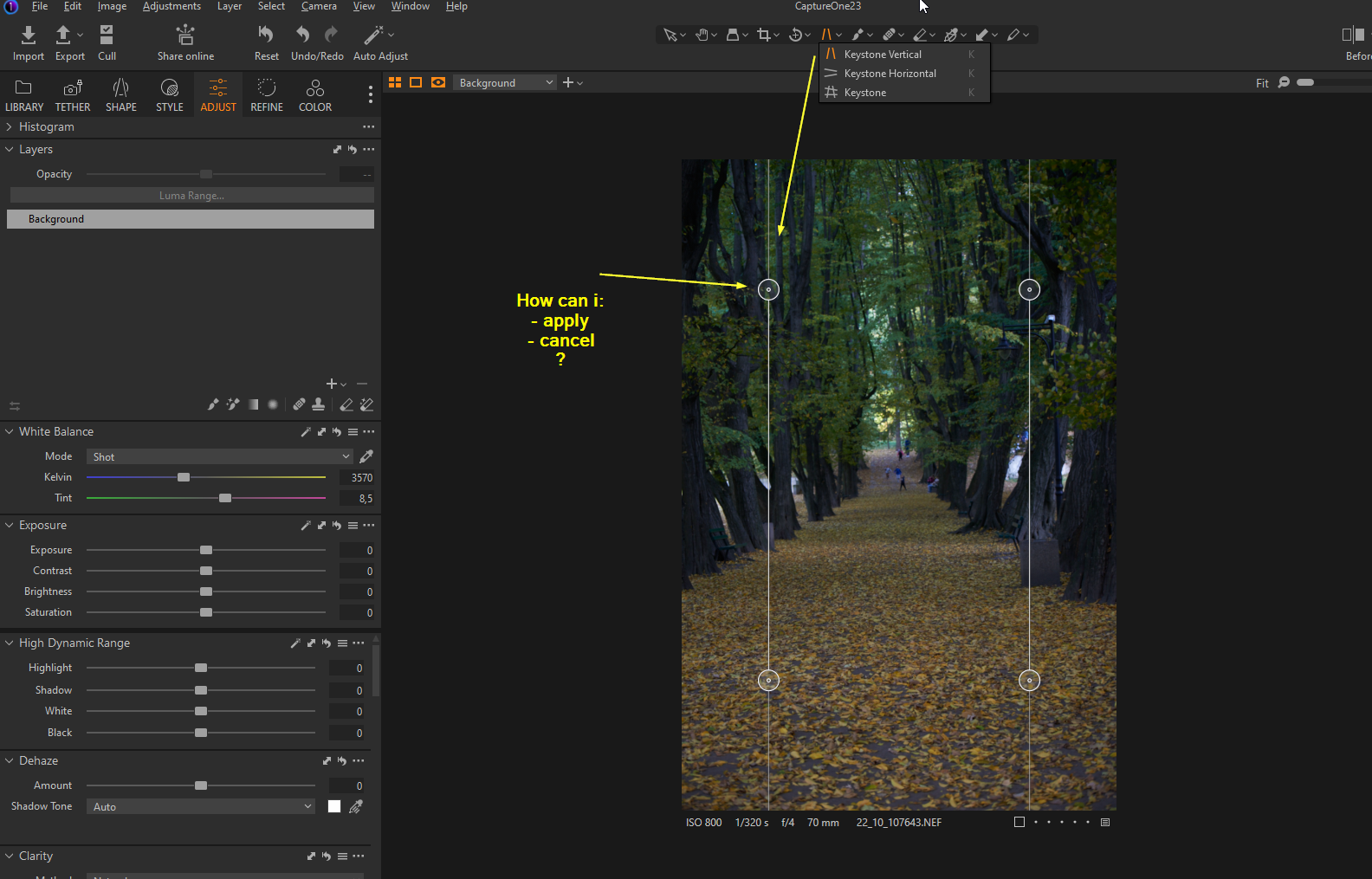
Another situation is with Keystone, I can't apply changes or cancel .. escape doesn't work.
-

Hi, for the crop tool the changes are applied when you export, in the mean time you can see that the cropped off parts are dimmer, but also if you change the cursor to any other than the crop tool you will see only the cropped version. With the straighten tool an apply button at the image center will appear when you make any changes.
0 -
Hi
With the straighten tool an apply button at the image center will appear when you make any changes.
Yes, this is true, but isn't in this case Cancel button. For example, if I straight some building on the photo, and i think, that is not good idea because i have to do something on another photo... than i have to apply, and reverse this operation. This is unnecessary clicking.
But, more problem's i have with crop tool. This tool i use really often ... first of my workflow.
So to agree, i have to click unnecessary 2 times ... go to arrow or hand above ;/
Clicking on the transparent (black side) batch of photo doesn't apply changes :(- One wedding -> 4000 photos x 2 x 2 x 2 = 32000 unnecessary clicking (2x,2x) -, because i crope some times again
I lern Capture One, maby i do something wrong. But excellent will be apply button on the center like in straighten and button cancel below,
0 -
For the cropping tool you can pres h on your keyboard to select the hand tool and you get the cropped version on display (I do it this way), I like how this tool works, because if I feel the need to change the crop, when I enter the cropping tool again i immediately see the full frame again.
To cancel the changes on the straightening tool a cancel button is unnecessary in my opinion, just change the tool and you are done. No need for extra clicks0 -

Agree, keyboard H is your "escape" key.
0 -

If you did not change anything: just change to another tool, like Hand.
Even if you already moved the keystone lines, but did not hit apply... just exit to another tool.If you did already make a change: right-click and reset to go back to original (no crop)
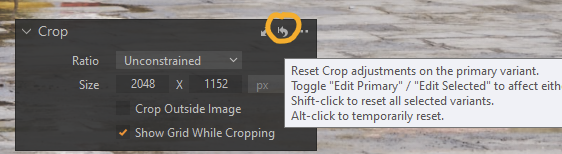
Or if you want to go back to previous crop, undo only the last edit using ctrl+z
I actually like the crop tool like this, it's even less clicks. No apply button click needed.
0
Post ist für Kommentare geschlossen.
Kommentare
5 Kommentare