Where Did the Dehaze Slider Go? - SOLVED

Am I dreaming that there was a Dehaze slider in C1Pro 22 but not in 23? I can't find it.
Thanks.
-
It seems to be there in the default workspace in the Adjust tab.
Suggestion: If you save your preferred workspace arrangement, you'll never lose a tool.
0 -
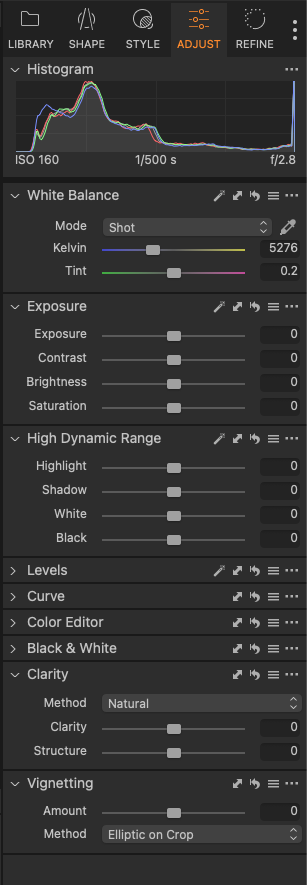
Hi Shane. Thanks for your reply. I've attached an image. Am I missing it?
Also, when I upgraded to 23 my workspace switched to a new layout I hadn't selected.
Thanks.
 0
0 -
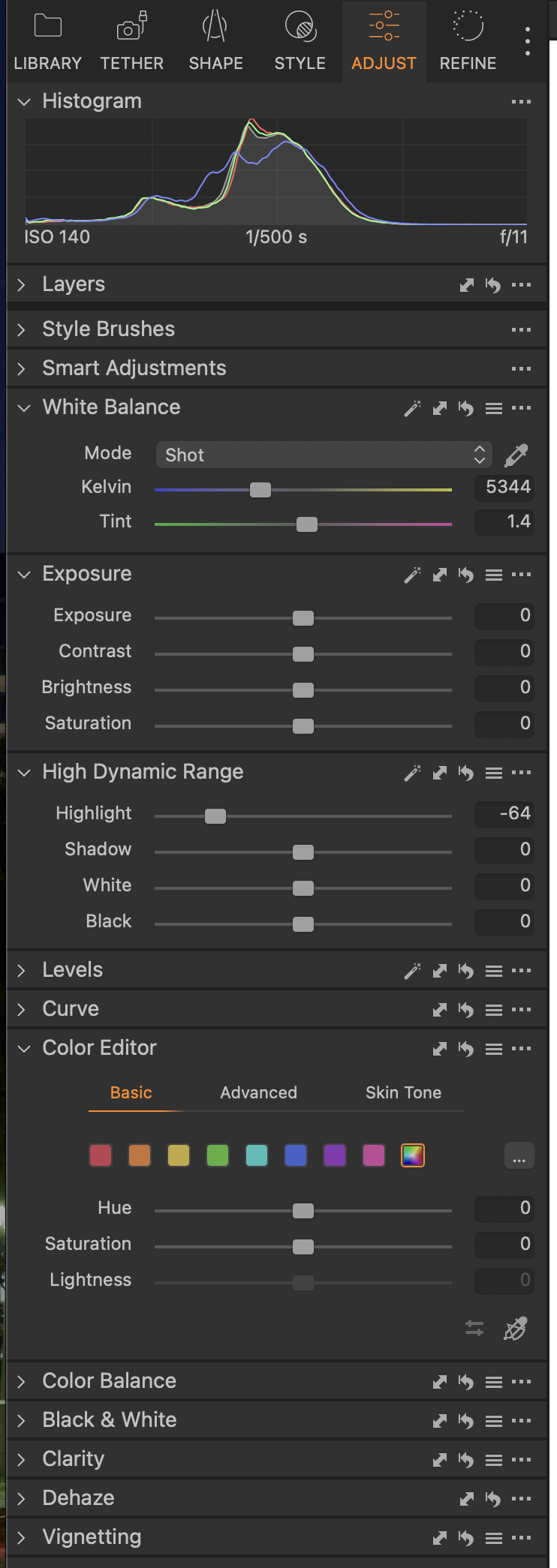
Well, this is what I see in the default setting.
I suggest you right click, add the tool wherever you like and save your chosen workspace. The ability to do so is one of the strengths of C1.
 0
0 -
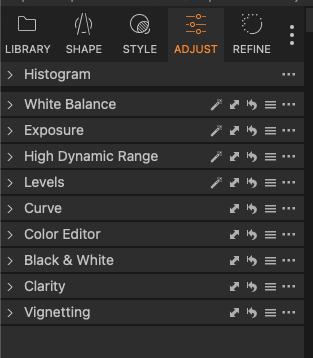
I'm sorry, I don't see it. I've right clicked on everything and been through every tab.
How do I add Dehaze? Are you in C1Pro 23?
 0
0 -
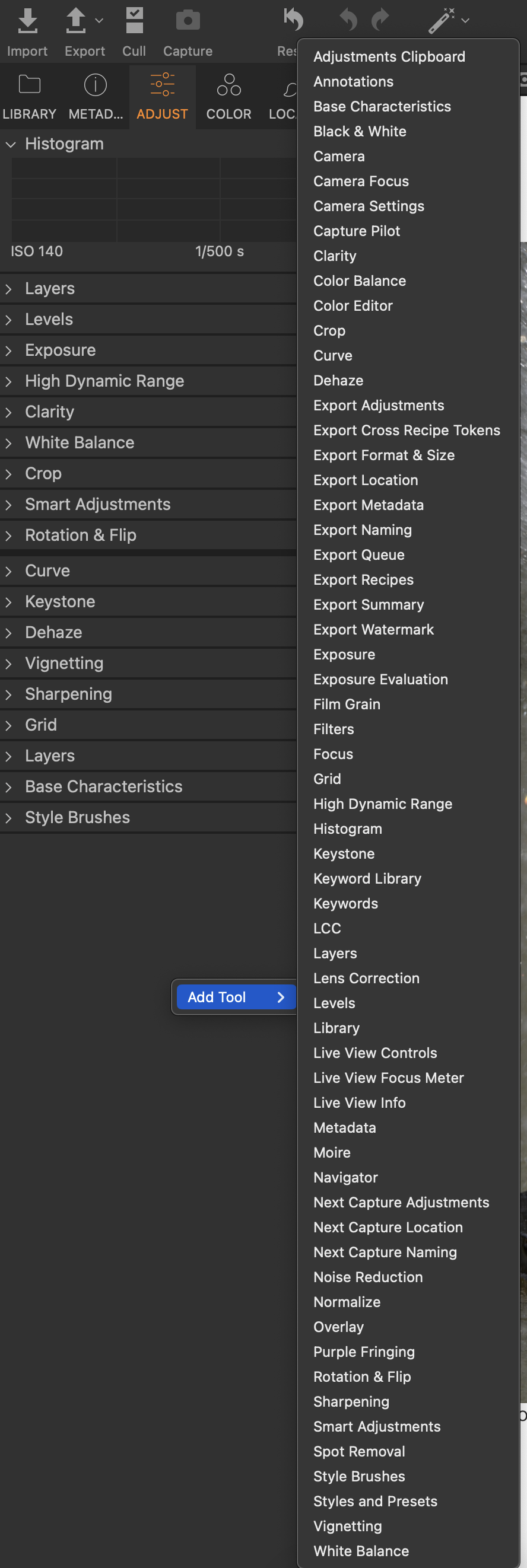
Easy.
- Go to the tool tab where you want it placed
- Right click
- Select the tool you want added.
- Ideally, save the workspace.
Remember, you can place tools in multiple tabs. eg: I have re-arranged all my tabs and have Histogram and levels on several of them.
You might find this useful: https://support.captureone.com/hc/en-us/articles/360002490858-Customizing-toolbar
 0
0 -
I don't know what else to say. I've tried everything.
Right click EVERYWHERE - nothing.
Control click everywhere - nothing.
That tutorial only covers the top tool tab; at least that's all it offers me.
Again, Dehaze disappeared when I upgraded.
I'll try again tomorrow. Thanks for your help.
0 -
Check this out: https://youtu.be/KT5Qfqsn7zk
0 -
Lots of things disappeared when I upgraded because CO23 didn't save my workspace settings. I had to hunt them down and re-add them to my new workspace
0 -
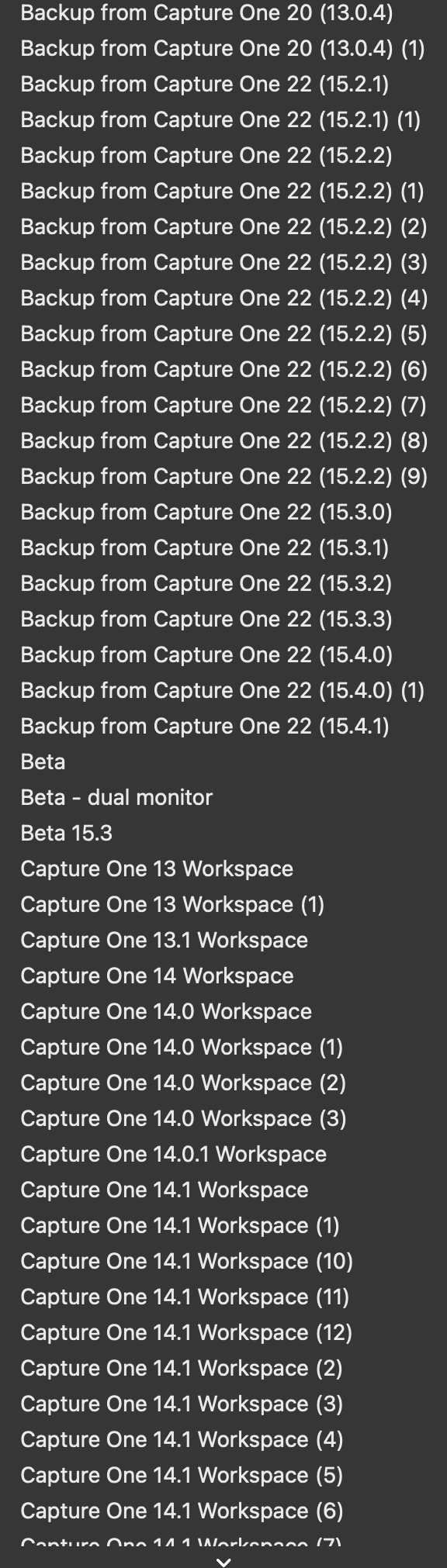 Lots of things disappeared when I upgraded because CO23 didn't save my workspace settings. I had to hunt them down and re-add them to my new workspace
As I understand it, C1 backs up your workspace whenever upgrading.
0 -
Its meant to backup your workspace but I found backup from 15.4.1 is the default settings not my settings
0 -
I upgraded to C1Pro 23 from C1Pro 22. When upgrading, the software reverted back to an Express version license I had BEFORE I had 22. I followed Ian's prompts in the linked article, found and deleted the original license.
My desktop, quick-keys and Dehaze have all returned to how I had them in 22. Thanks.
0 -
I have my own workspace and after each upgrade I go back to my previous version's workspace and save it as the new version workspace. This time nothing seemed to work. Then I logged a ticket after I realised all my settings had been lost and the response was that my 15.4.1 settings were the default settings. I normally don't touch those workspace backups. I looked at the 15.4.0 settings and they seemed ok but by then I had reset all the things I noticed had changed. Haven't had a resolution of my ticket yet.
Do you mean the 15..4.1 settings are C1 15.4.1 settings ot are actually V16 default settings?
Did you save your V15 settings with a new name for the workspace or modify the Default ?
0
Post ist für Kommentare geschlossen.
Kommentare
12 Kommentare