Version 23 is giving display glitches and export is broken

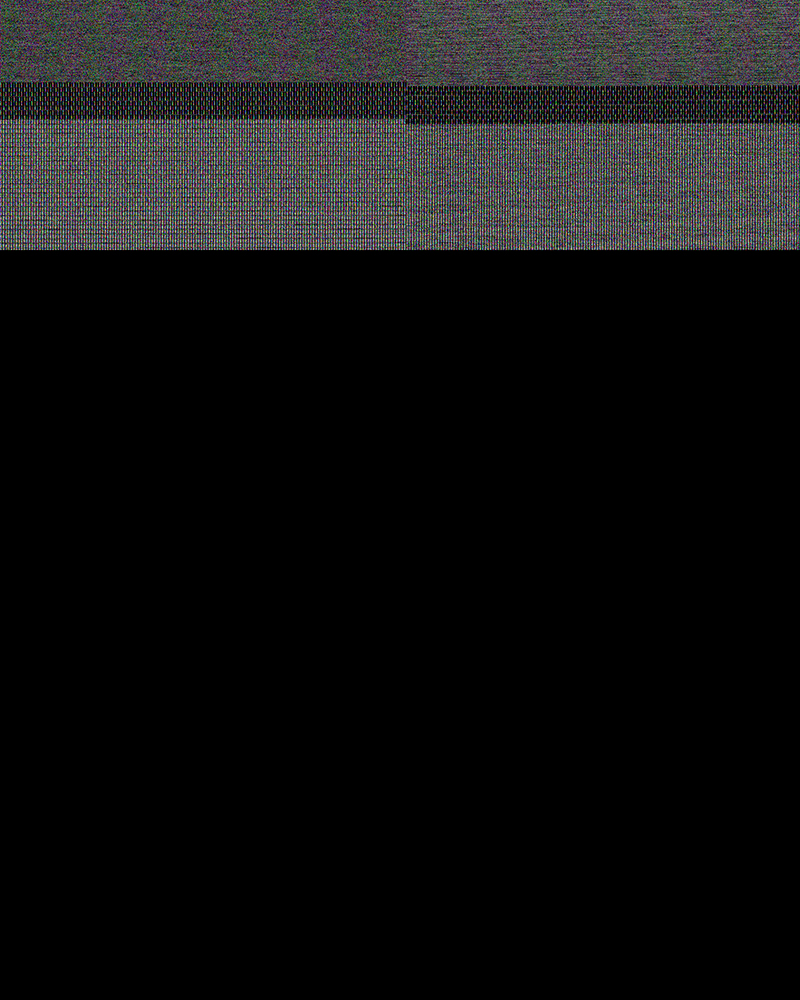
I've just upgraded to 23 from 22. Yesterday I imported a shoot and the display is glitching every time I apply a change to an image. The image gives a weird green 'grid' and finally settles into a reasonable preview of the image only with vertical or horizontal lines on it. What's worse is that exporting just gives a series of entirely black jpegs/tiffs and occasionally a black frame with weird artefacts (attached is an example). I've tried all output recipes and the outcome is the same. This means I cannot deliver the files to the client so I'm going to have to try reinstalling version 21 (the crop tool remembers the aspect ratio) and hope that I can downgrade the session.
Some details that might help diagnose the issue:
MBP 16" i9 Radeon Pro 5500M
OS X 12.5
DNG files from the Leica M10P
Here's a sample output:
-

do u get help? I have a problem with the new capture 23... it doesn't work... stop running for too reason.. I need help...
0 -
Generally the first thing to try for that kind of issue is turning off hardware acceleration in Capture One Preferences. Change these two options to Never and see whether it makes a difference.

Ian
2 -
I've seen this issue a million times, and it's usually OpenCL related. If you continue to experience this issue, then please write to support, as it could well be a bug.
1 -

Ian,
The screen shot you posted does not look like that from C1 22 or 23. This is what I see on them and it does not refer to Open CL:

When setting the preferences to Auto, I have no problems with the last issued versions of C1 22 and 23 "hardware acceleration" on my iMac Pro (late 2017), which did support Metal. I also have no obvious acceleration.
We were told last year that Capture One was working hard to bring Metal support to Intel based Macs. What happed to this? Somehow I thought/dreamed I read C1 now supported Metal on Intel based Macs.
Jerry
0 -
Yes, my screenshot was from an earlier version (I keep a stock of them!) - I'll have to replace that one, as my installation now just says Hardware Acceleration. Nevertheless, you could try changing them both to Never and see whether it cures your problem.
Ian
0 -
Looking at the release notes, I found that I was not dreaming.

From the body of the release note:
Metal support on Intel
For hardware acceleration, OpenCL is replaced with Metal on Intel-based Mac computers. This will in the long run provide a more stable, performant application.
So, Ian, what versions are you and Jack referring to and how does this relate to Ed's problem? Was the code changed back to Open CL in a later update?
Edit: I wrote this before Ian's above replay, but the question now is Metal implemented for Intel and if so, shouldn't it not be prone to the problems Open CL had?
0 -
No, as I said, my screenshot was an old one that I reused, not noticing that it no longer referred to Open CL.
Nevertheless, the first thing I would try, to cure the problem in the original post, would be to turn off Hardware Acceleration. When users have reported files looking like that here, that has almost always cured it. Of course ideally you'd be able to use hardware acceleration, but it is quick and easy to try turning it off to see whether that cures it - only takes a minute or two.
Ian
0 -
Very good advice, though it would be disappointing to find Metal support with the same sorts of problems Open CL had.
0 -
Hi all. Thank you for all the advice. I turned off all GPU support and now C1 is working. Your input is greatly appreciated!
This also brings me to the question of why an image editing application should depend on CPU power when I have a GPU dedicated to, well, graphics processing. Might as well have bought a low-end Mac if C1 doesn't support the hardware that's designed for it I guess. My next move was going to be a M1 Max/Ultra machine but this seems like an enormous waste of potential as well.
0 -
I don't know the answer to that @..., but I am sure that I read something recently about Lightroom having problems with hardware acceleration too. I am not well-versed in the technicalities, but that suggests to me that it might be a harder thing to solve than you or I might suppose.
Ian
0 -

I can confirm having the same issue and getting it fixed by disabling hardware acceleration. It's a right bummer, this, I must admit. Better get cracking on it, C1 guys and gals!
System: 2020 27'' iMac, 10 core, 32 GB ram, Mac OS Sonoma, Capture One build 16.3.1.23
0 -
What version of Sonoma? Make sure you upgrade to the latest 16.3.3 for Sonoma 14.2 support.
0 -
@Walter Rowe - currently on Sonoma 14.2.1
@John Friend - Thanks for the reference. Deleted kernels, got all of about five minutes of work time when the green monster struck again.
So no, no dice.
0


Post ist für Kommentare geschlossen.
Kommentare
13 Kommentare