USB ports on MacBook Pro not working with C1 in tether mode, common issue?

2019 Macbook Pro (2.4 GHz 8-Core Intel Core i9), Ventura 13.2, C1 23, TetherTools 16' USB-c to right-angle USB-c, Canon R5 running firmware at latest version.
On set and C1 not connecting to camera, so I did all the restarts etc before changing to another port on the computer, when it magically recognized. So I'm assuming this is a computer issue with the port requiring a PRam type reset, which is obviously kind of annoying when I'm on location and have a set to put together! I'm assuming this is not a C1 issue but probably a computer or cable issue. Any recommendations on how to prevent this or best practices when it does much appreciated. Anyone having similar issues with the new MacBook Pros with the M2 chip?
Thanks!
-

Does the camera show on the Finder when C1 is not running ? If it does then it's not likely a cable issue.
Click on the Apple logo (top left) and select About this Mac, then select More Info… then scroll to the bottom and select System Report
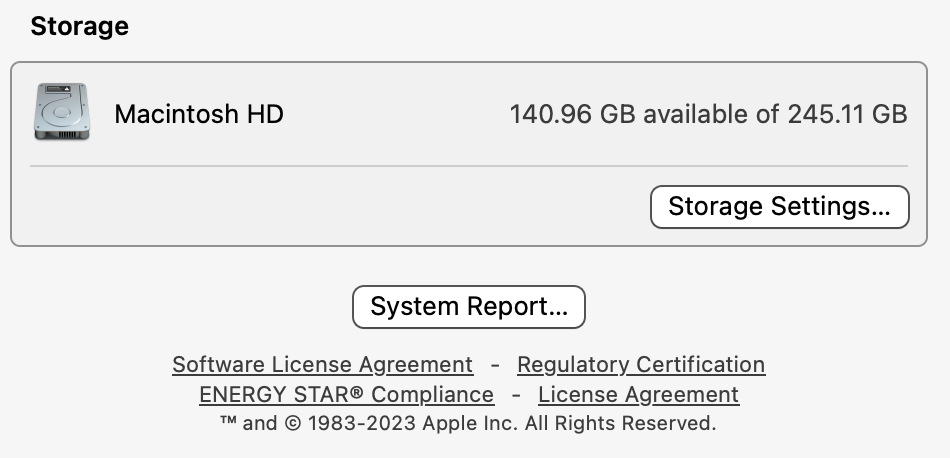
This should show you all the hardware including the ports so you should be able to see your camera when plugged in. If its there then it probably a C1 issue.
1
Post ist für Kommentare geschlossen.
Kommentare
1 Kommentar