Picture size in Capure One Pro already cropped

Hey guys, two remarks.
First, the current version of Capture One Pro 23 is very unstable and crashed several times since the installation. That is really annoying and did not happen in the previous versions. Second, I identified that the imported RAW files have a smaller cropped size in comparision to what I see in camera and in comparision to the imported files in e. g. Affinity Photo. Why is that? I am not interested to lose details automated due to the software.
-
Probably this is because of automatic lens corrections applied at import.
You can turn off the lens correction for an image by pulling the distortion amount slider down to zero.
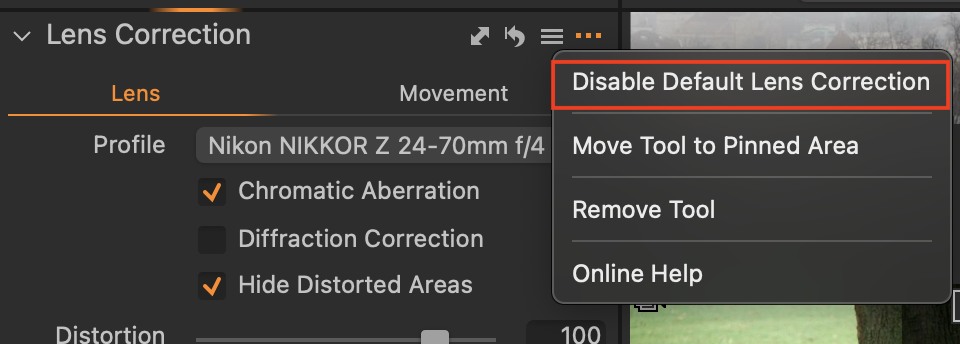
You can stop Capture One applying lens corrections on import if you click the ... on the lens correction tool and check the option. (It only affects future imports, not images previously imported.) But do you want to? In general you may prefer to have the lens correction and only disable it for specific images where you need to regain the pixels it removes.
Ian
0 -
Thanks Ian for your comment. I ckecked this and the lens correction is not the problem. But what I figuered out is the following. Maybe this is an Fuji related issue. The crop setting is by default the original image size (3:4). When I changed this to Unlimited I can see what I see through my camera display. In itself it should be 3:4 but within Capture One this format is a little bit cropped. I checked it also with Fujifilm RAW Studio and I see what I see in the camera. So I have no idea why it is a little bit cropped in Capture One Pro. BR Mike
0 -
Sorry to persist with my idea, but are you sure it's not the lens correction?
If you choose the crop tool (C on the keyboard) do you see the small parts round the edge that have been cropped? And does nothing change when you pull the distortion slider down to zero?
Ian
0 -
Hi Ian, yes I am quite sure. I checked it as you thankfully mentioned. I disabled the Lens Correction and set the distortion to zero during the active mode. I also tried a lot of the other default settings but nothing changed. It was only by chance that I recognized the issue with the crop tool. By using the crop tool I see a tiny area already cropped. Switching to unlimited displays the originally file (photo) in COP as I can see it in camera, Fujifilm RAW Studio and also in Affinity Photo.
0 -
Hi Ian
My customer has latest version of COP and the Canon Eos R7 shooting raw images. They are importing with a crop already applied to them. Loosing edges of the frame which were composed in the viewfinder.
You can select "unconstrained" in the crop menu and then drag the crop out, to reveal the full image as shot. However this is clearly irritating to have to do this to each image.
Why is this happening please?
I have disabled lens correction and the Canon Eos R7 is set to 3:2 by default in the camera menu.
The Canon D90 never had this problem in COP 22.
Regards Nick
0 -
I don't think it is anything to do with what camera is used.
What lens is it? If you go to the lens correction tool, what does it show in the Profile field? Manufacturer profile, like this...
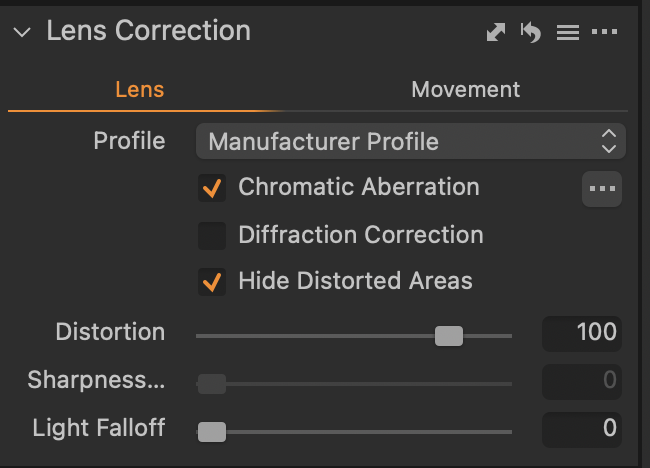
... or Generic like this...
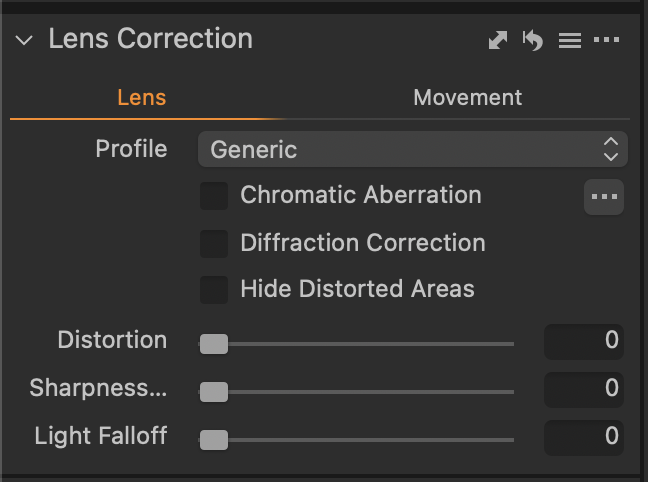
... or the name of a particular lens, like this?
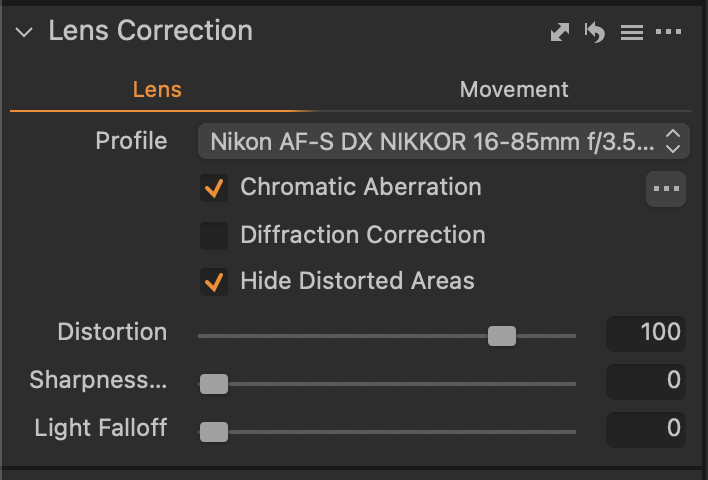
And what is the distortion slider set to?
(The answers may vary if you are seeing this with a selection of different lenses.)
Ian
0 -
Thank you Ian,
I will check with my customer tomorrow.
So you think this is causing the cropping of the imported image?
Regards
Nick
0 -
It certainly sounds like it.
Ian
0 -
Lets hope so thank you for your speedy response!
Nick
0

La publicación no admite más comentarios.
Comentarios
9 comentarios