Fuji Raw Files Blurry compared

I am currently using Capture One 16.1.2 with Fuji X-T5 RAF files.
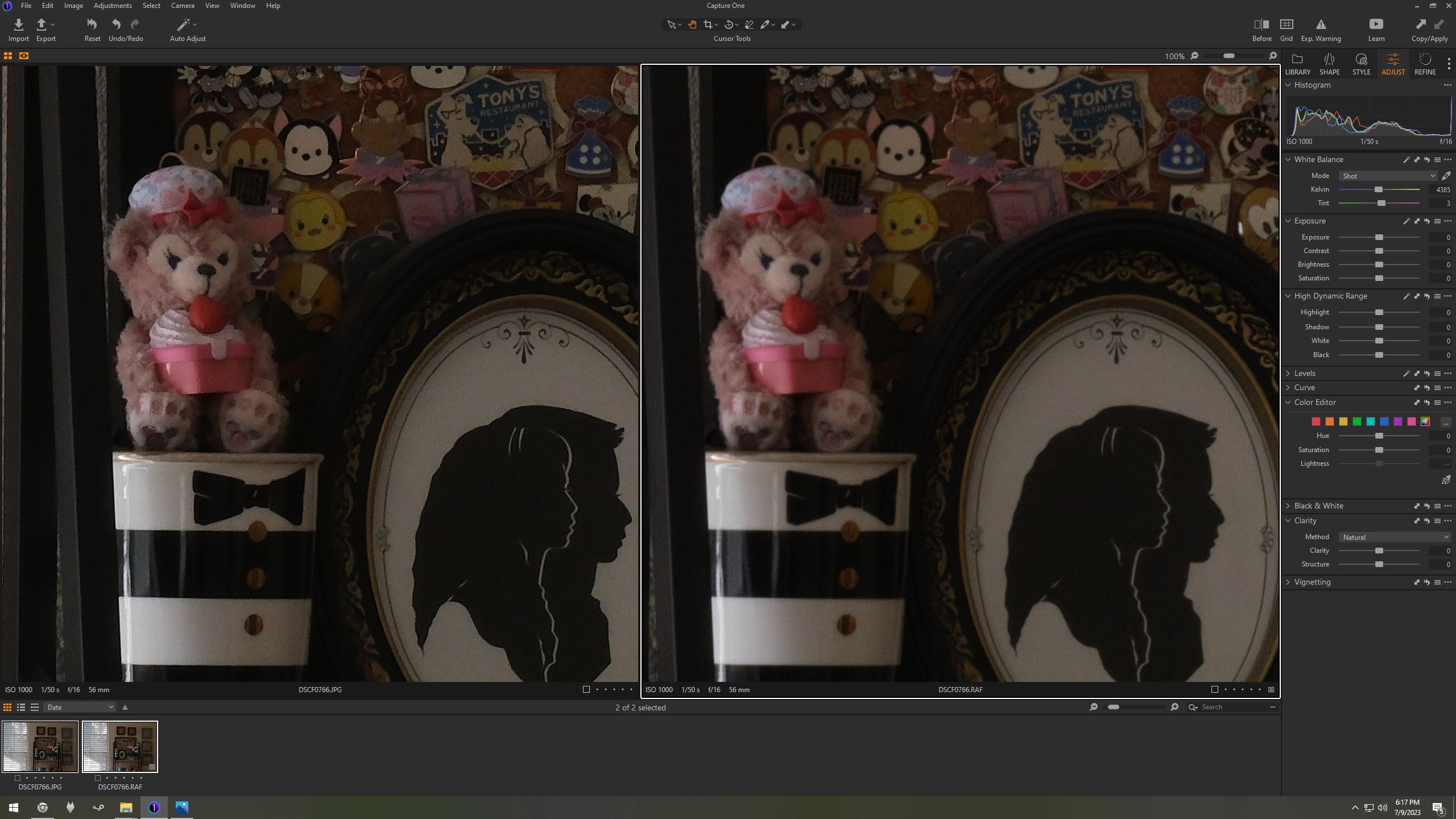
When comparing JPG images produced by the camera and Capture One images using the raw files, the Capture One images are significantly more blurry. This includes the preview of the RAF file in Capture One as well as JPG images produced by Capture One using the raw file. I have included a picture of this below.
Is this a known issue? Is Capture One's processing just not as good as Fuji's? Am I doing something wrong? Is there a blur/sharpness setting a don't know about? Is there another program that can do better?
Thanks for the help.
-
I don't think there is anything special for Fuji x-trans raw files so I can answer to you:
You are comparing apples to oranges, the jpg is a fully developed image using the settings in your camera, and the preview (and exported jpg) of the raw file is has only the very mild default settings of C1 (you didn't even adjust the exposure). The tool you are looking for is in the tab "Define" and is called sharpening and/or Clarity:Structure.
Personally, I find the out of camera jpg looks oversharpened here and there (e.g. the bear), at least for screen, maybe not for print, so you can even apply some mild additional sharpening with the sharpen tool globally for the whole image and additional selective sharpening using a brush/adjustment layer.
0 -

This does not happen with raw files (DNG) from a Ricoh GRIII.
The Capture One processed Ricoh/DNG sharpness and Ricoh GRIII in camera processed to JPG sharpness is identical.
Why is Fuji RAF softer in Capture One?
How can I fix this?
0 -
Also, processing with Fuji X RAW Studio makes the RAF files look perfect, same sharpness as the camera JPEG.
Of course this makes sense as the same camera hardware is doing the RAF to JPG processing.
The real question is how can the full sharpness of the RAF be recovered with a software solution?
X RAW works great but is not a convenient or certain solution for future post processing.
What if some years down the line the exact Fuji model is not available to use with X RAW?
0 -
Why is Fuji RAF softer in Capture One?
The answer to that is because in producing its out-of-camera JPG, Fuji has applied some sharpening. As BeO suggests, some might think it over sharpens it. But it starts with the same raw data as Capture One does to produce the JPG. You should be able to get the amount of sharpening you want using the Sharpening tool and/or the Clarity and Structure tools.
And when it comes to the Ricoh files, it may be that Ricoh doesn't apply as much sharpening when it produces in camera JPG files as Fuji does, and therefore the out-of-camera JPG doesn't look as different from the raw as is the case with Fuji.
Note: if you increase the sharpening in Capture One, be sure to evaluate the result zoomed in to 100%. The preview at zoom-to-fit doesn't necessarily give a good representation of the results of some of the tools (including things like sharpening and noise reduction).
Ian
0


La publicación no admite más comentarios.
Comentarios
4 comentarios