Histograms question

Hi everyone,
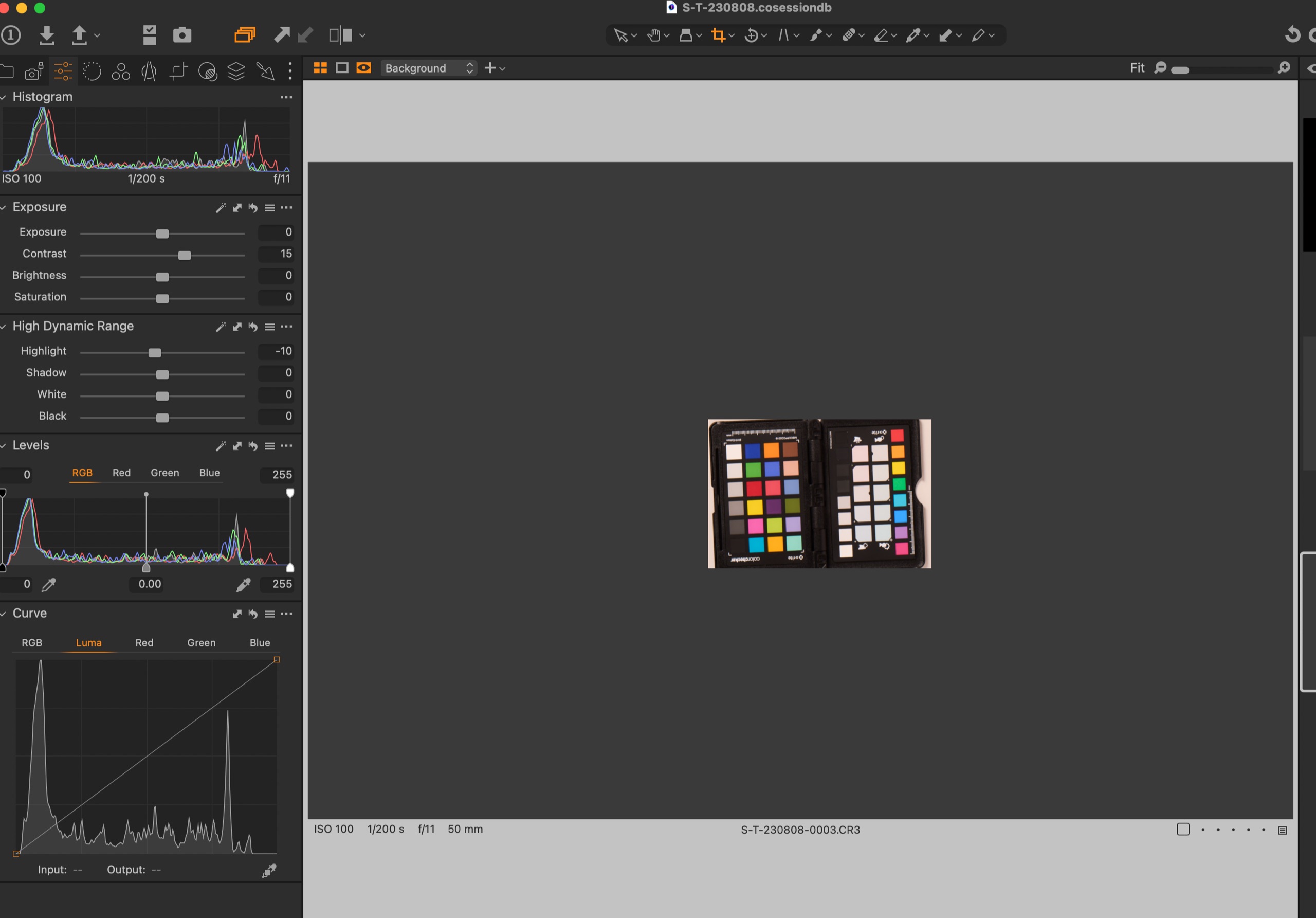
I have a quick question about histograms in Capture One when shooting tethered. Why is it that the Curves and Levels histograms match each other but the main standalone Histogram always appears a little brighter / pushed slightly further to the right? When I change sliders for exposure, contrast, highlights or shadows etc, all 3 of these histograms move in response, but always the standalone histogram looks slightly brighter. See attached screen grab to illustrate.
Thank you!
Thom
-
It appears that the curve in the histogram tool itself is affected by the active export recipe. I just checked this and found that if I moved from a JPG recipe being selected to a TIFF recipe being selected, the curve in the histogram tool shifted, but the curve in the levels tool didn't.
Ian
0 -

Image Alchemist has a good article here: https://imagealchemist.net/histograms-in-capture-one/
Basically, the various histograms show the image at various stages of the edit "pipeline" as they call it. The histogram at the top can be though of as the "most important" as it represents the image taking into account all of the edits made to the image.
0 -
Yes, if you set "No proof profile" in menu View>Proof profile then it the histograms look identical.
0 -
Thanks everyone - this is so helpful. I found that chaining the process recipe had no effect, but I think this all depends on the View>Proof Profile setting you choose. Mine was not set to one of my recipes, but it was set to a generic Adobe RGB 1998 profile. Switching from that profile to No Proof Profile moves the main Histogram back in line with the other histograms.
So, follow up question:
When I process and retouch images, they are almost always delivered for both print and web use. I process and retouch in 16bit Adobe RGB 1998 and then I supply two versions of the final image to my clients. One version is for print and is supplied at full resolution, 8 Bit, Adobe RGB 1998 as an uncompressed TIFF. The second version is for general web use and is supplied at a lower resolution, sRGB JPG. Given that I process and retouch in Adobe RGB 1998, I guess it makes most sense to keep my Capture One Proof Profile setting as Adobe RGB 1998, because the main Histogram will show me how processing to Adobe RGB 1998 will effect the Histogram and warn me of any clipping. As long as the main Histogram is set to Adobe RGB 1998 and I'm keeping it looking good, my image will be spot on in retouch. If I were to select No Profile, I wouldn't have this information and could end up with clipping or some other unexpected problem. Is that right?
0 -
Hi Thom,
If you and your client were satisfied in the past, why change anything.
A couple of (more or less unrelated) thoughts:
In the View menu there are a lot of icc profiles, and two very special ones. "No Proof profile" and "Selected Recipe". Selected Recipe is not really needed anymore (by me) since we have this special eye glass icon:
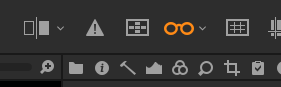
If enabled, it allows you to quickly switch between profiles in the export recipes tool, e.g. for your web version (sRGB) and your print version (AdobeRGB; or a specific printer/paper for soft-proofing).
That means you can set a specific profile or "No proof profile" in the View menu and switch to it by disabling the eye glasses.
If you are doing product photography and need the highest color accuracy possible (e.g. the Pepsi red, https://usbrandcolors.com/pepsi-colors/ ) then you probably
1) need to ask somebody else than me, I don't even have a color checker :-) and
2) probably need to measure your colors and probably should do this in PSIf "very close" is good enough, then looking at AdobeRGB on your monitor and automatic conversion to sRGB when exporting (using the perceptual rendering intent (see preferences)) is likely sufficient, color-wise. There are not many images where I can see a difference between the two profiles anyway, on my monitor calibrated to AdobeRGB.
Maybe it matters regarding blown color channels (highlight warning) but I still have to see an image which is not clipped in AdobeRGB but clipped in sRGB in more than one channel. One channel clipping is not very relevant, to my images. But I have aging eyes... :-)
Cheers,
BeO0


La publicación no admite más comentarios.
Comentarios
5 comentarios