Keystone/axial correction without losing image content

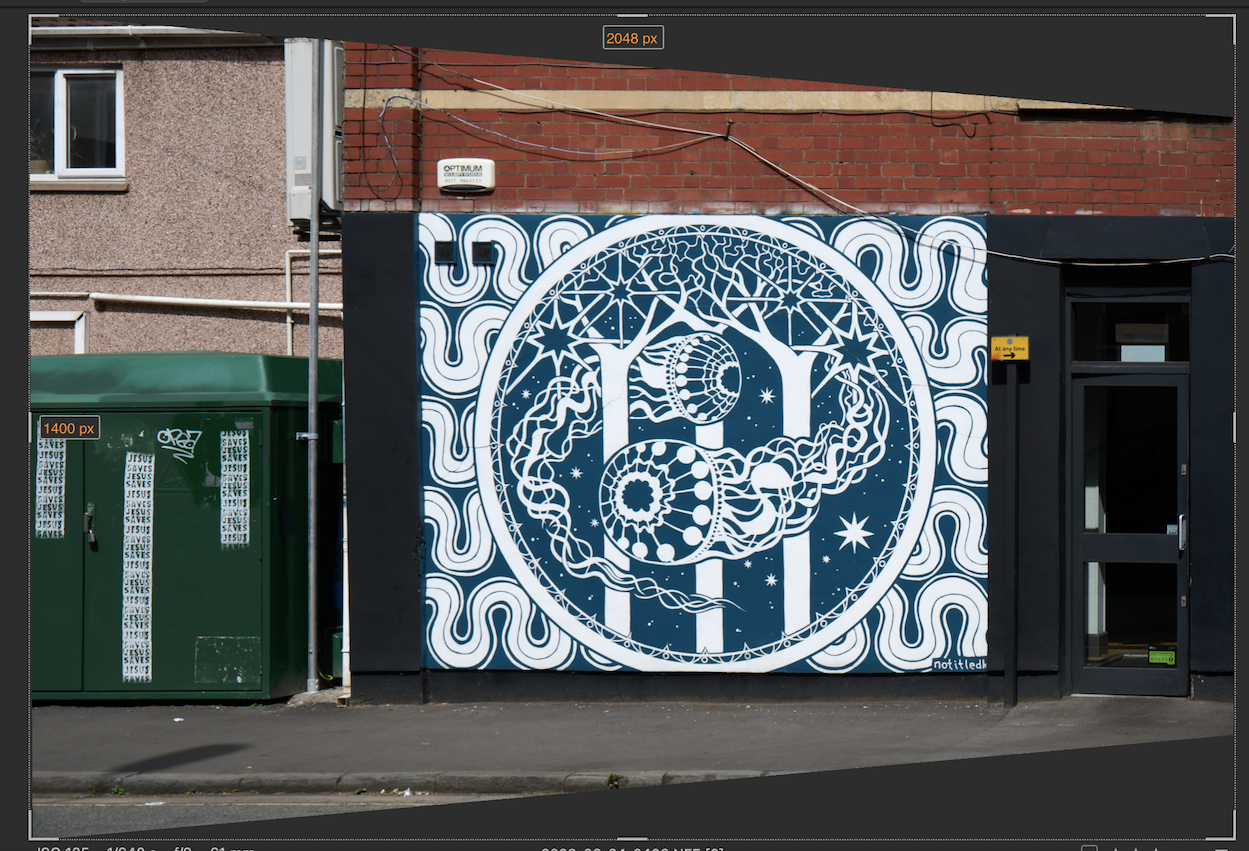
Is there a way to save the entire image after lens/axial correction without losing image content? I would need this as I would like to stitch various axial corrected images afterwards and therefore need as much image information as possible to be preserved in order to decide afterwards where to crop or where to adjust edges etc. Possibly a larger image should/could be created that contains all the parts of the image that had to be altered and would not be appearing in the finished /assembled image. Thank you!
0
-
Have you tried the "crop outside image" option when cropping?
Ian
 0
0 -
Hi Ian, many thanks for getting back so promptly. No, in fact it I haven’t. Could you please elaborate a bit how it’s done? Many thanks!
0 -
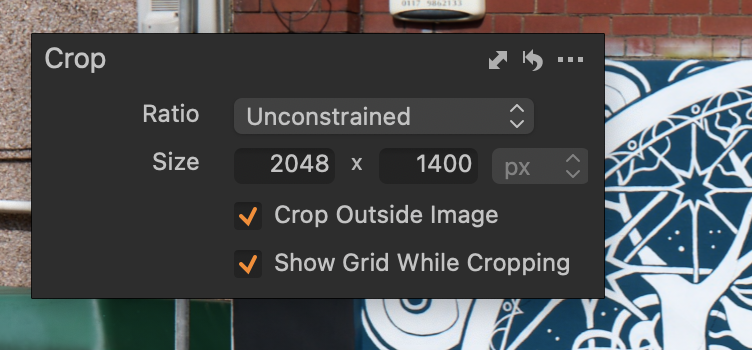
Select the crop tool. Right click to get the dialog box, choose unconstrained and check the box for crop outside image.
Ian
 0
0 -
Wonderful, Ian - many thanks! That’s a lot of help! Will try that out!
0

La publicación no admite más comentarios.
Comentarios
4 comentarios