ICC Profile exported as metadata?

Greetings,
In my recipes, I have the ICC Profile set to sRGB IEC61966-2.1, which I understand to be somewhat standard for internet display devices.
But when I export the files, I can't find anything in the metadata of the exported file that specifies the ICC profile or any color profile information for that matter.
Is it possible to set up a recipe to export the ICC profile into the image's metadata?
I'm on Build 15.4.2.10 of Capture One 22 Pro for Windows.
Calvin Powers
-
I assume JPG?
Are you looking at the Windows Explorer file properties? That is not really a good metadata viewer.
Look up the file in a session or import to a catalog,
and then check it here
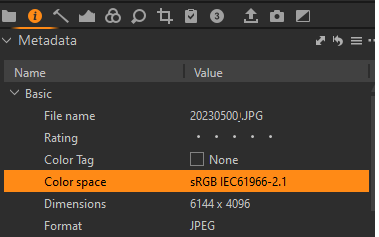
or here
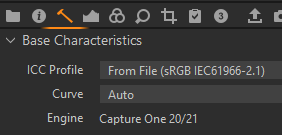
Cheers
BeO0 -
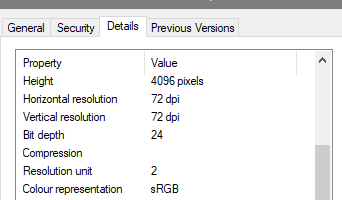
Having said the above I actually do see it in the properties window:
 0
0 -
Good advice on re-importing the jpg back into CO and inspecting the metadata.
On my Windows 11 system, I see nothing on the color representation property, which is what sent me down this rabbit hole. lol
Calvin
0 -
On importing the jpg back into CO, I see the the color space property is set in the basic section of the metadata, so I guess that is a good indicator that the ICC profile is actually embedded into the file somehow. Not sure why it does not show up in the Windows view of the metadata, but I think I'm just going to let that remain a mystery.
0 -
Sounds good. I have Win10, maybe there is a difference.
0

La publicación no admite más comentarios.
Comentarios
5 comentarios