Unable to import images from a RAID drive --> Error: cannot store files in current location

Hi Team,
I have a RAID 0 drive with 4TB capacity and 1.89TB worth photos in a folder.
While trying to import the folder, I choose the folder (inside the RAID 0 disk) --> include subfolders --> Add to catalog --> Collection:Recent Imports Only --> pick all --> click Import all button.
Then i get the message "cannot store files in current location".
I did not have this issue when I used Capture One 22. But when i upgraded to Pro i get this message.
Thanks
0
-
Are you able to check, which physical folder is the target and is it still in the expected location? Mind any accidental renames or drive letter changes.
0 -
Thanks for the quick response. There is no place to choose a path if i select add to catalog.
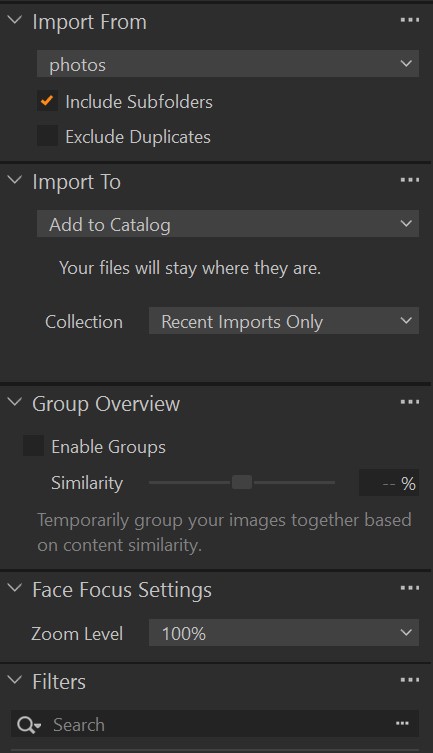 0
0

La publicación no admite más comentarios.
Comentarios
2 comentarios