Layer Masks to export

Hello
Whilst the layer masks and AI is very effective, it would be a great asset to be able to export the image with a layer mask that can be used in photoshop, so if the file could be exported as a PSD, with a layer mask, that would allow the subject to be separated and background added. I use actions so may have a 100 images that I am removing the background and inserting a new one, hence actions are important when doing same. This would be one of the most helpful advantages to users, and as you are producing very detailed masks, its something that advanced users would be using sll the time in marketing and advertising, and whilst I am not a software enginer I would expect would be quiet a sraight forward addition to Capture One.
Many thanks Andrew
-
I have replied directly to email address sent on email as I needed to include screen grabs from the use of layers and how they are an important part of meeting the clients need for the backgrounds to be removed. Thanks again for help and look forward to your reply. I will then post how same can be used in changing the masks if there is a work round.
0 -
Hello John
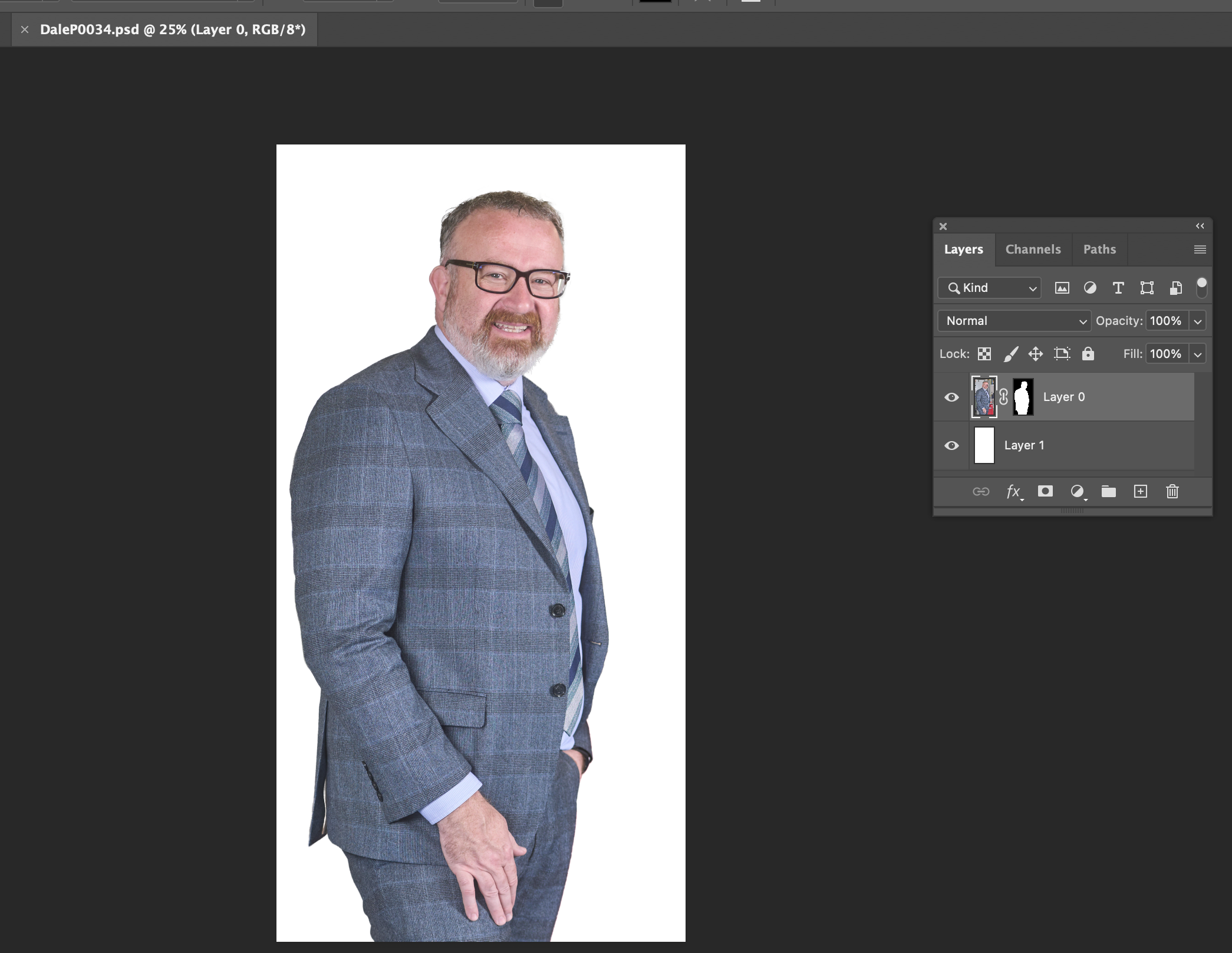
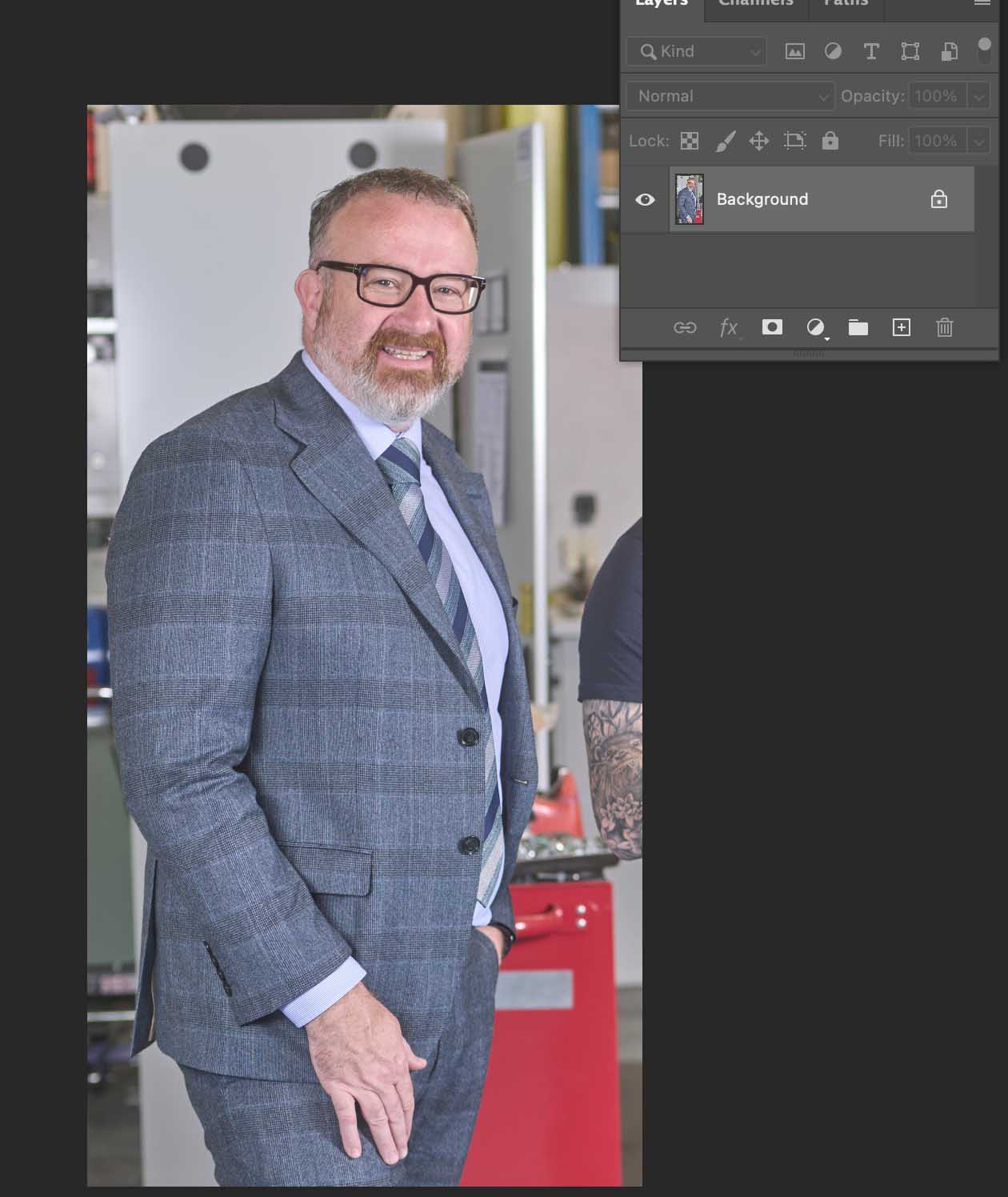
Thanks for replay I have enclosed a screen grab of the file open showing the layer mask, as it is on a layer, I was able to go in and add a white background on it’s own layer in Photoshop, . On these shots I batch processed as all needed a white backgrounds and the transparent one with original layer mask as well, re designers needing the option for brochure use. Even if I have to go through extra processing, that would be fine soloing as it’s possible to get a mask.Thanks for advice re adding to message board did not realize you could add imagesThree images below, With Mask, Mask and white background, original with background.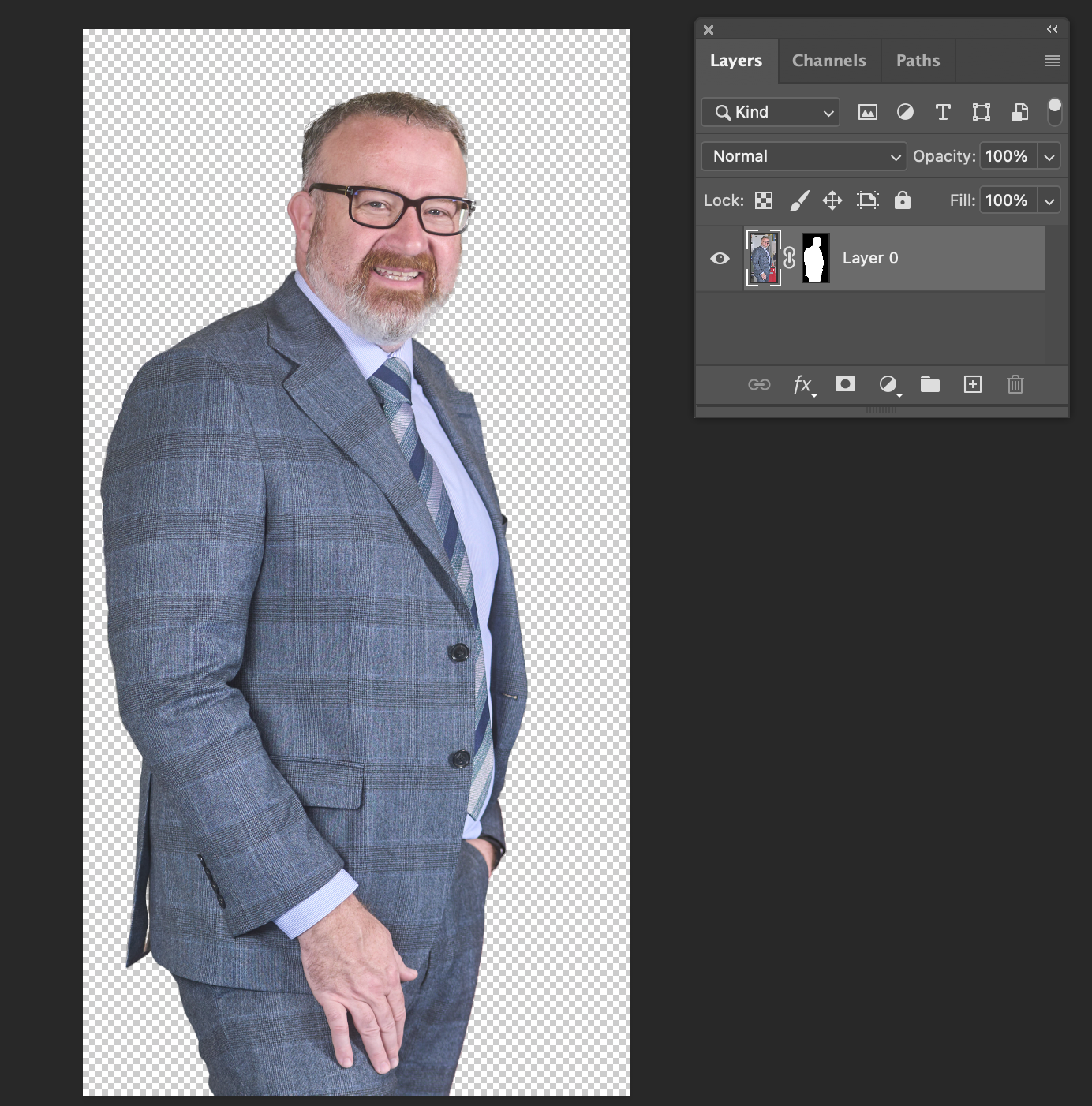
 0
0 -
 0
0 -
Thank you so much for looking into the possibility of Capture One adding this function re masks, I would find same a real benefit, specially one output quantity of images at one time. The wrok around is OK for odd one or two but quantity as I am in the area of 100 at a time.
All the very best Andrew
0
La publicación no admite más comentarios.
Comentarios
4 comentarios