Bugs

Hello!
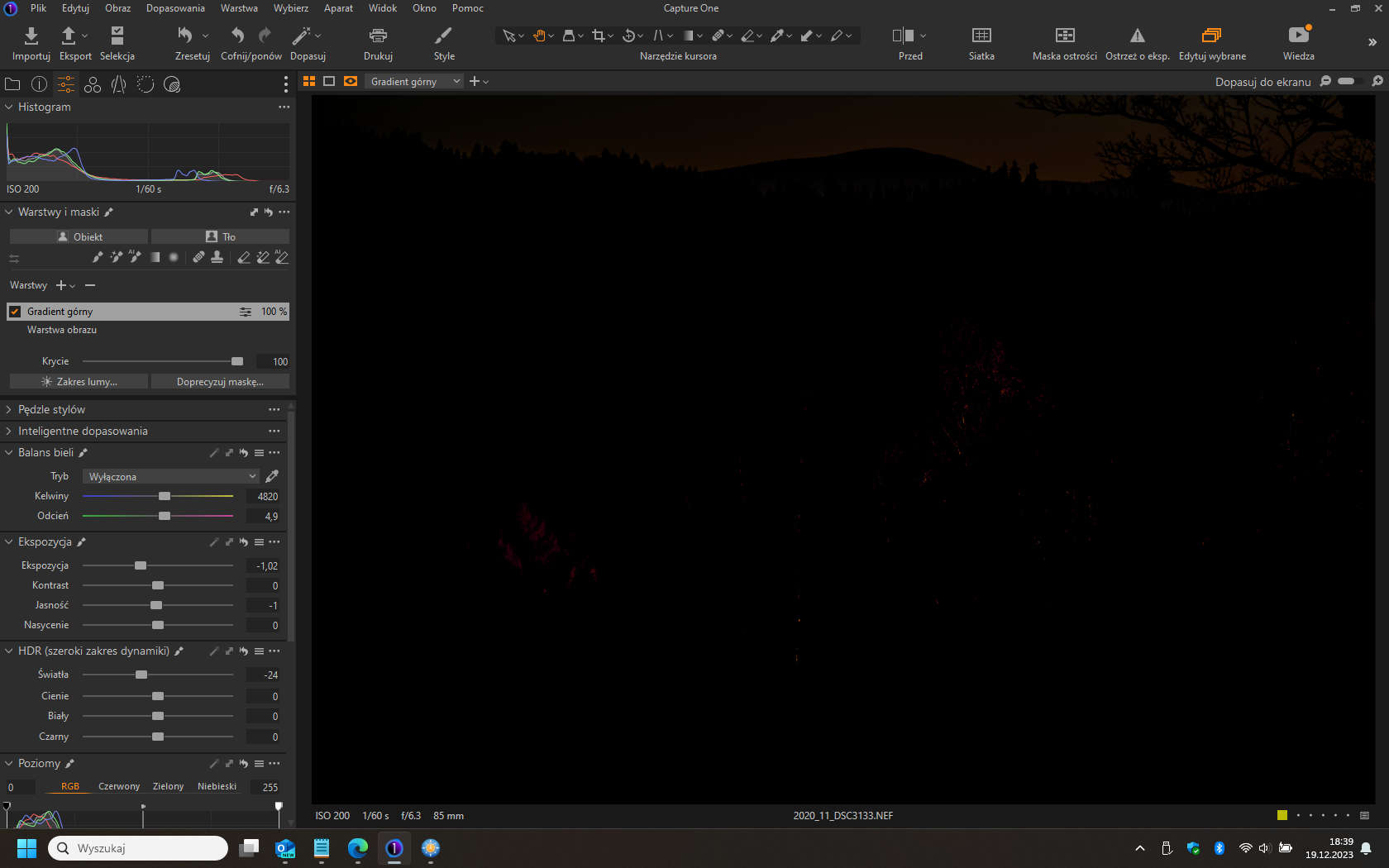
I don't know what you did in the new version of Capture One Pro 23 (16.3.3), but when I add a gradient filter and try to adjust dehaze, the entire image turns black.
Please solve it, because I didn't pay for the program to constantly find bugs and errors.
-
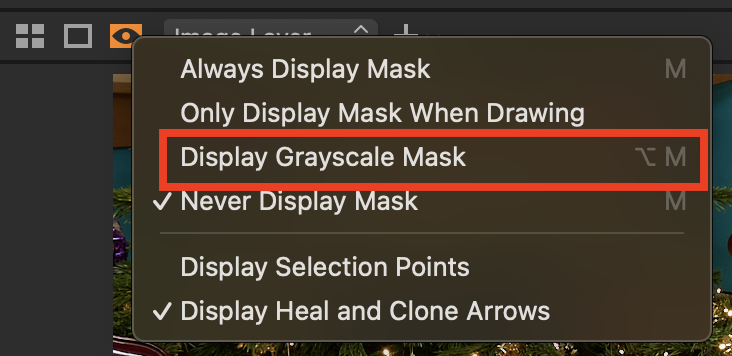
Are you sure that you don't have greyscale mask turned on?
Ian
0 -
I see!
Sorry for my bad English.
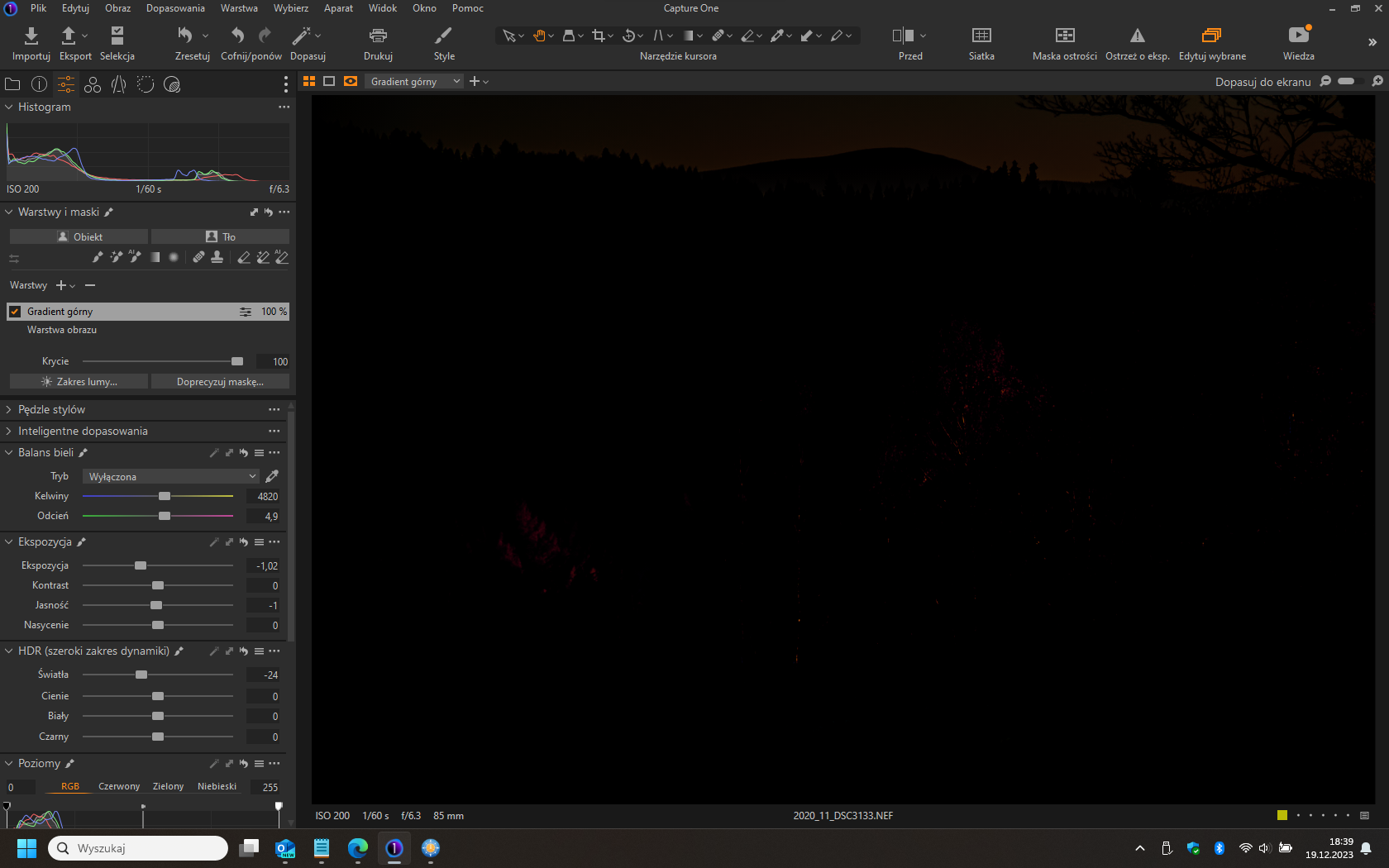
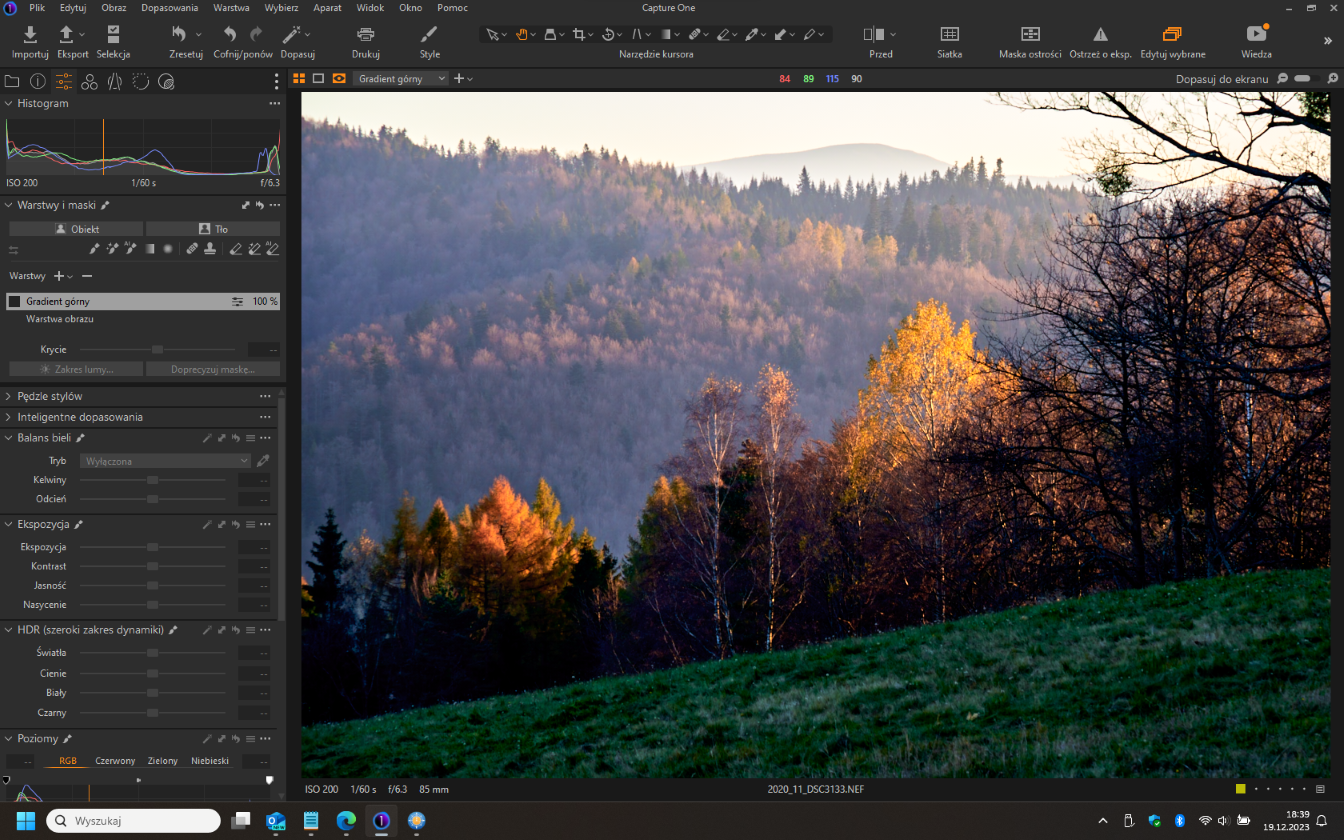
I noticed that the gradient I added had this problem. When the haze is set to 0, there is no problem. When I move the slider to a different value, the screen turns black.
I also noticed that after updating Capture One from version 16.2 to 16.23, the application "lost" the applied camera profiles. I had to add them again and fix the photos. So something is wrong with the latest version.0 -
 0
0 -
 0
0 -
But have you checked whether greyscale mask is on, as I suggested? Click the orange eye symbol and change the option to Never Display Mask (sorry I only know what it is called in English). If there is no mask and greyscale mask is selected, the image will appear black. If there is some mask, the masked areas appear white and the unmasked areas appear black, like this.
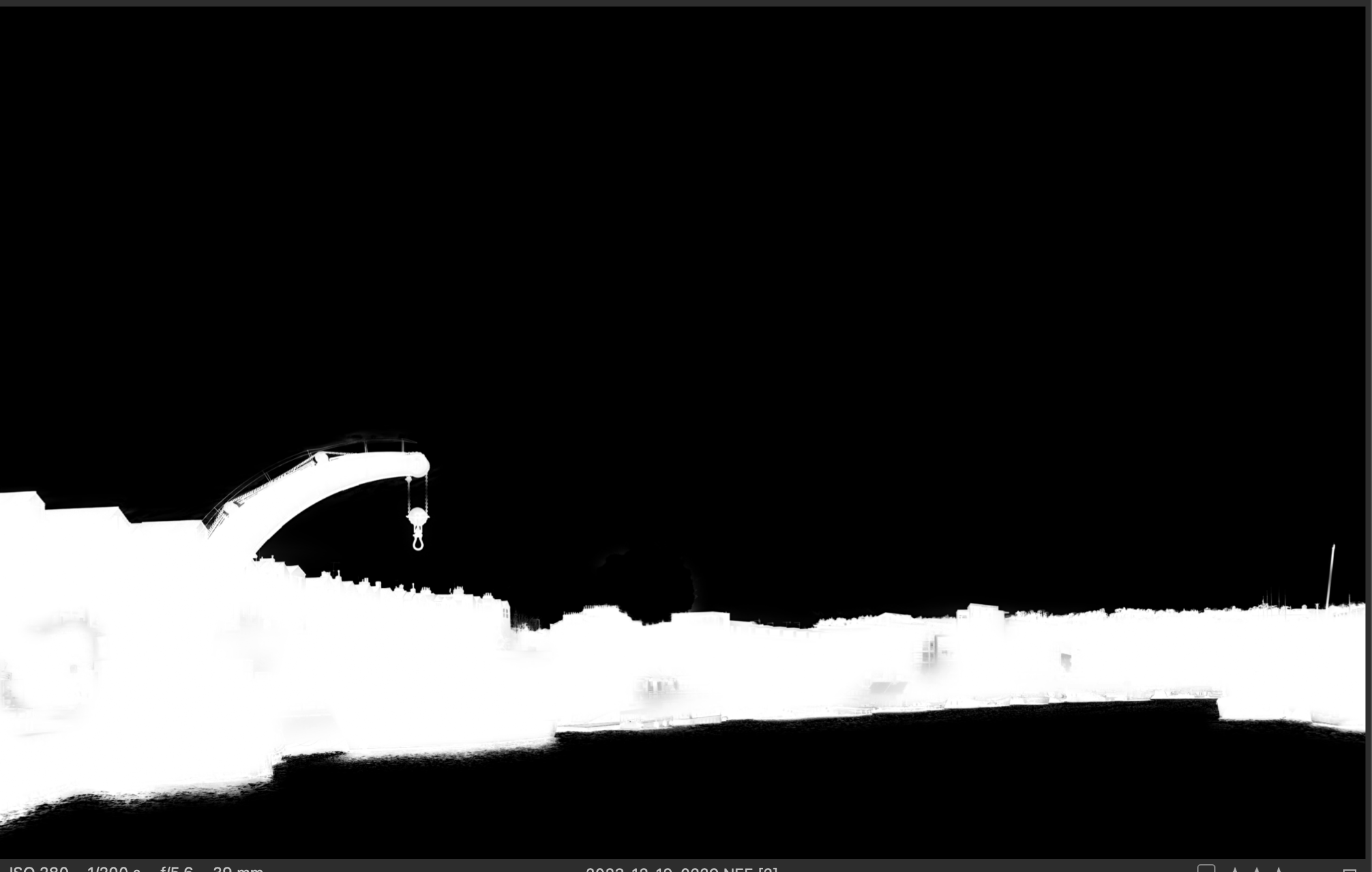
If the image is all black, it's usually because Show Greyscale mask is on. (Easily done by mistake perhaps by hitting the key combination by mistake - Alt-M on Windows, I think.)
In fact, your image is not completely black because I can just see some of the outline of the hill.
Ian
0 -
Good morning!
Unfortunately, what you write doesn't work. I have the mask turned off. Gradients or gradient masks in the previous version (16.2) worked without any problems. Now everything is going wrong. I have to fix old photos again. This is very irritating.
I've been sitting here for another day and I'm still improving. This isn't how it's supposed to be.0

La publicación no admite más comentarios.
Comentarios
6 comentarios