I have to enter the license-key all 60 days.

I have to enter the license-key all 60 days. When i start capture one, my sessions are gone. This is not good.
-
What do you mean when you say that your sessions are gone? If they are not visible in the list in the Library tool of Capture One that does not necessarily mean they are gone. They are almost certainly still on your file system wherever it is you created them (your Pictures folder for instance). So for example here are three of mine, showing the Session folders and the session files (the ones with the .cosessiondb file names).
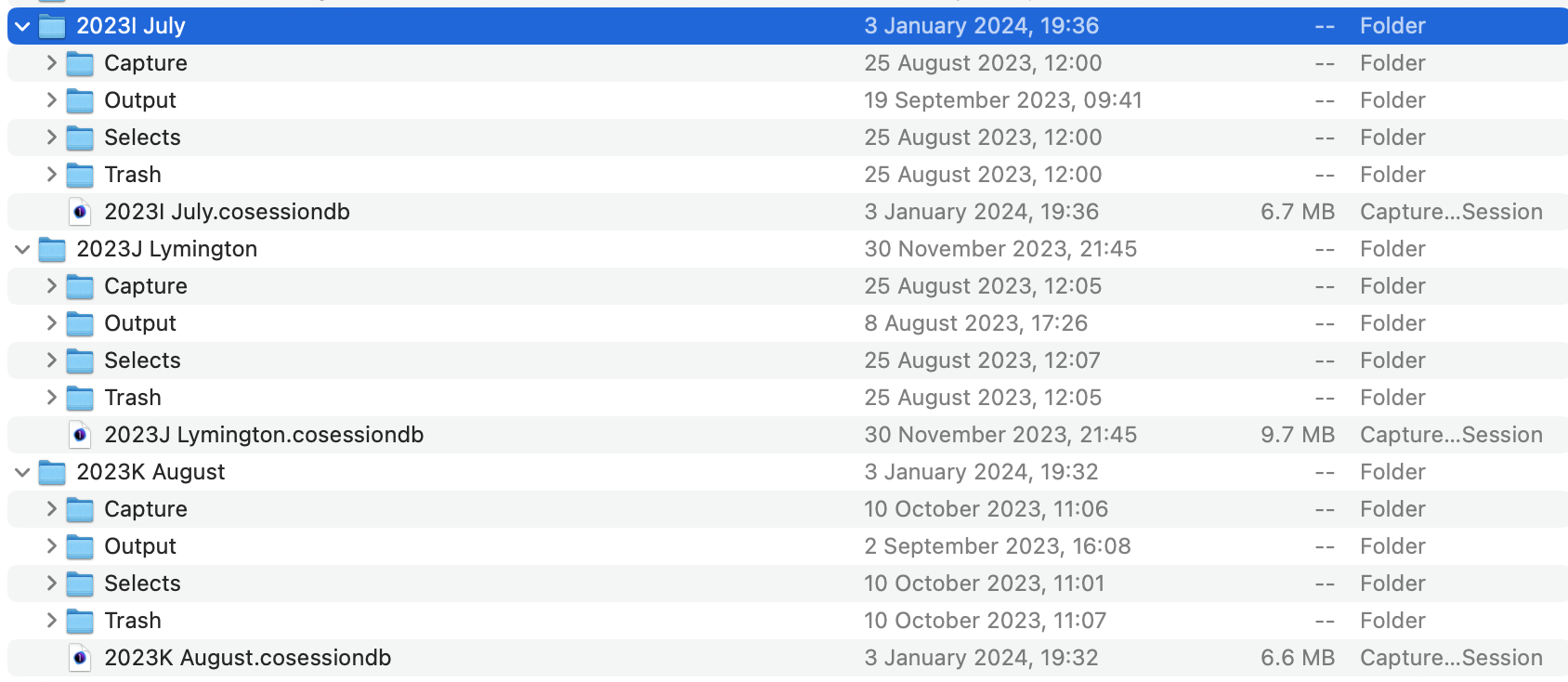
Even if they are not in the list in Capture One you can still open them. Go to File>Open and find the .cosessiondb for the session you want.
Can you find them on your file system and can you open them that way?
I am not sure why you have to enter your licence key every time, nor why the list is empty in Capture One if that is what you meant. But possibly Capture One doesn't have the permissions it needs to save its settings. That might mean it forgets you have entered your licence key already and can't save the recent file list. You don't say whether you are on Mac or Windows, but if it's Mac, are you sure that Capture One has full disk access in System Preferences?
Ian
0 -
PS - and can you go into your profile on this forum and change your user name? There are too many called FirstName LastName already!
0

La publicación no admite más comentarios.
Comentarios
2 comentarios