Capture One isn't Installed

Hello, I am using Macbook air 2011, BigSur version. when i installed capture one, there is only ''image capture'' installed. i cant seem to find the ''captureone'' application. i dont know what happened. can you help me?
-
So presumably you
- downloaded the Capture One 16.4.4.24.dmg file from the Capture One site?
- double clicked the .dmg file?
- dragged the Capture One.app across to the blue folder as shown in the dialog box? (i.e. the standard Mac way of installing an app)
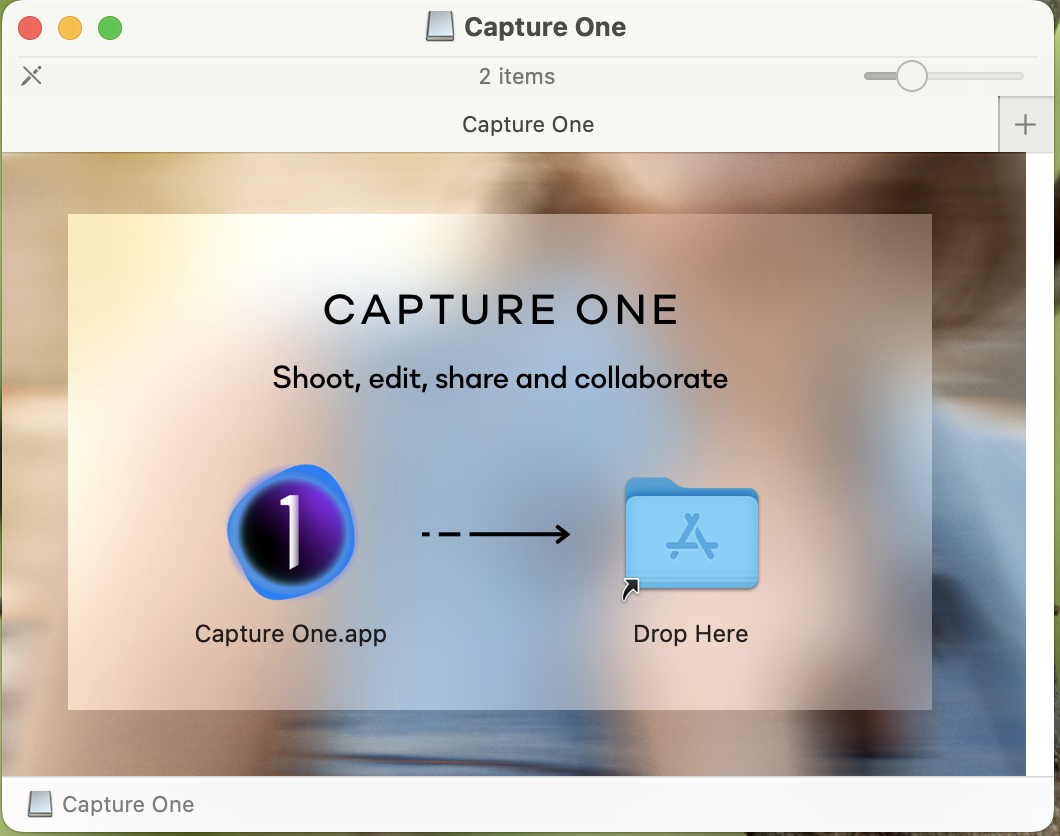
If you did that then you should find that Capture One.app has appeared in the Applications folder of your Mac. Has it?
BUT .... if what you have downloaded is the most recent version of Capture One (that is, release 16.4.4) then it doesn't support Big Sur. It is certified to work with everything from Monterey 12.7 up to Sonoma 14.5. See the list here.
If it's not the latest version of Capture One that you are trying to install, which version is it?
Ian
0 -
yes i downloaded the newest version 16.4.4.24 , where can i download the version that is compatible with big sur?
0 -
Go to the download page in your account and scroll down to where it shows previous versions. They go all the way back to Capture One 3 (from 2008)!
Ian
0 -
I recommend getting a newer system that will run an OS compatible with 16.4.4 version of Capture One. So many features are there that you may want. Installing an older version compatible with Big Sur might cost you valuable features that you've paid for.
1


La publicación no admite más comentarios.
Comentarios
4 comentarios