Filter on read-only, variants and other

Hi,
Is it possible to make a filter/smart album for photos being read-only? Or photos having variants?
I have returning need finding which can not be identified using a EXIF or ITPC field.
Thanks
Olof
0
-
I'm not sure about read only.
For variants, I can think of a slightly long-winded method.
- Choose a folder where you want to just select the images with extra variants.
- Choose any image - if it has variants make sure you choose the number one variant.
- Right click its thumbnail, and from the context menu choose Select by same > Variant Position (1)
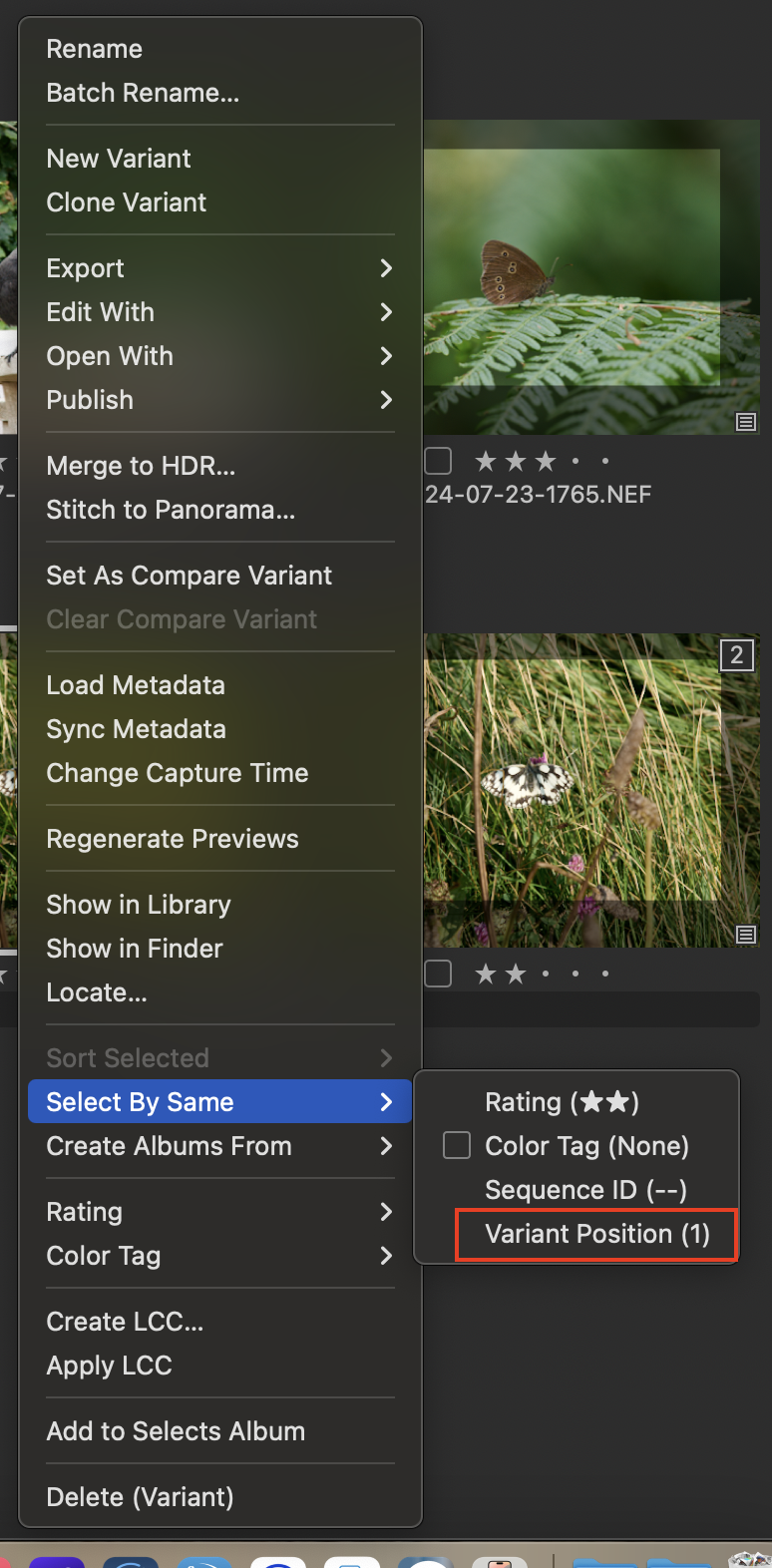
- On the Select menu, choose Invert Selection (or the default keyboard shortcut is Cmd-I)
- This now leaves you with only the Variant 2s, Variant 3s etc in the folder selected. You could either drag them to a folder, or assign a colour tag or something to them and then use a smart folder for that colour tag. (You could alternatively just find a variant 2 and choose to select all the ones with the same variant position, but that would omit the Variant 3s, 4s, etc.)
Not a very elegant solution, I think, but it might help?
Ian
0 -
Thank you Ian. That was very helpful. I could find a way to use it. Actually wanted to clean up variations
Let see if anyone find a way to identify read only files.
0

La publicación no admite más comentarios.
Comentarios
2 comentarios