"No images selected" in folders with 1000's of photos

Lately I notice that when I go to the Library and click on a folder with lots of photos, none of them shows up in the image viewer; all I get is "No images selected" message. I tried to reimport the images, and I get a message that all of them duplicates. So pictures are there in the Library, the previews are not showing up.
How I can get the photos show up on the viewer so I can edit them?
Thank you.
Ram
-
Is some kind of filter active that hides the images?
Also unless an image or some images are selected in the browser, no image is selected so nothing can be shown in the Viewer.
Ian0 -

Hi, I am having this problem as well.
When I click on an images/images in the browser they are not showing up in the image viewer and it says 'No image selected'. I do not have any filters.
Did you work your problem out?
thanks!
0 -
Under normal circumstances, the image or images selected in the browser should show up in the viewer (one or several, depending on the viewer mode), provided the viewer is visible.
I'm not sure what happens with unsupported file types, greyscale images, offline files etc., so it would not hurt if more details or even screenshots would be added here, otherwise it is shooting in the dark for the people here.
0 -

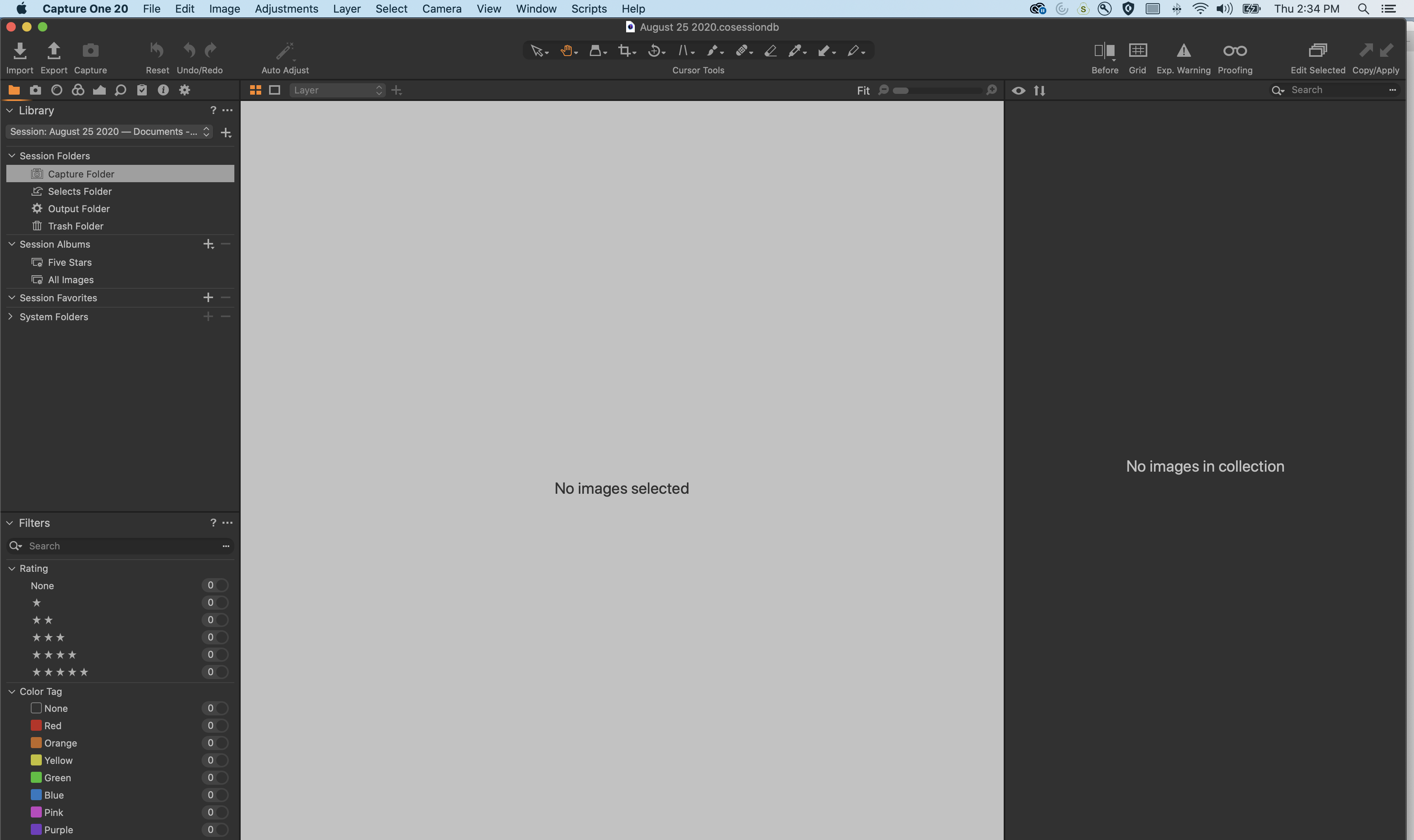
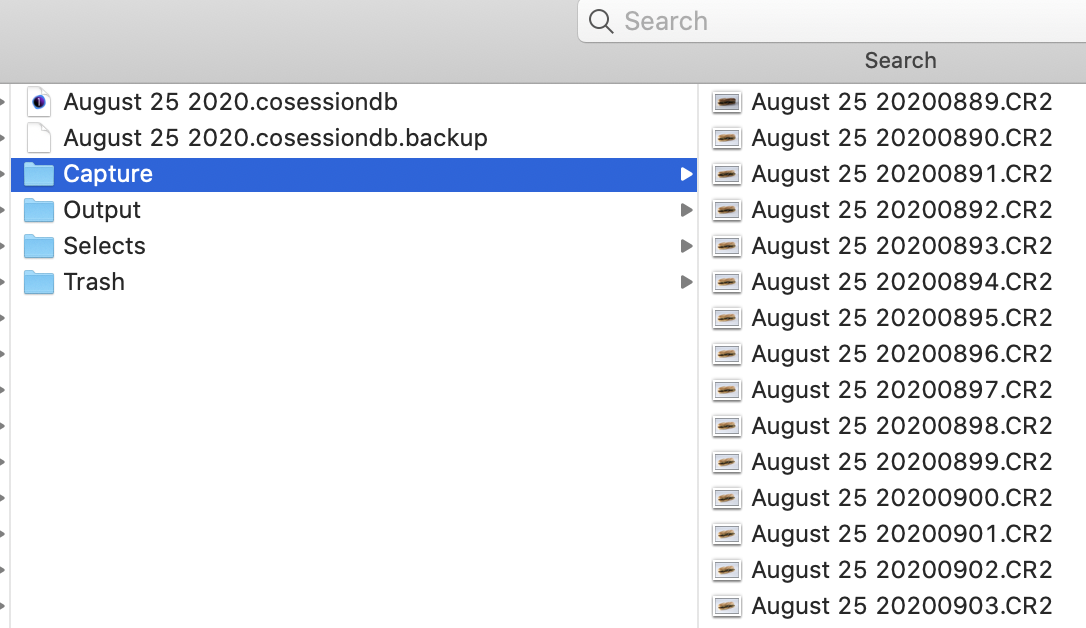
Hello. I am also having the same issue as described by Vanessa C. When I open sessions from earlier this week, the viewer says "No Images Selected" and No Images in Collection." There are no global filters turned on. My Mac and Capture One are all updated. The images can be seen in the finder, but cannot be accessed through Capture One. I'm very frustrated.
 0
0 -
Denise,
Is this the first time you use Capture One together with files from that camera?
Are the files from a camera and in a file format which is supported by C1?
e.g.
Canon 80D CR2 is supported but mRAW is not. https://www.captureone.com/en/resources/tech-specs/camera-support-canon
0 -

Denise,
That's quite a recent session but you have a local backup file. That's unusual unless the session has been upgraded from an earlier version of C1. Are are you backing up into the same folder?
Has the session worked successfully previously? Was it a tethered session?
Is there a "Capture One" folder in the Capture folder?
0


La publicación no admite más comentarios.
Comentarios
6 comentarios