Pictures shot tethered on capture one v20 are LOST!?

I am on the trial version of capture one, 3 days ago I completed a tethered shoot using Sony a7iii and windows PC with I7-9th gen, 16ram, 256GB ssd and invidia gtx 1060.
After finishing and backing up my catalog, I can not seem to find any of the pictures in the catalog folder!!! They are all gone but maybe 3 pictures only that for some reason remained!
I would like immediate and urgent support for this disaster as I have no memory card backup of these raw files and this will cost too much than I can afford.
Thank you in advance.
-

Firstly, I would suggest in future doing a trial and understanding how things work before relying on it for what appears to be a professional shoot especially if you are new to something.
Secondly I suggest that you submit a support a request to C1 if your case is immediate and urgent as I am not sure how avidly the C1 support team reviews the community.
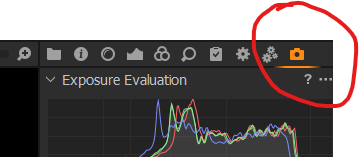
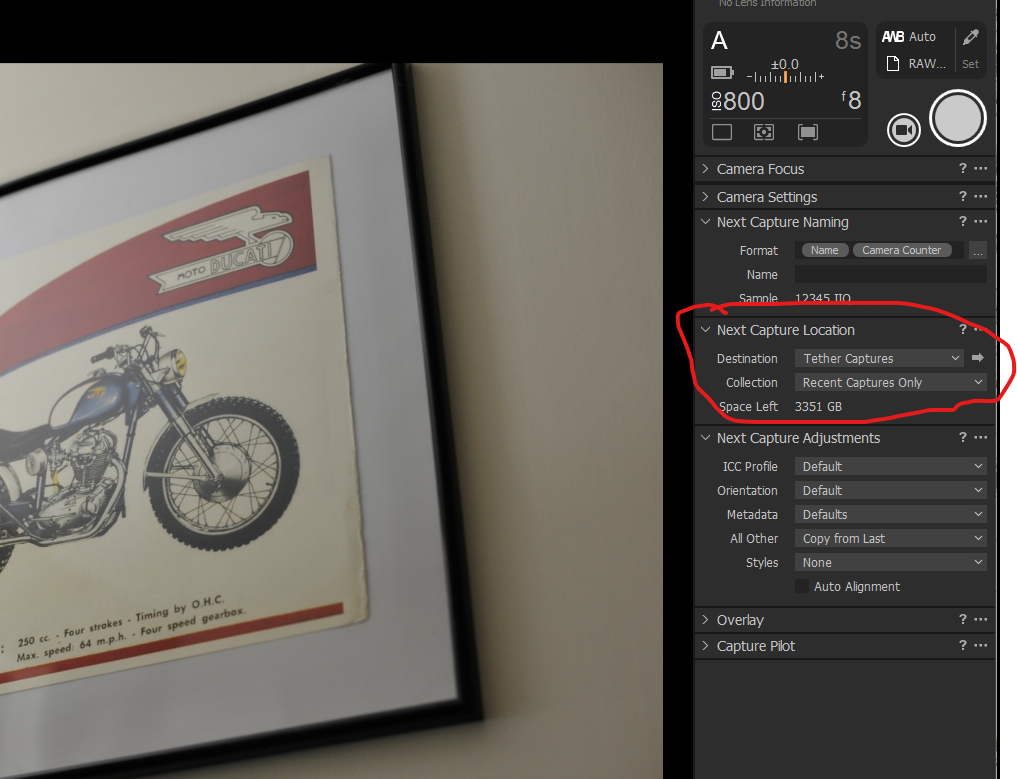
The only advice specifically relating to you problem I can give is that you setup a tethering session as you shot the ill fated shoot, maybe take a few shots and make sure that the shots are being captured by C1, you should get immediate feedback through the user interface, i.e. you will see the pictures you have just shot. Then have a look in the Next Capture Location window in the Capture tab, this will tell you where your captures were placed. You can click on the little arrow to the right of Destination and it should open up a Windows Explorer window showing where your captures are being stored on your computer (physically). Even if they are not showing in the catalogue, 'if' anything was captured then it should still be on your hard drive.
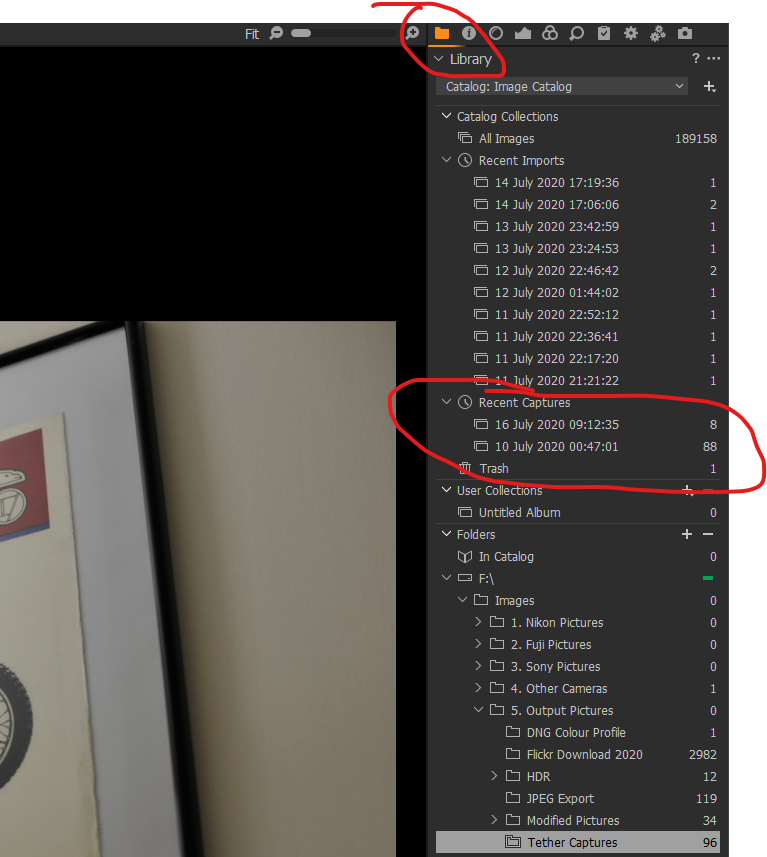
The other place you can look is in the Library tab under Recent Captures. If anything was captured then there should be an entry there with the files.
Hope this helps.
0
La publicación no admite más comentarios.
Comentarios
1 comentario