Capture One 20 2

I normally use my iMac running macOS 10.15.5 and upgraded to the new version of Capture One 20 Pro (Build 13.1.172). Every now and then, I travel abroad with my MacMini (running macOS 10.14.6). I will be travelling (Coronavirus permitting) at the end of next month to the UK for a month and thought I would get things ready.
I copied the version of Capture One that I use on to the MacMini as well as the catalog I mainly work , entered the license number and all seemed ready to go. As I went to open the catalog, I received the following message:
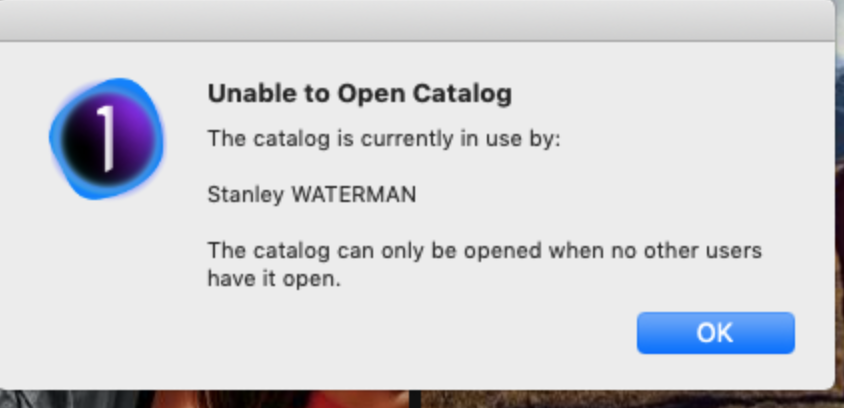
So thinking that I had the catalog open on the iMac, I checked but it wasn't open. I turned shit the iMac down and tried again but the same message came up.
I'm in a bit of a quandary. What to do in order to have the catalog open on the MacMini when I will need it in a few weeks' time?
-

It seems you have copied the software while C1 was open on the iMac. This will create a file called "writelock" in the C1 directory. Search for it on the MacMini and delete it.
0 -

See if you could open in a session instead of a catalogue.
0 -
I can open a new session but even if I change the name of the catalog which contains ALL my images, it still tells me that "original" name of the catalog has been opened my me elsewhere therefore I cannot open it!
0 -
I only use sessions but was hoping…0 -

A somewhat common problem. When Capture One opens a catalog it creates a lock file. The lock file indicates that the catalog is in use. It is removed when Capture One is shut down normally. Getting this error when you are the only one using the catalog indicates that Capture One crashed or the computer was shut down while Capture One was running or something similar. I'm guessing you copied the catalog while Capture One was running so the lock file was copied, too. In the future don't do that.
Fixes: The easiest it to remove then re-copy the catalog making sure Capture One is not running on the source machine. If you don't want to do that you can manually delete the lock file.
- Quit Capture One.
- Open a Finder window.
- Navigate to the folder containing the Capture One catalog.
- Right click on the .cocatalog file and pick Show Package contents.
- Remove the file named "writelock".
0 -
"writelock"!!!
Learning every day. :P0 -
Many thanks to all who offered suggestions. I'd forgotten about 'Writelock' — had the same issue a couple of years back. The issue is now sorted!
0
La publicación no admite más comentarios.
Comentarios
7 comentarios