Catalog and Collections (Sony Pro version)

Hi,
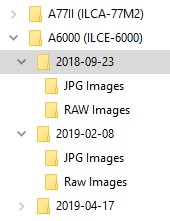
I save my source photos in sub-folders of a main folder for the camera I took my photos on (see attached image)
I don't wish to create multiple catalogs or move the photos to another drive, so how easy is it to use collections within catalogs and then add photos to these. will they be left in the original location, do i then work on the photo in the collection and not the catalog.
Thanks
-

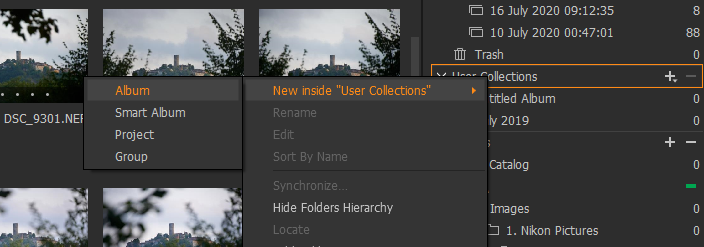
Sure, I use User Collections a lot. Pretty much create a collection and drag the files from whatever folders your pictures are into the User Collection. Then the images will be linked to the User Collection from their original location. You can also implement some hierarchy if you want. You will have to have a read up on what the difference between Groups, Project, Smart Album and Albums below. Yes you can do work on the images while in a User Collection.
https://learn.captureone.com/blog-posts/organize-your-catalogs-and-find-your-best-assets-in-no-time/
There are also some YouTube videos on the Capture One channel that discuss User Collections, example below, but there are others also.
https://www.youtube.com/watch?v=nDJR4Zcd1Lw&t=56s
 0
0 -
thank you, much appreciated for this info
0
La publicación no admite más comentarios.
Comentarios
2 comentarios