How to move my *.cosessiondb files without moving my images?

I work on a iMac and external HD for all my photo work. I've only done a few dozen sessions so far.
I organize my files by year/month/session name on my HD. So I have the pemade Capture, Selects, Output and Trash folders, I make a session name with date like "2020 Oct Jane doe" I have been saving the *.cosessiondb file inside the month folder when it was shot when I make a new session.
I'm rethinking this choice, I think it would make more sense as time goes by and I have a good size collection of cosessiondb files to store all them in one folder like a folder called "Capture one Sessions" on the root on my pictures HD. I would like to keep my pictures where they are but just relocate the database file.
I tried just moving the cosessiondb file to a new folder as described above and rebooting C1 and going to FILE, OPEN then select the cosessiondb file in the new location. It doesn't like that, it can't find my image files.
Thanks for any help...
-

If you are using only one colour engine, there is no reason to
have many .cosessiondb. I leave it in its default "Pictures" lo-
cations so no confusion will ever popup!
In any case, the .cosessiondb contains the references to the
RAW files and sidecars folders, moving it around will have no
consequences — as long as the referred files are not moving
— but has no benefit either.
Possibly, you may enjoy organising folders instead of files?
This is where my folders live on an external drive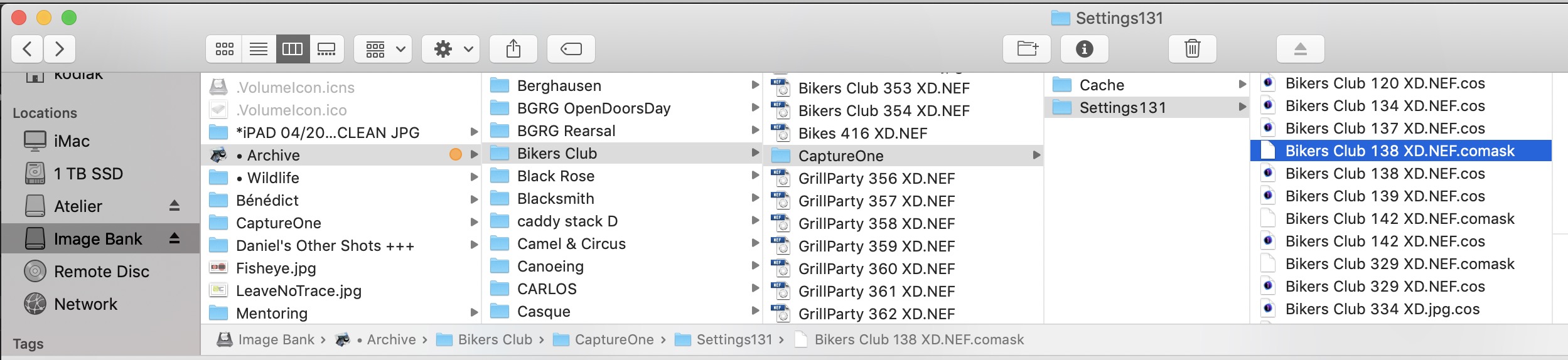
This is where the .cosessiondb is residing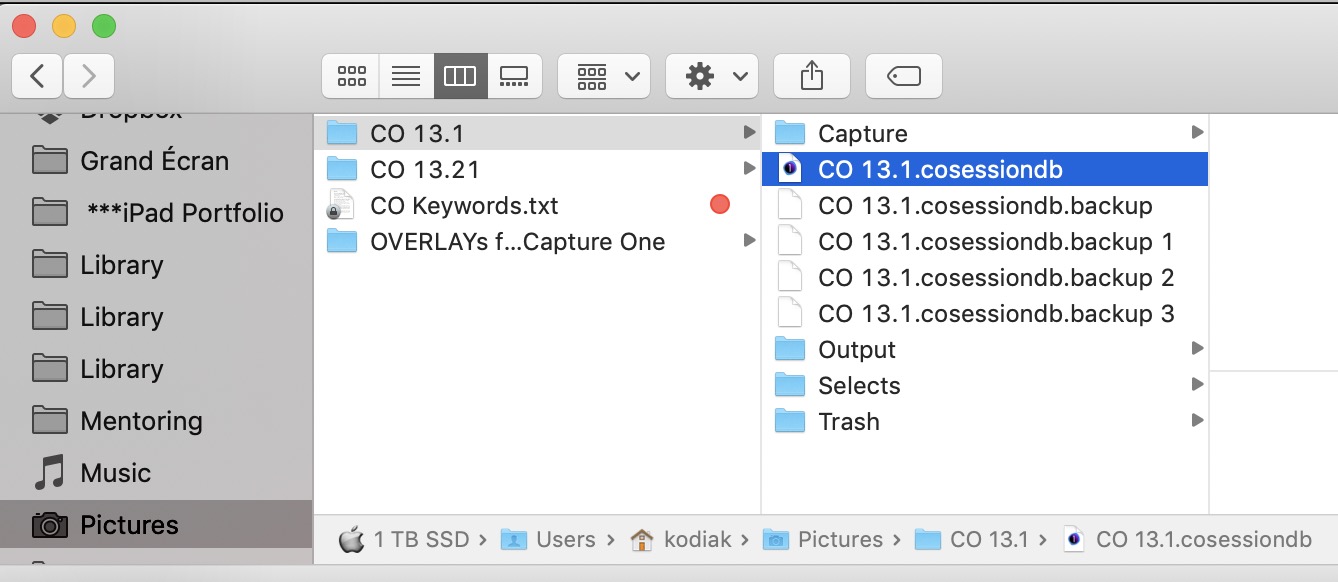 0
0 -
Thanks for the response. So it looks like you don't keep separate sessions? I have digital images dating back to 2001 with 10's of thousands of photos.
I like my organizing of photos by year and month because its easy to look up a vacation we took in 2006 for instance. I've only used C1 for less than a year and I'm trying to organize my actual files the same way but be able to go forward with not having to drill down a tree of years and months to find a session I worked in. Does that make sense? My thinking is by naming my sessions 2020 "month" "Name" I will be able to look up an archived shoot with a couple clicks and should come up in the directory in the order of the naming. So the list of my sessions will be 2020 Jan XXX, 2020 Feb XXX, etc and as years go by, 2021, 2022, etc will be listed in order.
I hope I'm explaining myself, I'm just looking for a quick way to open an older session quickly from a list without having to remember exactly what month of what year I did that shoot. Like I said in my original post, I started to save my session inside the same directory as my images. I am wanting to move them to a dedicated folder for quick access as my library of sessions grow.
0 -
— "I started to save my session inside the same directory as my images. I am wanting to move them to a dedicated folder for quick access as my library of sessions grow."
If a session is stored in a folder, it will contain reference only to the fi-
les within… until you make the mistake of visiting another folder.
I have 150k Raw files on that Image Bank external drive and only one
.cosessiondb in the Picture folder.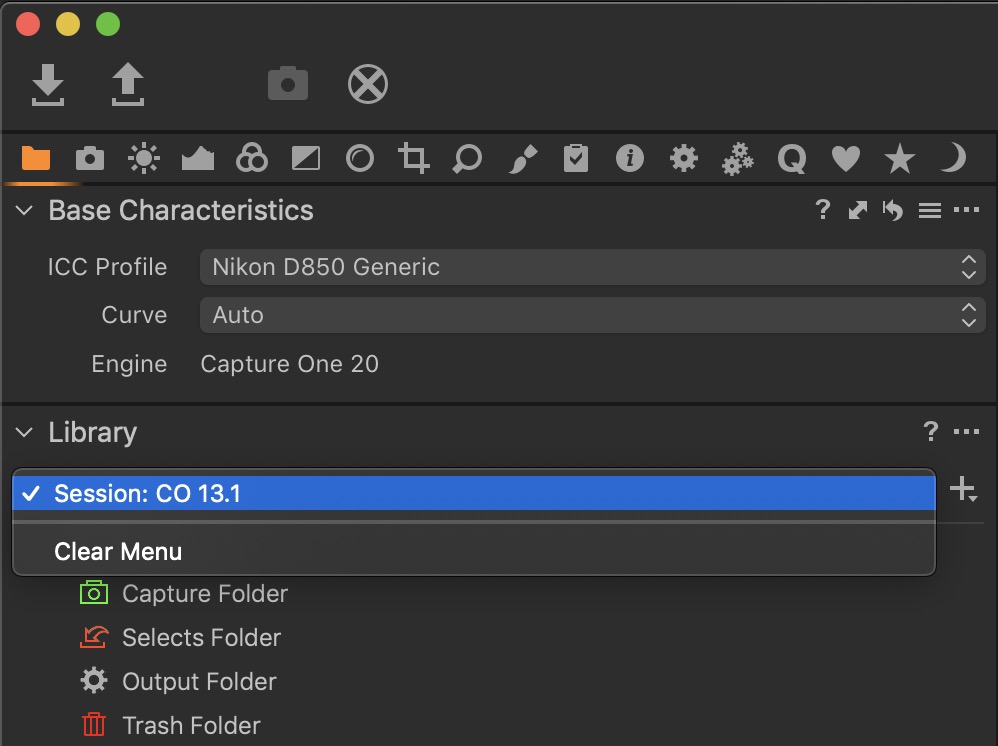
With your approach — very legit btw — you'll end up having lots of
sessions in your library.0 -
Forgive me but I'm sorta new with C1. That said so you have 150K images in one session? How do you find a specific group of images from years past? I do general photography like vacations, nature etc. I also do weddings, portraits and the like for paid work. I used to use LightRoom and they used a similar thing, I think it was called a library if I remember.
Yes I expect to have many sessions in the future but that's kinda the point. I want to be able to quickly pull up a particular shoot quickly without having to scroll down thousands of images.
Not a big deal, I can always start saving my sessions DB file in a new folder going forward while keeping my image files as I always have. I was just hoping to move the DB files what I have already done.
Thanks again for your responses.
0 -
Photos known by a session do not need to be in the standard session folders. You can put the photos anyplace you like on disk and access them through the session. By adding the folders where the photos live as "session favorites" the session database keeps track of at least some of the metadata.
You can then go to the "All Images" session album and search images by date, or by keyword, or location if you've added locations, etc. Or you can go to the individual folders on disk if you know where they are.
I'm currently scanning family negatives from my parents estate. I'm doing this in a single session. I scan a roll of film into the Capture folder, keyword, edit, then move the edited images to a folder on my "photos" disk. If I know the year I'll move it to a folder with other images of that year. If not I create a folder for the roll inside my "unknown date" folder. At this point I've about 4500 images scanned and filed into one of 60 or 70 folders. I can find images quickly by using keywords. Or maybe I remember the year so I look through the images for that year.
I could have used a catalog, but I found it easier to use a session. My scanner software knows to place the scanned images into the session folder. Capture One recognized images that show up in the session folder without going through any kind of import.
0 -
I can have that many pictures on my drive but NOT in library mode…
too risky and slow in my book, .cosessiondb contains nothing mo-
re than references to the said pictures as all the sidecar files remain
in the folder with the images.0
La publicación no admite más comentarios.
Comentarios
6 comentarios