Export funktioniert nicht

Guten Morgen,
leider kann ich keines meiner Photos mehr exportieren. Weder die standardmäßigen noch eigene Exporteinstellungen funktionieren.
Was kann ich tun um diesen Fehler zu beheben.
Ich nutze die neueste Version von CaptureOne 22 auf einem Mac Mini mit dem Betriebssystem MacOS Montery (Version 12.2)
Vielen Dank für schnelle Hilfe
Clemens
-
More details?
0 -
Nun, ich wähle 10 Bilder aus, welche exportiert werden sollen. Export-Set, Ausgabe-Ordner, alles ist richtig zugewiesen. Dann klicke ich auf den Button 10 Bilder exportieren, es öffnet sich das Fenster Aktivitäten mit dem Text 10 von 10 Varianten exportiert – Verbleibende Zeit wird geschätzt. Ansonsten passiert nichts.
Wenn ich ich CaptureOne beende und neu starte und ein einzelnes Bild exportiere, funktioniert das. Ein weiteres Bild zu exportieren schlägt fehl. Wenn ich dann CaptureOne wieder beende und neu starte kann ich wieder ein Bild exportieren usw.
Reicht dies an Details oder was wird noch benötigt?
Well, I select 10 images to be exported. Export set, output folder, everything is assigned correctly. Then I click on the Export 10 Images button, the Activities window opens with the text 10 of 10 variants exported - Remaining time is estimated. Other than that, nothing happens.
If I quit CaptureOne and restart and export a single image, it works. Exporting another image fails. Then if I exit CaptureOne again and restart I can export an image again etc.
Is this enough detail or what else is needed?
0 -
Are you exporting different images or different variants of the same image?
In the "Location" tool of the export dialog, what have you set for "Existing files"? (overwrite, skip, add suffix)
What is your naming format in the naming tool?
0 -
I export different images, but only one variant.
I have attached screenshots for the other possible settings.
The location of the originals is on a NAS. The variants are then saved locally on the desktop of my computer.
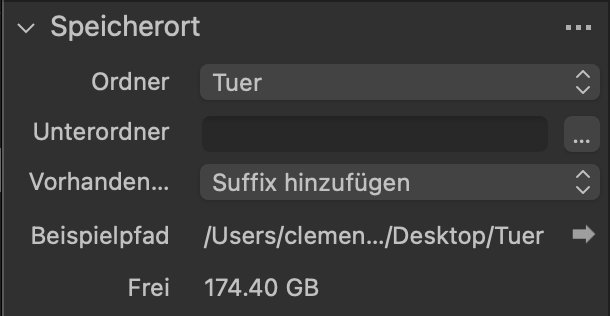
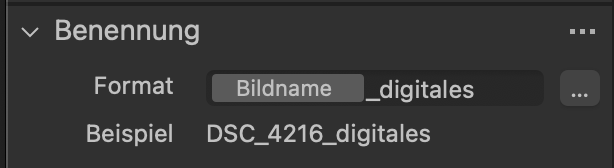
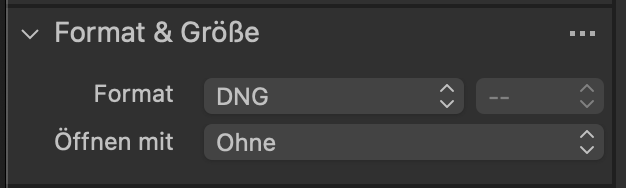
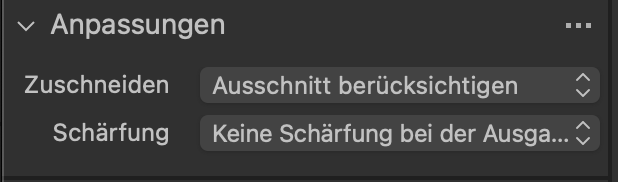 0
0 -
Can you enable Edit all selected ?
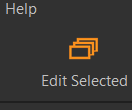
Can you try a different format, e.g. JPG?
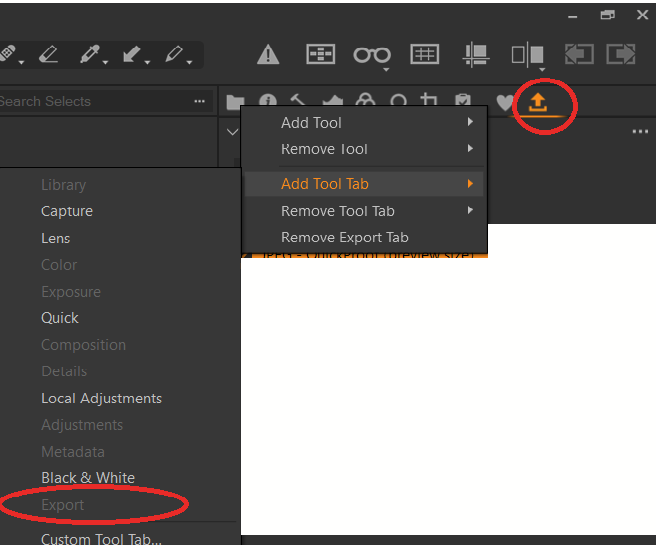
WIth right click on the tool tabs, can you add the tool tab Export and try to export from there?
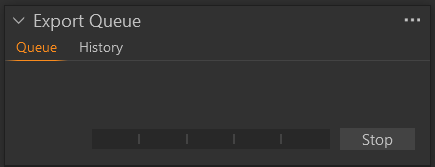
What does the tool Export Queue show, is it empty and started (=button shows "Stop")?
 0
0 -
I can‘t find the Button „Edit selected". Where can i find it?
The Export Queue shows one Image and the button „Stop"
0 -
OK. I find the Button "Edit Selected". I choose to export 21 images as JPG. This export process worked correctly.
Then a add a new Processing Specification with changing Format and Size to DNG and press then the Button "Export". This export process worked correctly also.
I don't understand where the difference is from this morning, other than the path is a little different. But now it works. I will continue to monitor this and get back to you if there are any problems.
Thank you very much for the support and many greetings from the Taunus.
0 -
You're welcome. The Button "Edit Selected" is also important for other tools and copy&apply actions.
NOTE: When the feature Edit All Selected Variants is enabled, the styles, presets, rating, color tags, and other copied adjustments are applied to the batches of images. If you need to change this behavior and apply changes only to certain images, you should disable the Edit All Selected Variants option.
(https://support.captureone.com/hc/en-us/articles/360003099397-Editing-primary-all-selected-variants)
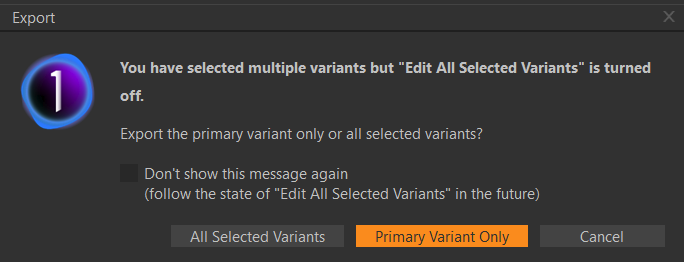
I also recommend to make sure the warnings in preference dialog are set to enabled, for example you will be asked when opening the export dialog.
 0
0

La publicación no admite más comentarios.
Comentarios
8 comentarios