Change the dateformat when naming on import

Hello.
You can rename the files to import. One group in Naming Format is on "Date and Time". There are different options to choose from, but not the one I want.
My naming convention is always (in LR) yyy-mm-dd_xxxxxxx_xxxxxx
Now I changed to C1 and want use this convention also in C1. I see the date format yy-MM-dd. Can I cange this somewhere or am I missing something.
Thank you
Henri
-
I mean : My naming convention is always (in LR) yyyy-mm-dd_xxxxxxx_xxxxxx
0 -
Yes. I use a convention that gives me file names such as 2021-09-17-0123.NEF for files taken today. I sue tokens like this in the naming format section of the Import dialog box. (The Date and counter preset is the preset I have created, not a built-in one.) Note the down arrow on each of the tokens - click on it and you can select say yyyy or yy etc for the year.
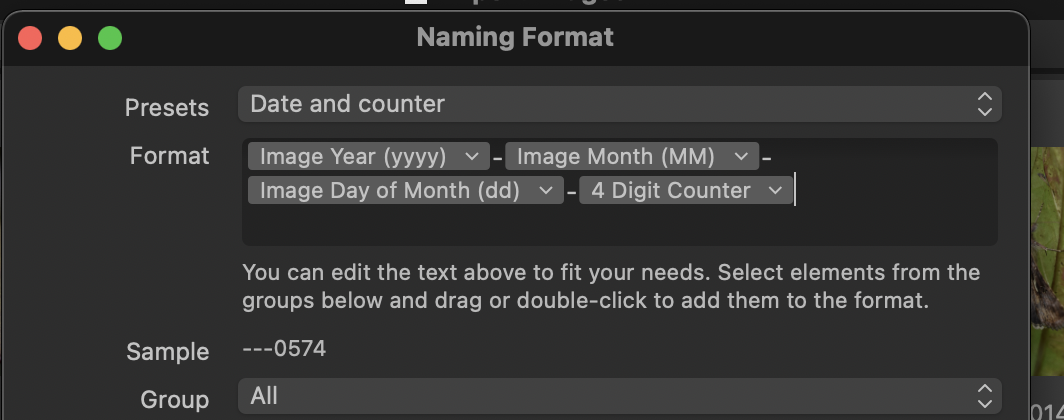
Ian
0 -
Hello Ian,
Thanks for your answer and solution!
Just what I wanted
Henri
0

La publicación no admite más comentarios.
Comentarios
3 comentarios