.xmp files not updating

Hi, I just discovered that the .xmp files are not being updated. I don`t know since when, since till now I trusted C1, but the 15.1.2 seems to have this issue.
-> Auto Sync sidecar XMP is set to "Full"
-> "Sync Metadata" has zero effect
I created a new catalog and imported new RAW files without .xmp. At the beginning the .xmp-s are created, but afterwards never updated.
I would appreciate some help!
Thanks in advance.
ps.: I contacted C1 support days ago, but I don`t get any answer...
-
What updating do you expect to happen? Do you have another app, such as PhotoMechanic (PM), that is writing information to .xmp files? The point of the syncing function is to enable you to do things like
- change a rating in PM, and then the .xmp file is updated so that the rating changes in C1 too;
- change a colour tag in C1, and then the .xmp file will be synced so that the colour tag changes in PM too.
If you have different ratings set in C1 and in PM, the app needs to know whether you want to change PM to match C1, or change C1 to match PM. So as well as setting auto sync (if you want to do that) you need to pay attention to the check boxes shown in this screenshot. With the option I have checked, syncing would change the rating in C1 to match that found in the .xmp file by PM. With that option unchecked, syncing would leave the rating as set in C1 and would not change it to match what had been set in PM.
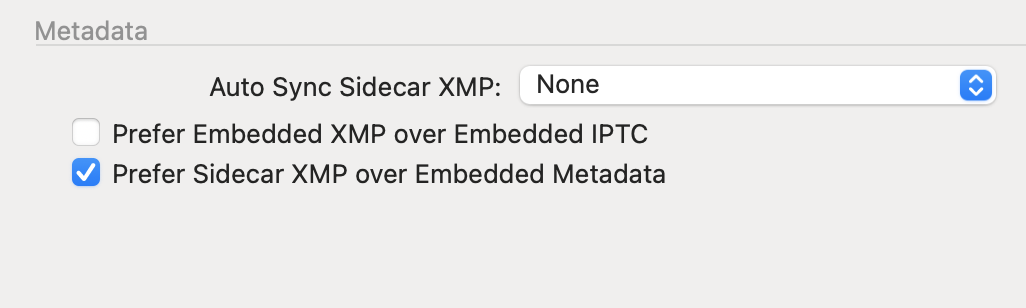
Ian
0 -
Thanks Ian. I think I found the problem.
0

La publicación no admite más comentarios.
Comentarios
2 comentarios