Adjustments Clipboard

I've just upgraded to Capture One 22 and am checking out the little changes from 20.
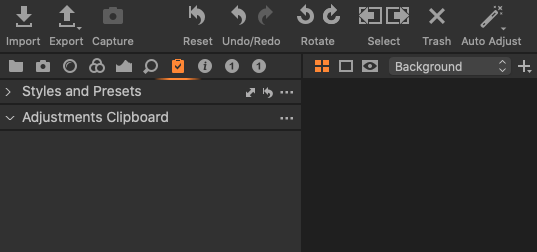
Under Adjustments Clipboard there are non of the normal tools - Base Characteristics / Exposure/ Colour to tick . In fact there are no tools at all. I'm trying to add these manually but cant work out how to do so . I have an image up that I have made adjustments too specifically so the clipboard can offer me the choice to apply these adjustments or not to another image. But nothing is showing up for me to tick. Any help please?
-

Hi Ruth,
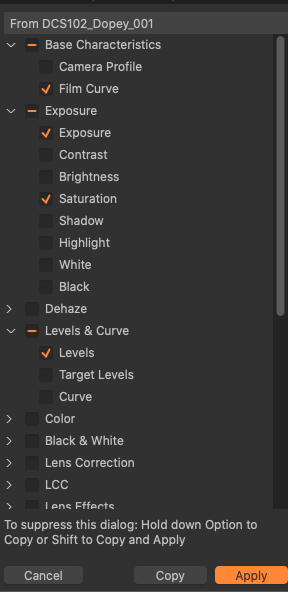
You have to select an image, then "Copy", and the whole set of adjustments will appear. Those that have been done on your selected image will be ticked, but you can add or delete the ones you like.
0 -
Hi Robert :)
Thank you for replying.
I see that I can click on Adjustments then Copy and Apply to get the a floating board up with the adjustments (second picture) but I cant seem to get this table to sit all the time under Adjustments Clipbaord as in the top picture. It seems such a long winded way to have to click three times to get the window up when it used to just sit under the tick box icon.
Am I missing something?
 0
0 -
Ive got it!! You have to click on yhr three dots next to Adjustment Clipboard and then click on Move tool to scrllable area.
Thanks again Robert - I hope this might help anyone else trying to set things up as they had them on version 20
0
La publicación no admite más comentarios.
Comentarios
3 comentarios