deleting images from external hard drive

Good evening I’m using capture one 22 (subscription) on iMac. I have my images stored on ext HD. Using catalog’s when I try and ‘delete from disk” images I choose not to keep, they are removed from catalog but not from ext HD. Any help really would be really appreciated.
Regards
John
-
When you right-click to empty the trash, you should see a dialog where you can choose to delete the image(s) only from the catalog, or to also delete from disk. You want to choose the latter, but it sounds like you're clicking on the former. I don't recall if C1 has a keyboard shortcut for emptying the Trash, but if that's what you're doing, go into the shortcut editor and change the shortcut to delete from catalog and disk.
0 -
Thank you Abbott for your suggestion.
I'll attach some screenshots below,
I select image/images I'd like to delete and then do this
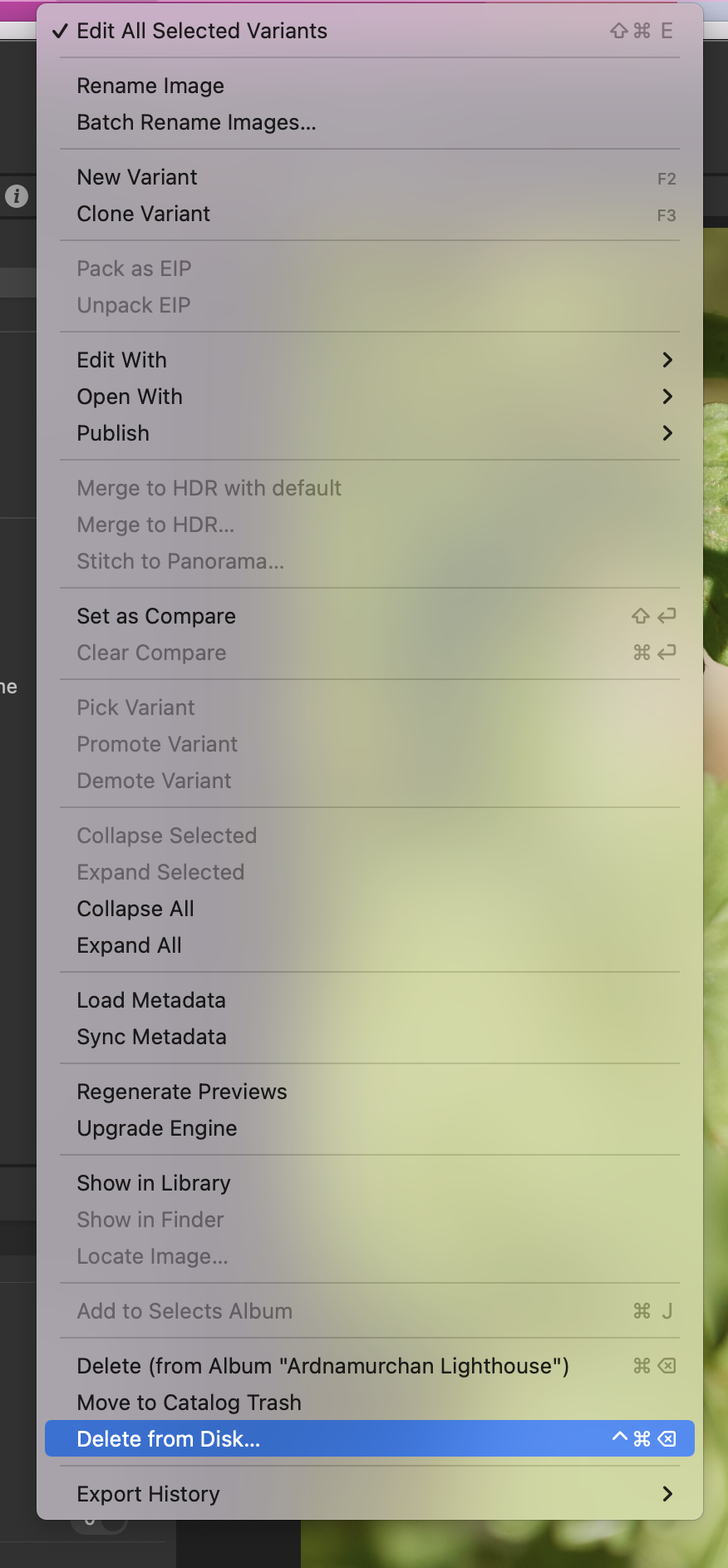
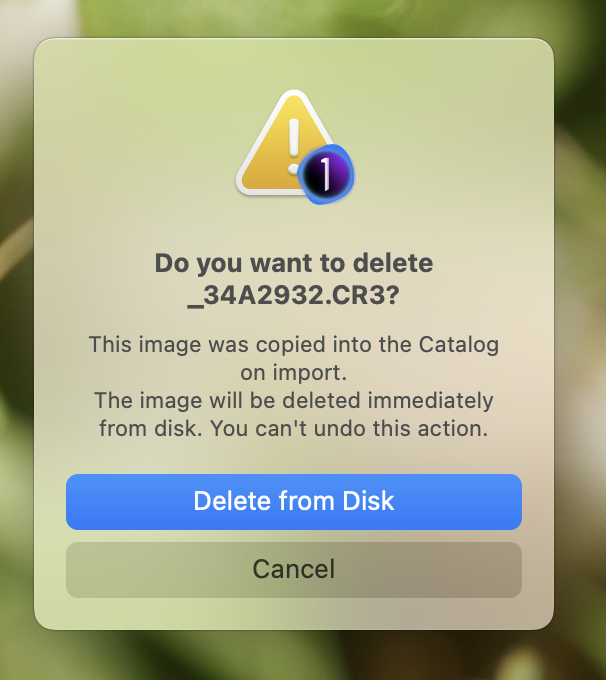
I click on delete from disk.
When I check on my ext HD the image is still there
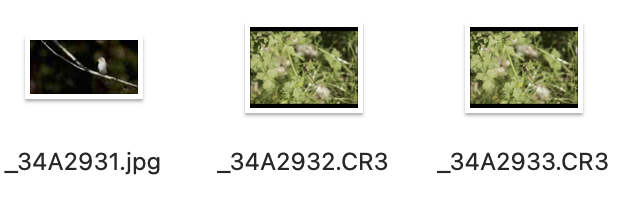
I've never used catalog trash, so I placed an image to trash and and done the above but unfortunately had he same result (image still on ext HD. Thanks again Abbott.
0 -
John
I select image/images I'd like to delete and then do this
I click on delete from disk.
When I check on my ext HD the image is still there
I've never used catalog trash, so I placed an image to trash and and done the above but unfortunately had he same result (image still on ext HD.
I'm not sure I'm following this process. When I delete images, I right click on an image and delete it

If I then look in the Trash, I will see the image or images I've "deleted".
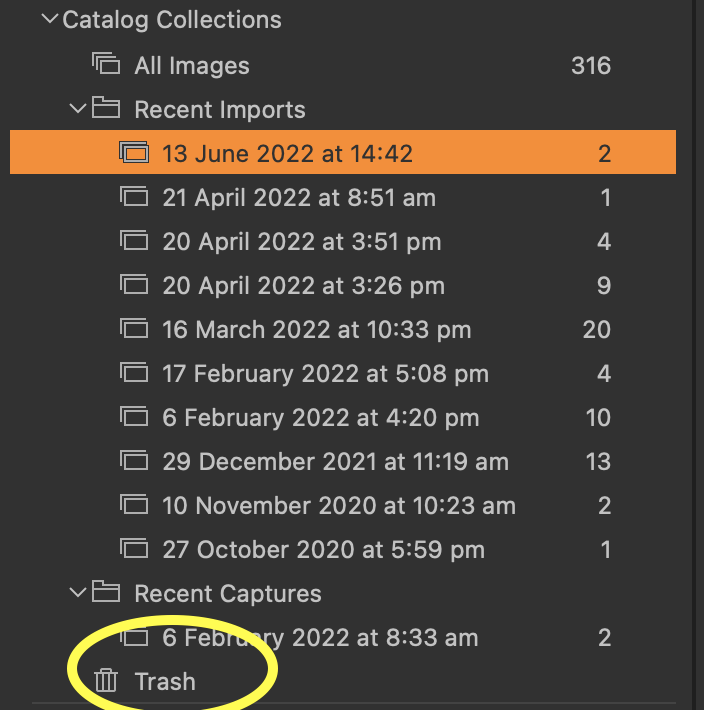
To actually remove them from my hard drive, I then go to File > Empty Catalog Trash and select delete from disc.
Is that what you're doing?
0 -
Good afternoon Shane
Thanks for your response, I've tried what you've suggested and the image still doesn't deleted from ext HD
I can delete images from within the ext HD bit I can't delete them using capture one 22 Pro.
Regards
John.
0 -
John
A thought: if you right click on an image and select Show in finder, does it indicate the file is where you expect it to be?
0 -
Thanks for the quick reply Shane,
Right click on image I only get show in Library option. So I selected various images across various albums and I'd say its about 50/50 that I get show if finder option. Hopefully you've hit on to something I think.
Regards
John
0 -
Hi John,
just a hint/guess: I see your filenames started with "_". It's been reported by several users here in the forum, that "_" at the beginning of the filename can bring you in trouble by various actions within C1. Don't know for sure, but maybe this is the reason that your C1 reacts different to other installations?
Kassur
0 -
John
Hopefully you've hit on to something I think.
Maybe. :-)
Is it possible that in some cases, you have the image files saved to your external drive and the catalogue?
If that were the case, you could be deleting the file in the catalogue, and hence, your copy on the hard drive would be untouched.
Time for bed. Hopefully, someone in a different time zone can help you out.
Good luck.
0 -
Thanks Kassur I'll look in to that.
Thanks Shane you've set me on the road to sanity again! Unbeknown to me the import had changed from "add to" to "copy into catalog" Thanks to everyone who replied you've no idea how grateful I am!
regards
John
0
La publicación no admite más comentarios.
Comentarios
9 comentarios