Opening my old Capture ONE ver. 12 catalog

Hi,
I was trying to open my old catalog after the updating to C22 version from the 12.
Please could give me a hand?
Thanks a lot
-
What happened when you tried?
You should be able to open Capture One, then from the File menu, choose Open... Then in the dialog box navigate to the .cocatalog file in your Pictures folder (or wherever it is). Capture One will tell you that it needs to upgrade the catalog to the latest format. You can safely say OK to that - Capture One will backup the old catalog file for you, and open the catalog.
Ian
0 -
Dear Ian,
thanks for your support :)
I can add some img regarding to this matter...
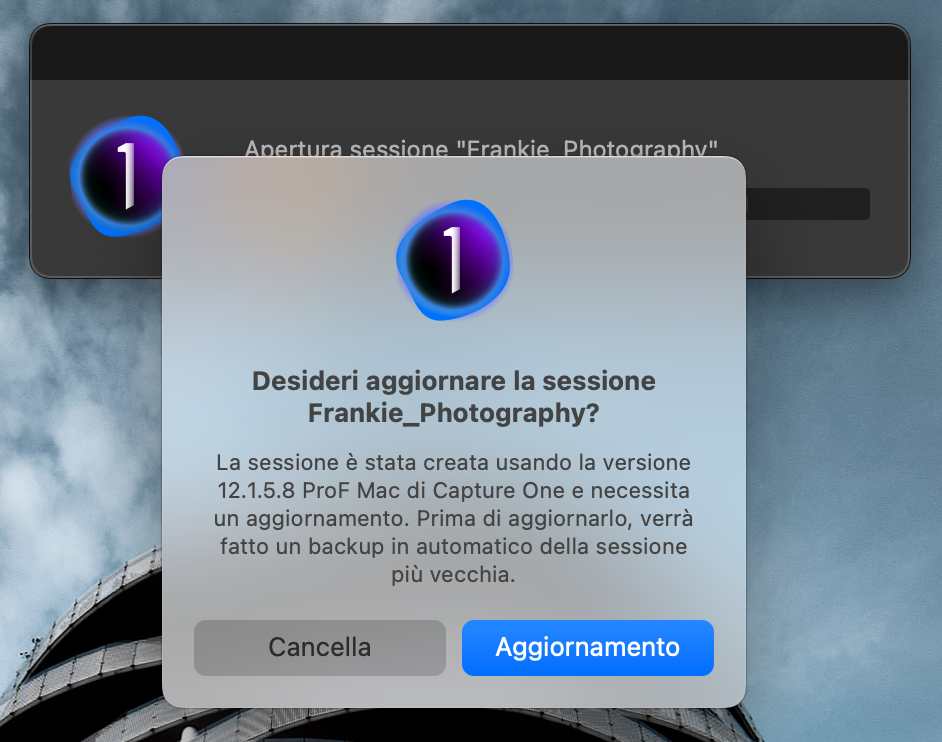
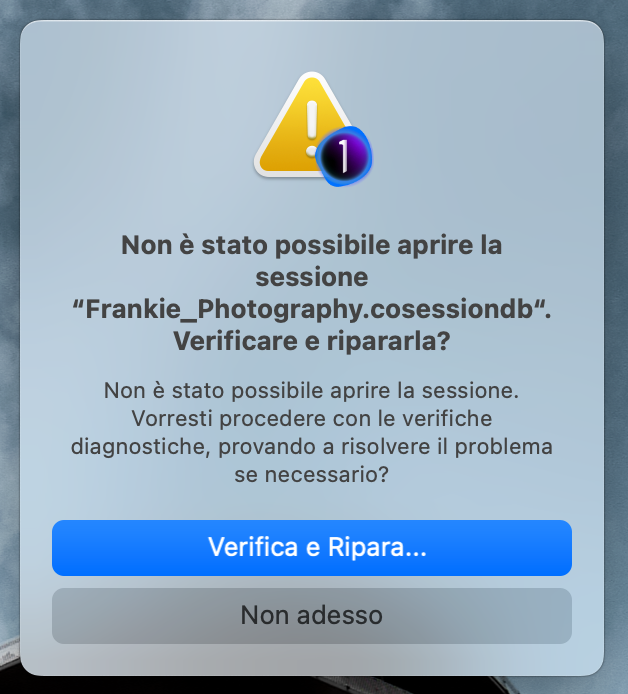
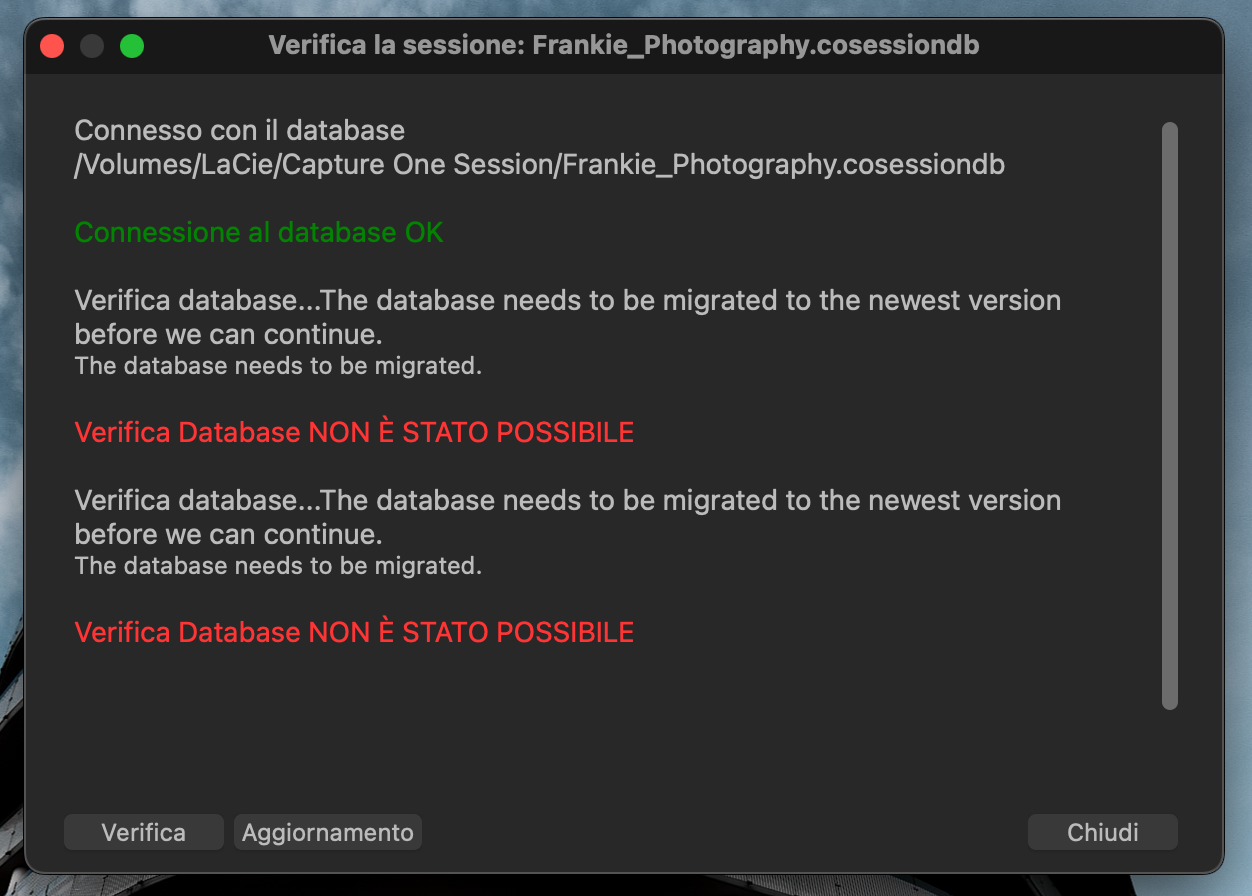
Please let me know how to solve this matter.
I remain,
Best regards
0 -
I believe that "aggiornamento" means "update" in English. That is what I was telling you about, that it will need to update the session. This is normal when you move to a newer version of Capture One, because the session database (or catalog database in the case of a catalog) needs to be able to keep track of new features. So you need to click the button that says "aggiornamento". After that, it should open the session normally. If it doesn't, and needs to verify and repair it, it should be able to do that after it has been updated.
Ian
0 -
Dear Ian,
You're right but unfortunately It doesn't allow me to Verify and Update (as you can see from the last img).
It might possible I should need to change some setting. What do you think?
I remain,
Best regards
0 -
If I interpret the problem right, your catalog is damaged and can not be repaired. ("Verifica Database NON È STATO POSSIBILE" <=> "Verification of the database was not possible")
- Does CO 12 still work with the catalog?
- Can you verify (and repair) the catalog with CO 12? Copy(!) the corrected version and try again...
In general:
- Do you have a backup of the catalog?
- Whatever you try, make sure that you work with a copy of the catalog. This is important so that you do not destroy everything and still can revert to the initial situation
0 -
From the screenshots, it looks as though this is a session, not a catalog. One way of trying to rectify it could therefore be to create a new session and move the images from the old session to the new one.
(1) Create a new session.
(2) In the Capture One library tool (NOT in Finder) navigate to the folders where the old session's images are and drag and drop them to the desired folders in the new session. Capture One should automatically move the edits along with them.
Ian
0

La publicación no admite más comentarios.
Comentarios
6 comentarios