Shoot RAW + Jpeg / only RAW shall be with style

Hello,
For some time (maybe since updating to the new version) have a problem:
I shoot with RAW + Fine L
Usually when I shooted, I had only the RAW in the specific style, that was copied from the last shoot. Like here / this ist what i want it to look like: RAW in style / jpeg no style
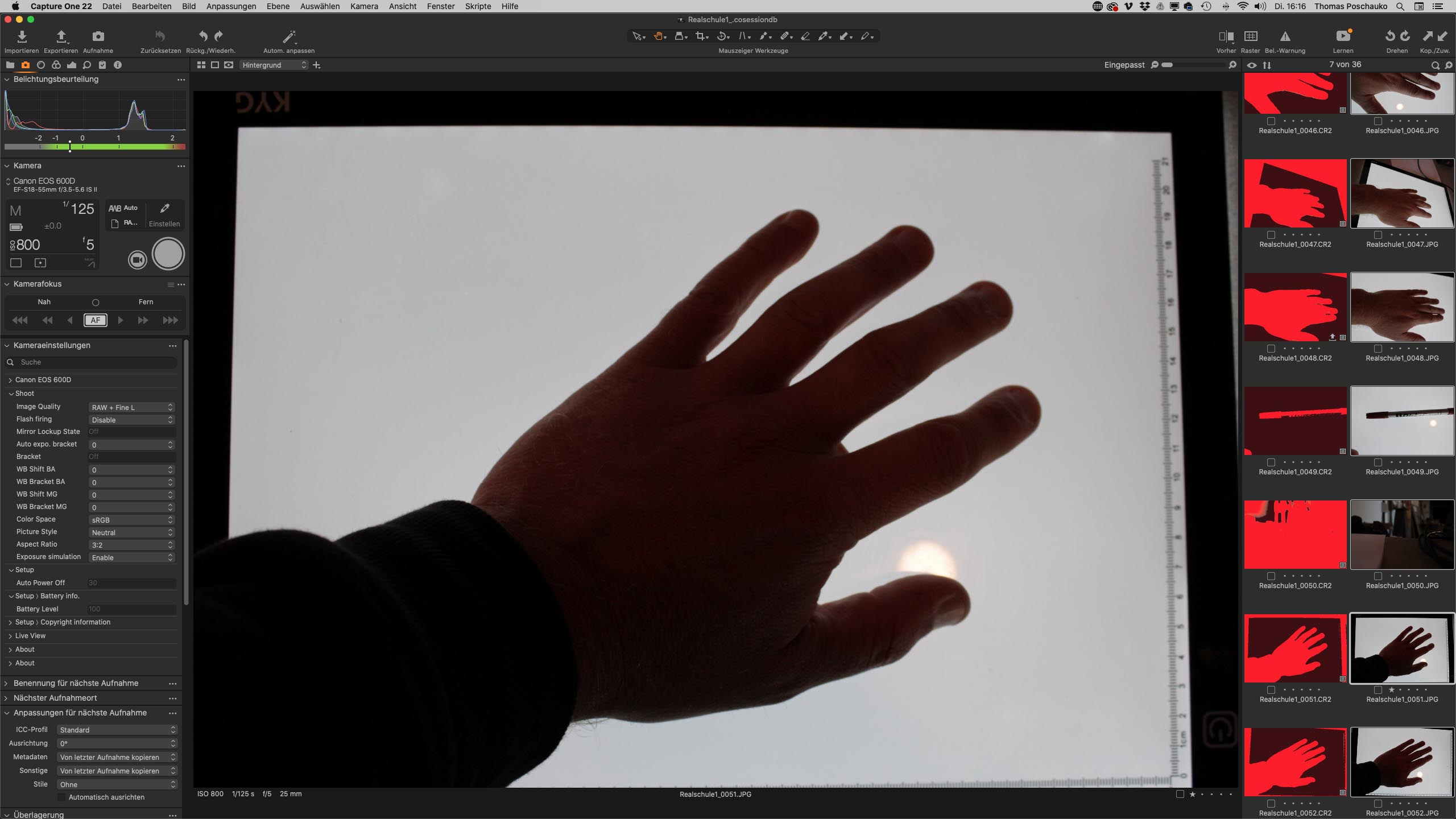
But now, all the two images (RAW AND jpeg) are coloured in the Style of the previous shoot. Like here:
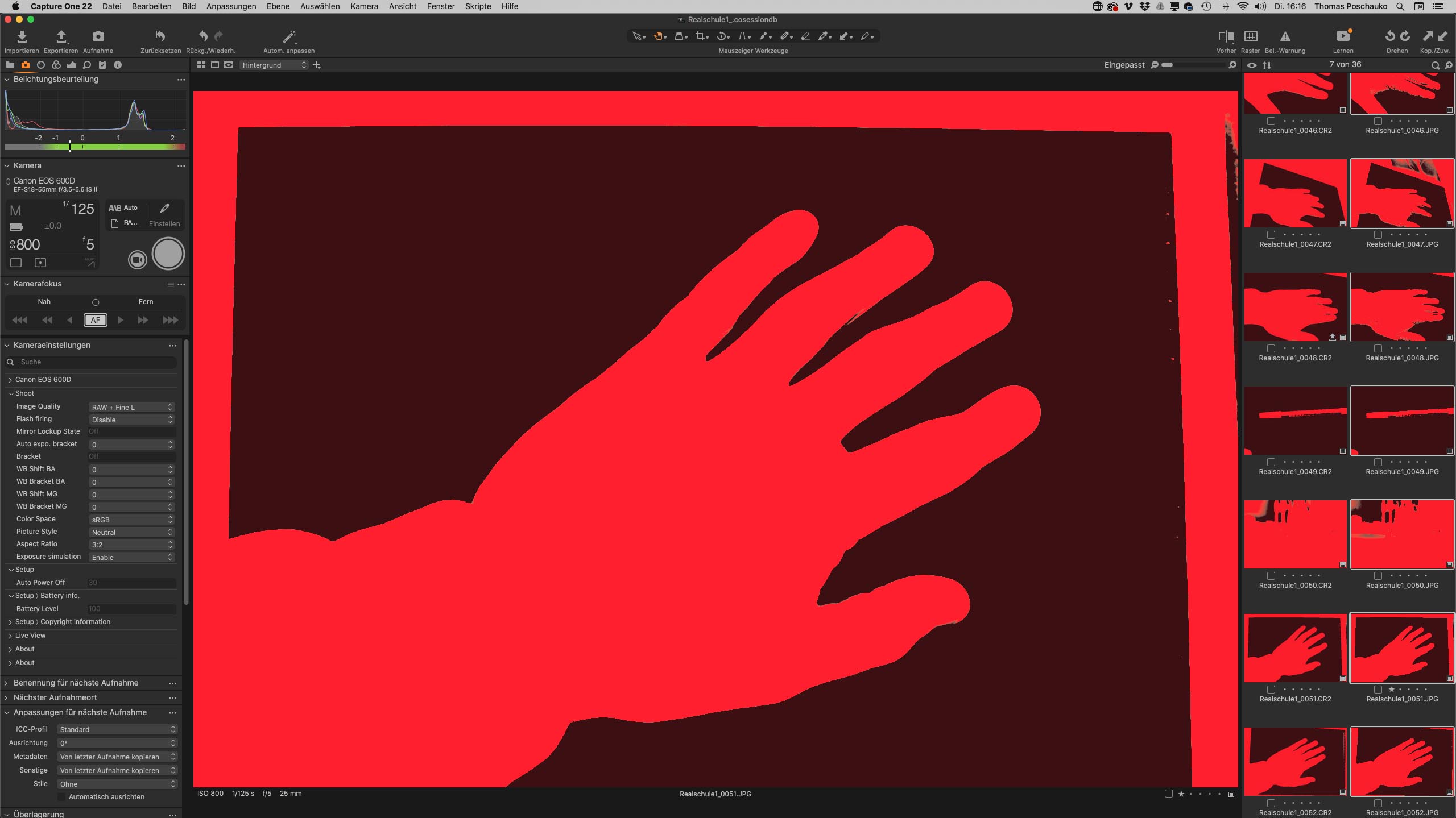
Is there a way, that only the RAW will be coloured with the style from the previous shoot but the jpeg is still without a style like in the first screenshot?
Thank you + Best regards
Martin
-

Hi Martin,
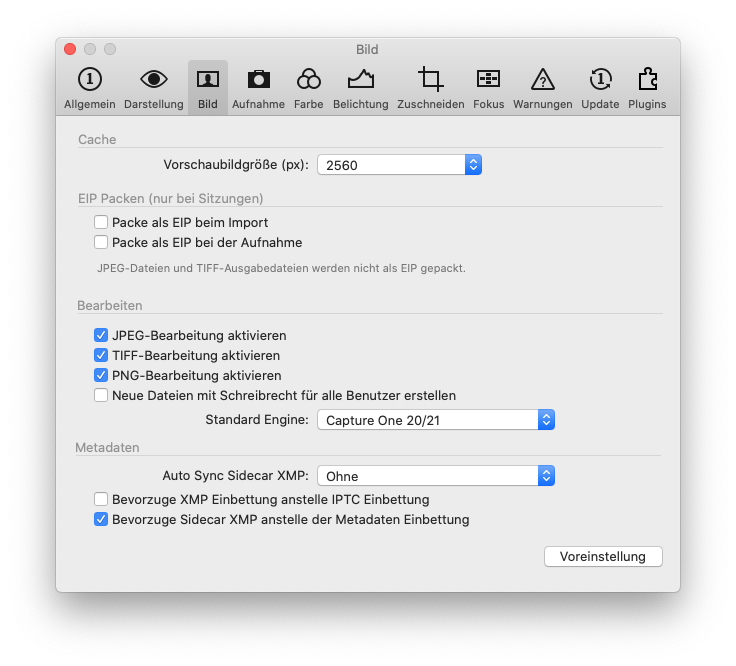
just a quick guess: Have you disabled Preferences-> Image -> Enable JPEG editing ?
Kassur
0 -
Hello Kassur,
thanks for your help :-)! Thats very nice
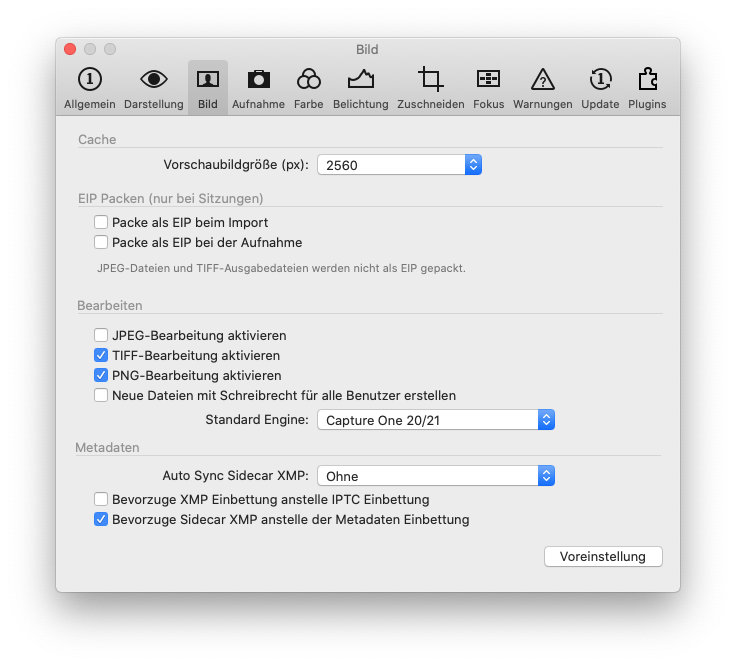
I just checked it and i saw that I had enabled JPEG-Editing. I then disabled it but the result was the same.
Disabling just prevents the jpeg from being edited AFTER the shot. But when I shoot again, RAW and Jpeg are both shown in the same style...
So I#m still searching a way to have the RAW in a style and the jpeg without, because i want to compare the both.
Thanks so far :-) + Best regards
Martin
Here my preferences
Before:
After:
 0
0
La publicación no admite más comentarios.
Comentarios
2 comentarios