Import into catalogue degrade quality of the image

Dear Colleagues,
I'm Mac user (latest MacBook Pro 16') working with C1 build 15.2.2. When importing raw images from my Nikon D800e : *.NEF -> stored in adobeRGB color space, the images are somehow processed, more saturated, more contrasted, darker in shadow and missing lot of details, like they would be converted to sRGB or what ever color space.
When I import the *.JPG files created by the camera, they look accurate - not changed.
I didn't find any settings that could have impact on the import into catalogue. I'm mostly shooting in both *.NEF and *.JPG and the pictures I'm trying to import are just out of the camera without editing.
Do you have any idea what can be wrong?
-

When I import the *.JPG files created by the camera, they look accurate - not changed.
I didn't find any settings that could have impact on the import into catalogue. I'm mostly shooting in both *.NEF and *.JPG and the pictures I'm trying to import are just out of the camera without editing.Do you have any idea what can be wrong?
As I understand it, JPEGs are effectively adjusted in camera, while raws are just that. Rather like the difference between a negative and a print. The raw files in many cases will need adjusting (hence the need for a product like Capture One), but you can do a lot with them.
JPEGs look better out of the camera, but you can't do a lot with them.
I imagine someone else will give you a better explanation than that, but I think I'm broadly correct.
0 -
The camera captures raw data - it doesn't capture a JPG, but it applies some processing to the raw data to generate a JPG file that is likely to be quite pleasing - so perhaps a bit of contrast added, some saturation, some sharpening, etc. So the JPG the camera gives you is the result of that processing being baked in to it.
Capture One provides three profiles for the D800e, as far as I can see.
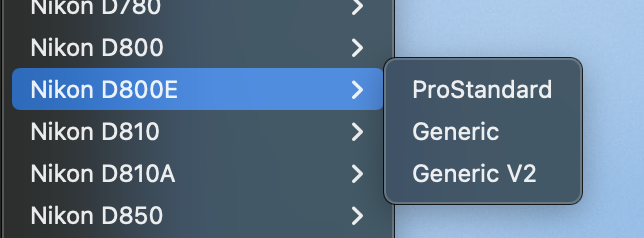
ProStandard is the newest, but you could try the older Generic or Generic v2 profiles instead and see whether you like the look of them.
What Capture One (and any raw editor does) is apply some adjustments via the profile to the image to give you a starting point for your editing. It is not likely that you will find often that the straight-out-of-camera raw file will be just as you want it. If it were, there would be no point in using raw files, as the straight-out-of-camera JPG would be suited to your needs. Some profile has to be applied to produce a file that can be displayed on screen for you, and if that did very little by way of contrast, saturation, etc, you would have a very flat image that would almost never be what you wanted without a lot of work.
Here are three renderings of the same image. (1) is as close to the straight-out-of-camera data as I can readily show in Capture One - no adjustments (apart from a very slight crop) and the Linear Response curve applied in the Base Characteristics tool. (2) Is the same unadjusted image, but using the Auto setting (equivalent to Film Standard) in Base Characteristic. (3) is Auto again but with various adjustments done in Capture One.
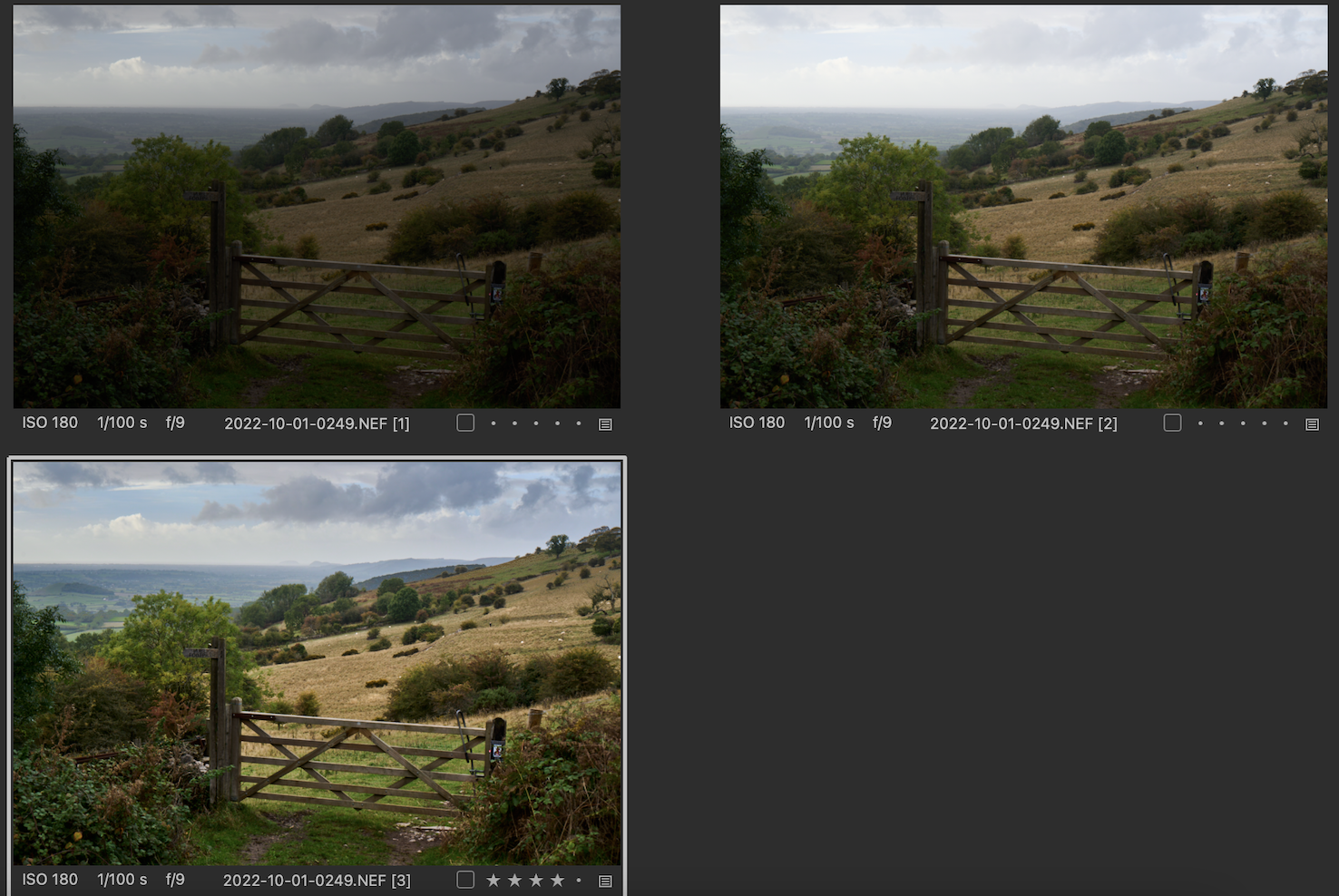
You couldn't use (1) as it is. (2) is better but needs a fair bit of work to get a pleasing result, and (3) was my best shot at an edit. I don't shoot RAW + JPG so I can't show a straight-out-of-camera JPG, but I suspect that it would have a bit more saturation and contrast than (2) and a lot of detail lost in the highlights in the sky.
So I think that Shane is, as he says, broadly correct.
If you find that the default starting point that Capture One gives you is too contrasty and saturated for your liking, you can choose other settings and make them the default for that camera.
Ian
0 -
Thank you both for your explanation and apologize I wasn't clear enough. I understand the difference between the RAW and JPG files. The RAW out of the camera looks little bit odd, while the JPG looks little bit "boostered", that's also because Mac OS applies some adjustment on top of that.
I bought the C1 to process the RAW files only, I use the JPEGs just as backup but not for further processing. Unfortunately the NIKON's Capture NX2 is no longer supported and the new version of the tool (NX Studio) is missing important capabilities of the old one. C1 seems to be powerful tool.
But my concern is the import of the RAW files to C1 catalogue itself. Why the images seem to be adjusted after the import? Is there a way to have the RAW files imported as I see them in the preview?
Sometimes one picture says more than thousand words.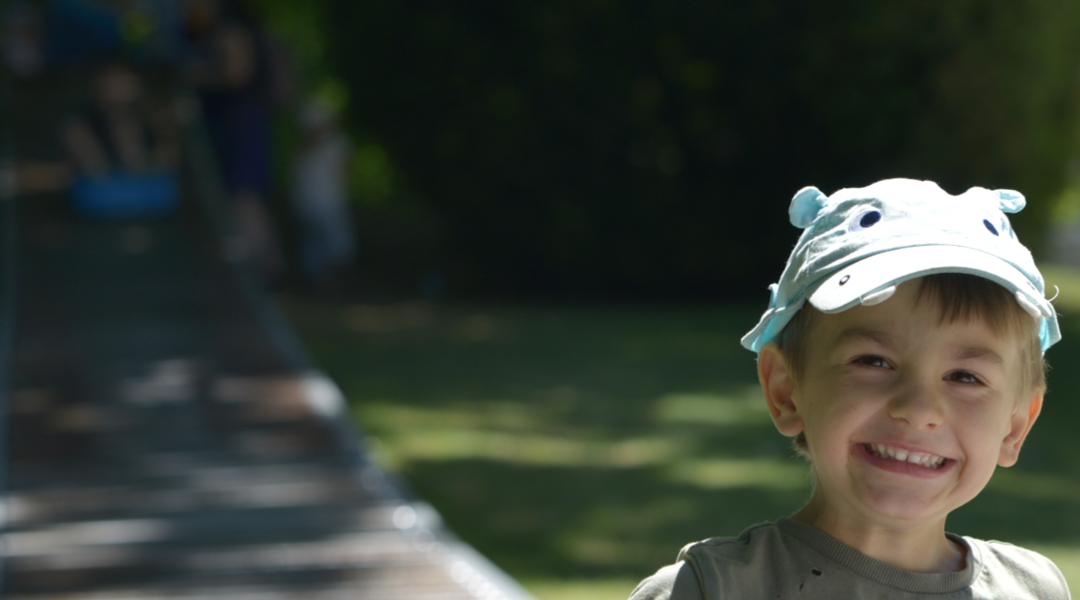
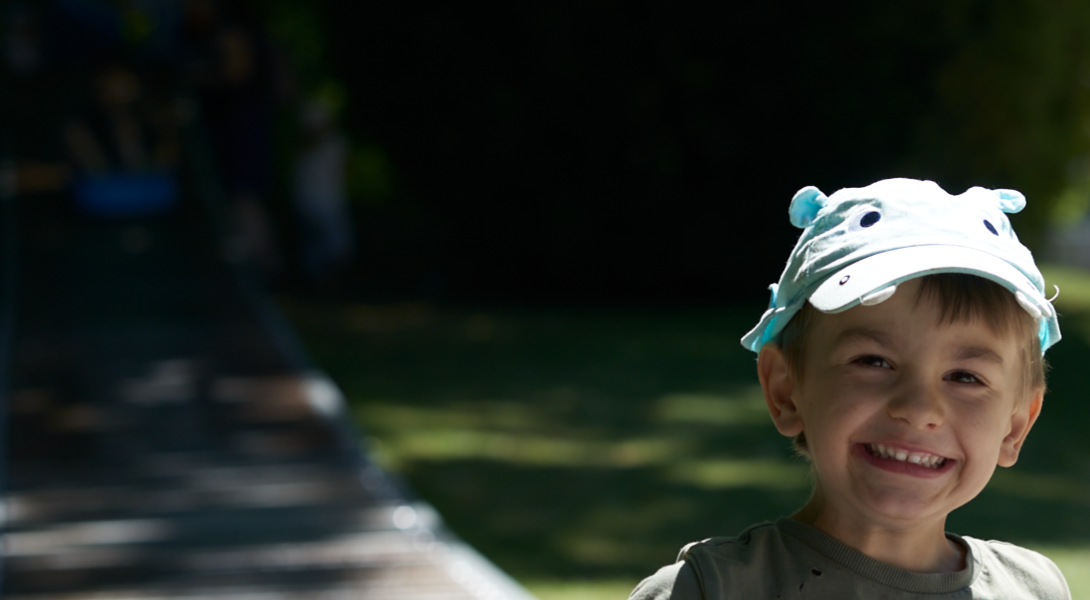
First image shows how I can see it in the preview before importing, the second one is how it looks like in the catalogue after the import. if you compare the second one has a less details in shadows, there is color shift, some saturation and so on.
Could it be that it ignores (remove) all the camera settings stored with the RAW file such as white balance, sharpening, active D-lighting and so on?0 -
Thank you one more time for your advices, I believe I found the explanation now: https://support.captureone.com/hc/en-us/articles/360007388658-Nikon-ICC-profiles
I wonder the difference is so big as my camera profile is set to neutral (means without adjustments). Probably it doesn't take D-Ligthing into consideration either. Why do I need to do any camera setup if it is completely ignored?0 -
It will ignore things like active D-lighting, because that is an effect added by the camera to the actual raw data. I believe that (as you might expect) Nikon's own NX-Studio app will take active D-lighting into consideration, but as far as I know, no third-party software does.
Ian
0 -
Ian,
I played with the profiles for Nikon as wells for other cameras. It looks there are just 6 different predefined profiles for each camera doing the same.Do you have experience how it works with fuji cameras and their predefined film simulation for example? Is this also ignored by C1? I didn't find any profile for that, neither styles.
0 -
With some more recent Fuji cameras, the in camera profiles are carried over to Capture One, but it's only Fuji that that works with. They must have collaborated on that in some way.
Ian
0

La publicación no admite más comentarios.
Comentarios
7 comentarios