Export through Jpeg mini and Edit with Photoshop 23

I have recently upgraded to Capture One 23 Pro - previously on 21.
I used to be able to have an export recipe which allowed me to export through Jpeg mini - this no longer works and I have to "open with" Jpeg mini. Also, Edit with Photoshop is no longer available.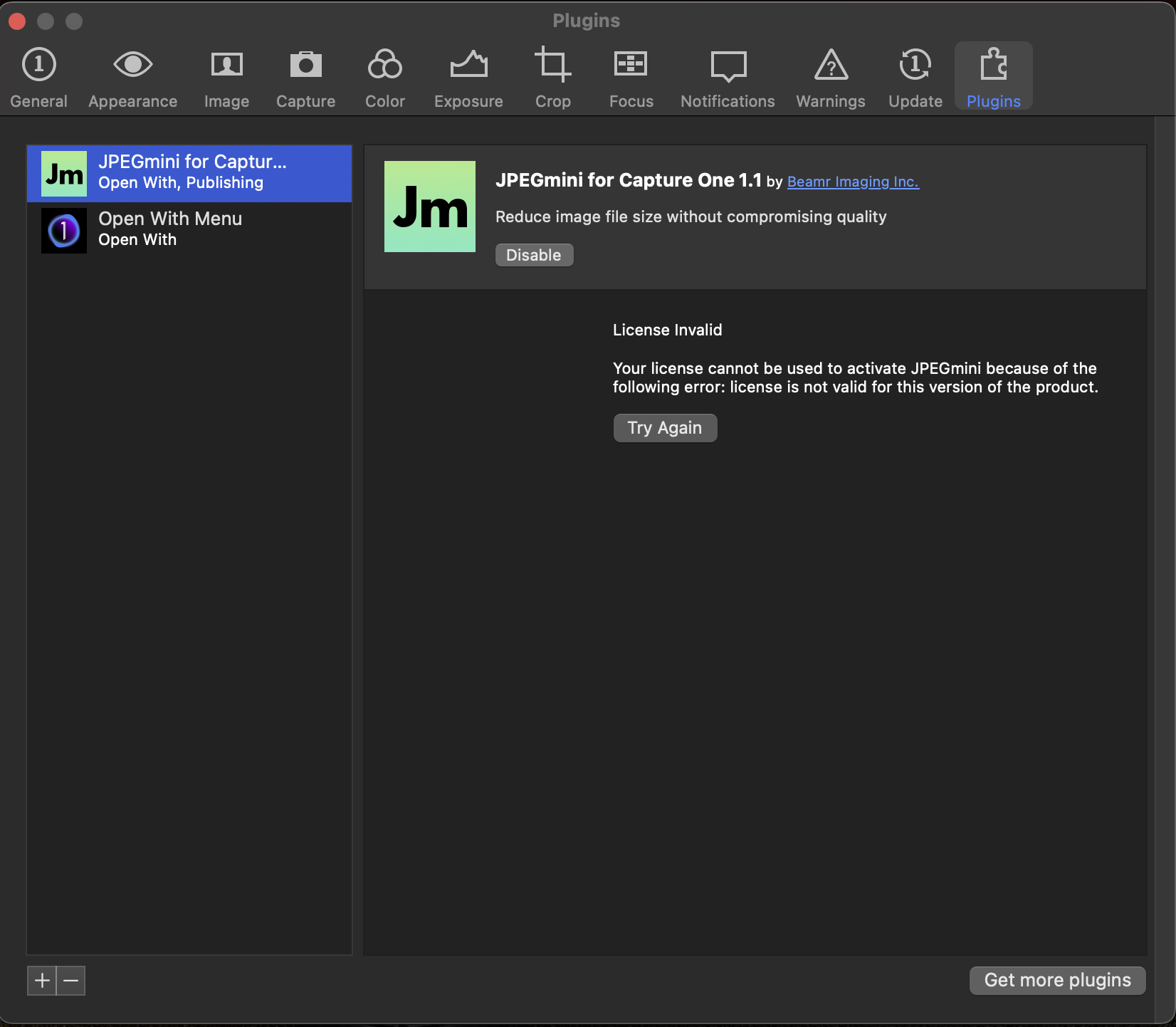
0
-
I don't know about JPEGmini, which I don't use. But for Photoshop...
- Is it listed in the Open with Menu plugin, and if so is it checked?
- Also have you updated to the newest version of Photoshop, and is the old one perhaps checked instead of the new one?
- And finally it disappeared for me from the list in the plugin. I had to right click an image and choose Edit with from the menu, and even then I had to choose Other... before it appeared on the right click menu again.
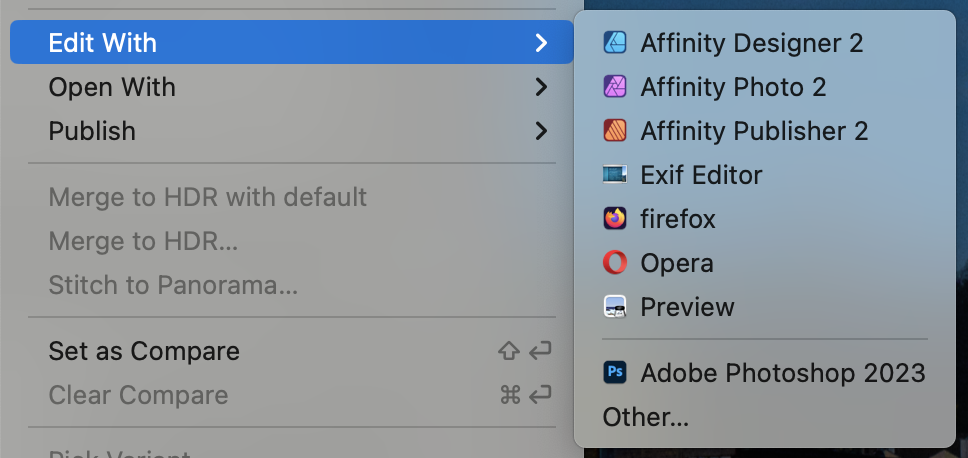
As you see, it's below the line - I think that the ones above the line are the ones listed in the plugin, and the ones below are the ones I have added by choosing other.
I don't know whether this is a Capture One problem or a Photoshop problem, but if you do that you should be able to use Open with or Edit with and Photoshop.
Ian
0

La publicación no admite más comentarios.
Comentarios
1 comentario