Unsatisfying JPEG export

Hi there,
I just came from Adobe LR to C1, as I was pretty convinced by C1's much more sensitive editing tools, in particular the colour tools.
Well, now I am actually surprised after I found out that the export of edited RAF files to JPEG (with highest quality, resoluton etc. settings) provides images which are clearly less dynamic; I took some night shots of an industrial area with many spot lights and with reflections in a nearby river, developed the RAF in C1, got a realy great result on the screen, exported it into JPEG, and compared both RAF and JPEG next to each other in C1 viewer ... it looks as if the JPEG engine basically cut off the highlights ... so the printable JPEG is by far not as great as the RAF ... disapointing actually :-( ... any idea if this is "normal" , or have I forgotten something??
-
Is this something which is visible in a screenshot? then you can paste both the RAF preview and the jpg preview here.
Also, use the proofing on the RAF file to get a softproof in the C1 viewer (eye glasses icon), select the jpg export recipe in the drop-down. Toogle the proofing on and off to see if there is the difference you described in the highlights.
Normally, the C1 the jpg output is quite good. I don't have RAF files but I doubt that the exported jpgs should be of a lesser quality than for any other raw file.
0 -
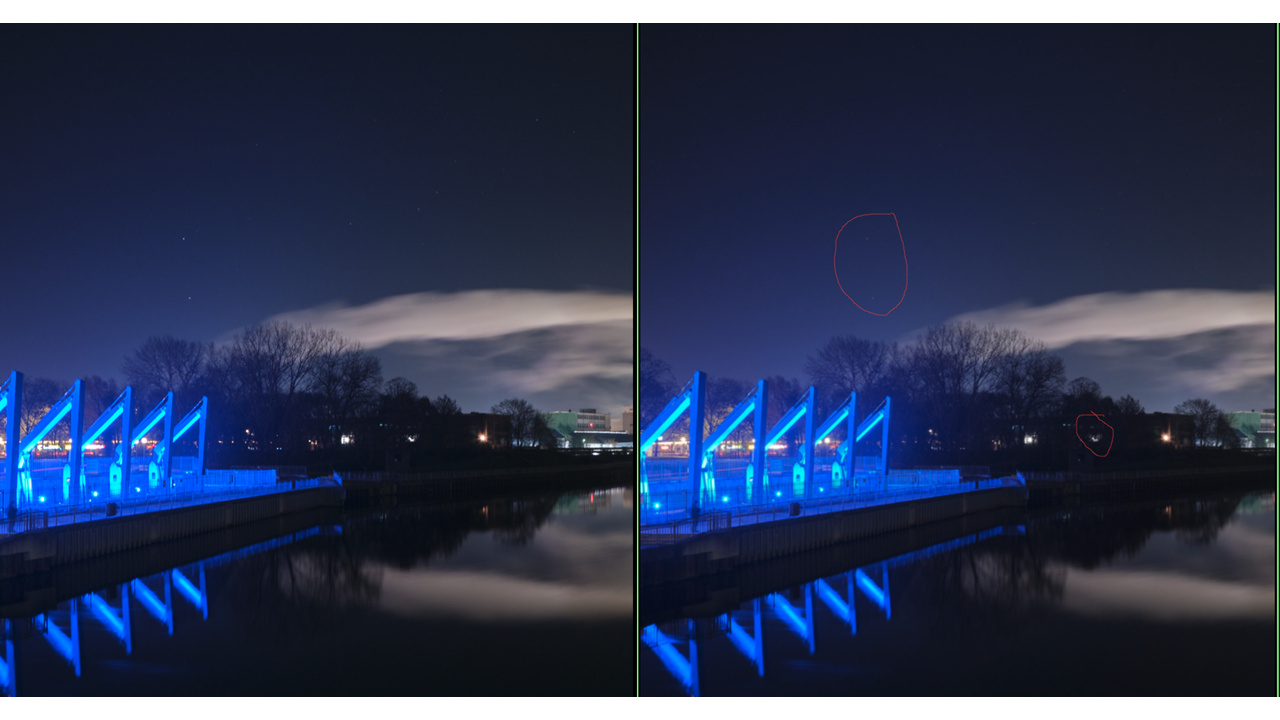
attached two crops from the same image ... (screen copy plus conversion into PNG, however, even here the difference is still visible) I marked lights in the JPEG which are less bright than in the RAF (left pic) .
I tried the soft proof: shows a good JPEG, but the one which comes out after exporting is cleary different
and BTW: you may also notice the difference in the colour of the sky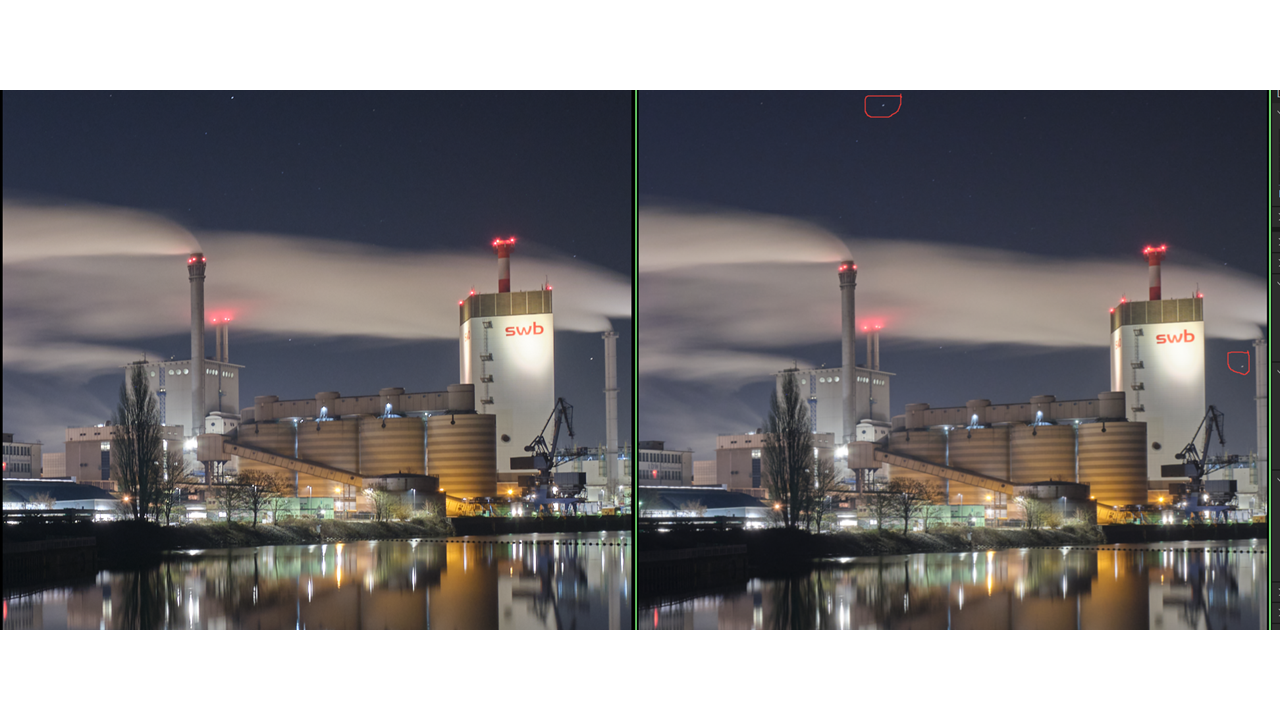
 0
0 -
For the case of this image, I shot in in RAF mode, so I have no out of camera comparison. Export parameters are set to max, like 100% quality, also no compression. I view/compare both images in the C1 viewer on the same monitor, but I find the same less bright lights also in other applications.
An obvious choice was the development and export of the same RAF in LR ... with a little bit better results, but still not like the RAF on the screen ... and I tried out a TIFF export ... again, same issues.
I fully understand the difference between monitor and paper, and if such (relatively small) differences in the highlight would be manageable in a print at all (though I could image that it would work with certain materials) ... but the printable files would be in no case RAF, but JPEG or TIFF ... or do am I mistaken here? (Have actually never asked for printing from RAF ...)
I just took a quick out of the windows shot, and I will crosscheck whether or not I can replicate the issue with such completely different photo ... will let you know
Thanks for you support and advices, much appreciated
0 -
Hi Firstname,
When you wrote about highlights I thought about some bigger area close to the brightest level possbile.
I agree with SFA in that I assume the jpg compression (even at 100% quality) might be to blame here, also I agree with him suggesting to enhance the stars to your liking when viewed as an exported jpg.
The softproofing is probably not simulating every jpg pixel after jpg compression but deals with colors and contrast (aka shadows and "highlights" in the classical sense).
0 -
Thanks for the hints guys ... and BTW also for the kind reminder that I should give my profile a better name ;-)
I have done the same JPEG exercise with another, more "standard" picture .. no bigger issue here ...
so, as you desribed, the tiny little stars in a dark sky are a special challenge for me and the machine obviously0

La publicación no admite más comentarios.
Comentarios
5 comentarios