jpg pictures presented different ways (Cap One and win photos, file explorer)

Dear reader
I have seen this topic/issue as an issue multiple times and still not being able to find anyone (from Capture One) to come up with a solution without going into detail about raw and tiff, monitor setup etc....It should a simple task for capture one to present a jpg file image similar not matter what tool the jpg file is presented by.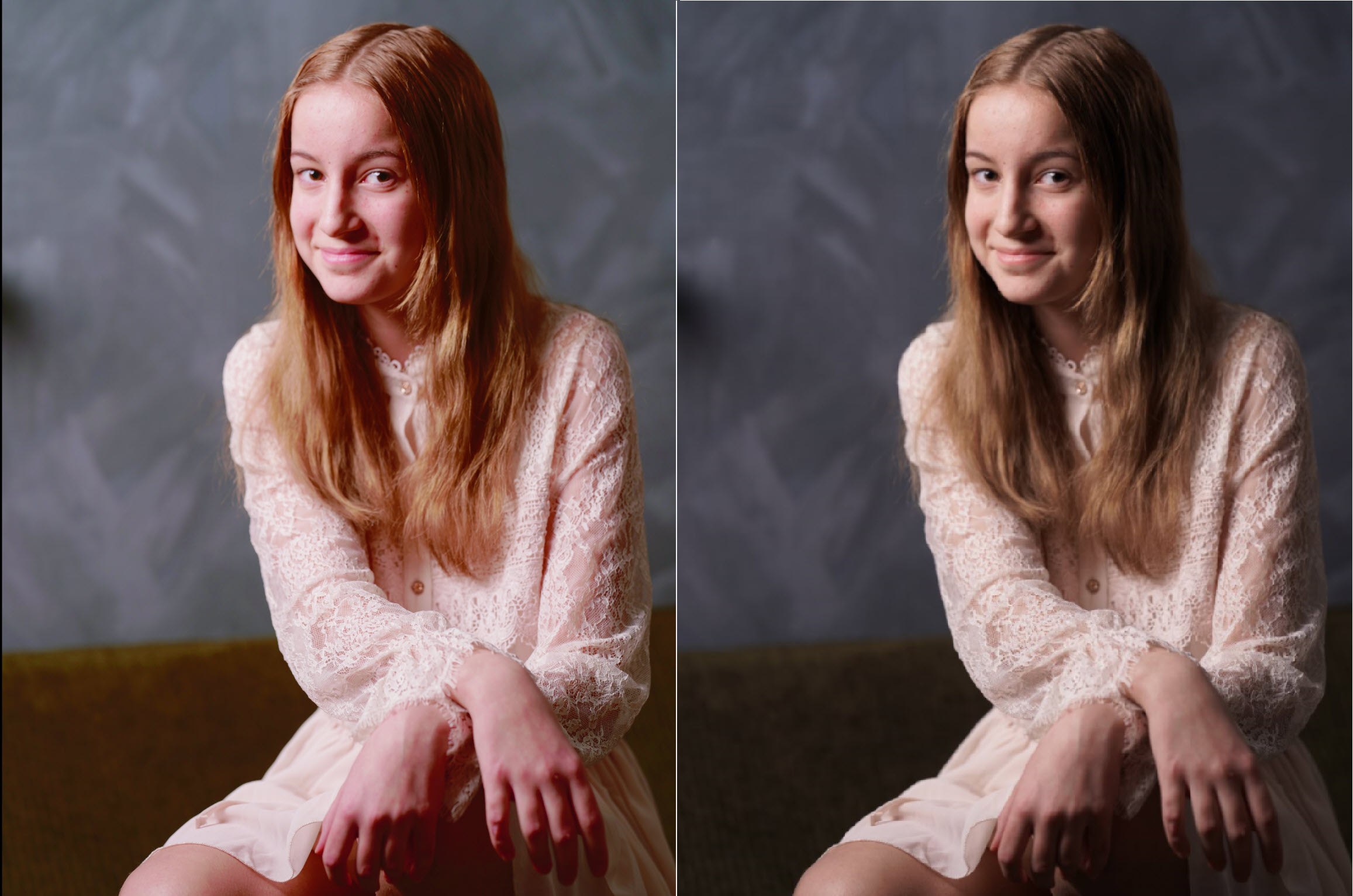
The provided jpg. picture is for the first part (to the left) open in Capture One ver. 23 - no altering/change to the jpg at all, and the second part (to the right) open through file explorer/photos (again no change made). The one to the right is pretty much 100% true to the original color from the photo set. What is happening with Capture One?
Why this big difference, and how to ensure alignment between the previews?
Rgds Christian
La publicación no admite más comentarios.
Comentarios
0 comentarios