No camera/tethering tab in capture one available (C1 v23)

Hey!
I have a problem - i've watching numerous videos on how to connect Sony A7 IV to C1, but I simply cannot find a solution. I'm using Windows and I've tried via Edit>preferences>install phase one usb drivers, but C1 v23 does not install anything.
Also, there is no Camera/Tethering tab inside the program. Picture here:

Any suggestions or help? I could do WIFI tethering as well, no need for cable, but there is simply no tab and I could not find it anywhere in the menu. Maybe I am blind.
Thank you in advance!
-
What is behind the 3 dots icon?
If Capture/Tether is not there, did you right-click on the tool icons? Context menu with an item Add Tool Tab should show up (I'm on version 22 though)
0 -
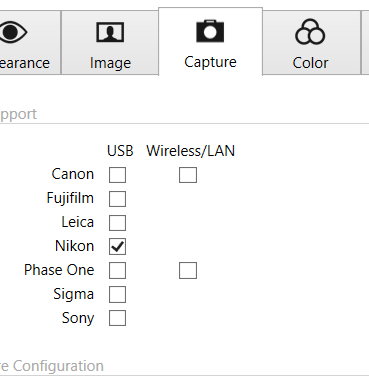
As for the preferences, you would need to check Sony (as I did for Nikon), not Phase One.
(again, screenshot from version 22):
 0
0 -
Hey!
Thank you for replying. Unfortunately, no options to add tethering/capture to tools. Here are two pictures (3 dots and preferences):
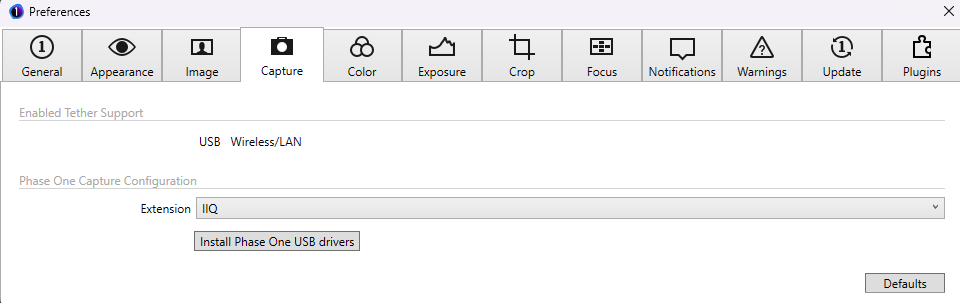
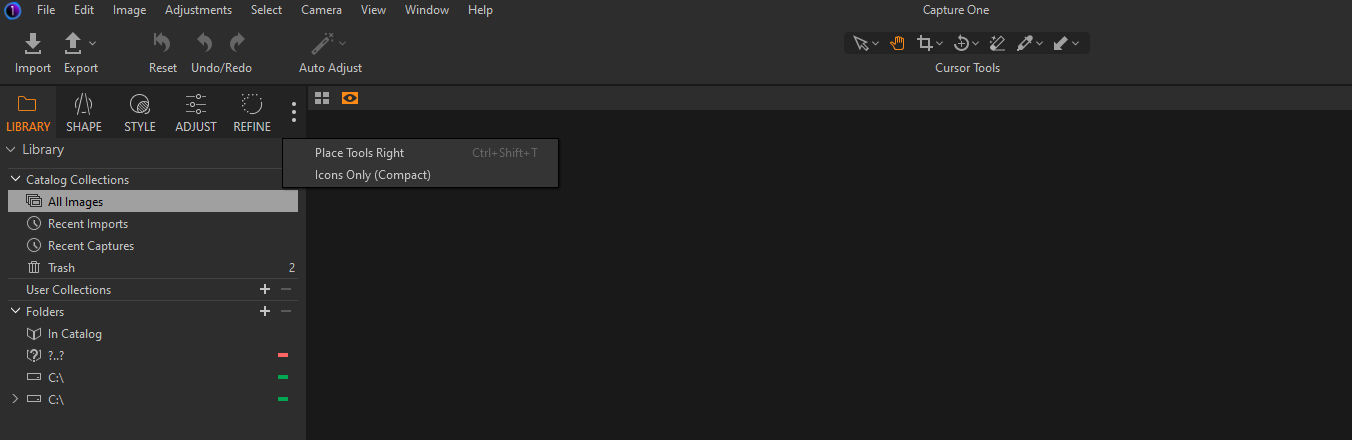
Could not find any solution. Maybe v23 is a bit buggy? If yes, how to downgrade to v22? Please bear in mind that at the moment I am trying the program out and it is in trial mode. Maybe that is the case? Doesn't make sense since on the website it says "full program", but maybe that is the issue.
Thank you in advance!
0 -
Afaik the trial versions in the past were always fully functional.
Your preferences don't look good. Maybe deinstall and re-install again, pay attention to the messages during install, especially opt for respective camera tethering support.
To get the tool tab for Tethering/Capture, go to main menu View>Customize tools > Add tool tab > Capture.
Downgrading: You can never downgrade a catalog to a lower version but since you are in trial mode anyway this should not be a big restriction for you. You can download version 22 and install it, I don't know if the trial license will work though. Just try it out if you like.
0 -
He has a trial version (key?) and a Sony camera. When installing C1 one usually is asked if tethering support should be installed (yes/no), if I recall correctly. So a fresh (re-)install could potentially solve the issue.
0 -

If you have installed software from SONY - this is the issue. Uninstall and try again in Capture One
0

La publicación no admite más comentarios.
Comentarios
6 comentarios