Upgraded Mac IOS - Now All Images are " Image is in an unsupported File Format" - I'm freaking out

Hello All, I need help desperately and this is sort of an emergency because clients are waiting for their images.
My Capture 23 was working perfectly for years. My Imac did an update to new Ios Ventura and All My images seem to be gone from Capture One 23. Thumbnails indicate "Image is in an unsupported File Format" My Images are combines from Fugi GFX and Canon 6D mark II. It's been fine for years so don't understand this terrible issue. Please Help.. FYI - I updaged my Capture One to latest version just prior to this. Logged into my account and verified and still everything is messed up. Thanks
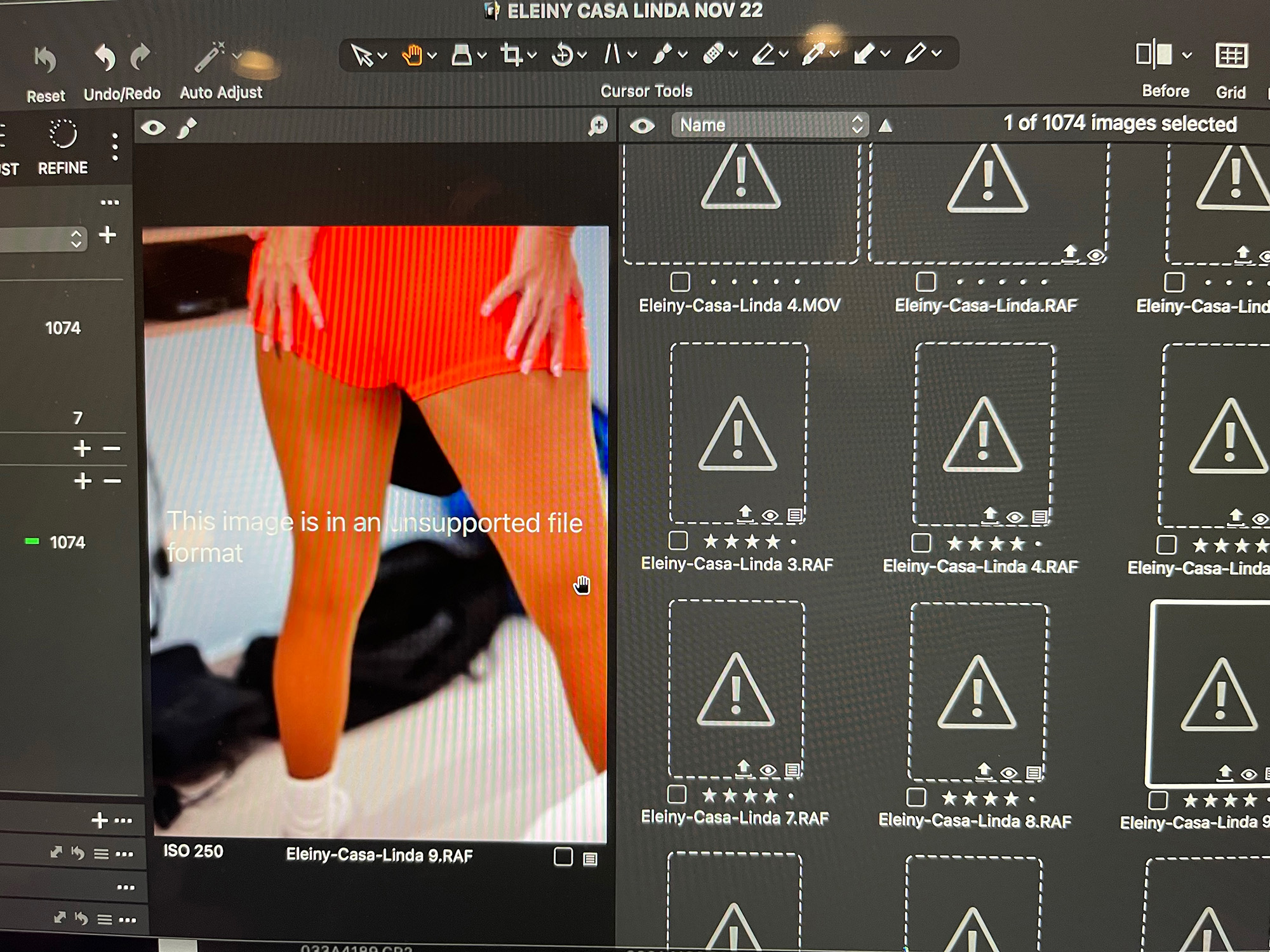
-

Try deleting and re-installing C1. The latest Ventura update seems to have changed some security settings so do a quick re-install and see if this resolves the problem.
0 -
I figured this out without any support from Capture One people.
Imac IOS 13.2.1 (22D68) has some security issues with CaptureOne 23. No big deal,Just need to go into Settings and allow it to access folders.
On Imac. clock the apple Logo at top left of scree, Select, System Settings, "Privacy &Security" then navigate to CaptureOne 23, then allow it access to these fiolders,
Issue solved
Hope this helps others.
 1
1 -
This looks like a permissions issue, as you have the read-only "eye" icon on your thumbnails. Have you moved images around at all? Where is your catalog located and how are you managing your images (importing to catalog, or leaving in existing location)?
Are you able to import these images into a new session or catalog without issues?
After upgrading, did you simply open this catalog in the new version, or did you move folders around or rename anything?
There could also be some OS level permissions that are affecting the viewability/editability of your images.
0 -
Hello Jack, thanks for your response. But none of what you recommended was the issue. The issue was exactly as I outlined in my Graphic Text.
Imac IOS 13.2.1 (22D68) has some security issues with CaptureOne 23. No big deal,
Just need to go into Settings and allow it to access folders.
On Imac. clock the apple Logo at top left of scree, Select, System Settings, "Privacy &Security" then navigate to CaptureOne 23, then allow it access to these fiolders,
Issue solved
Hope this helps others.
0 -
@... Ah, those pesky macOS permissions! Glad that you were able to sort it out and sorry for missing your follow up post. I was nearly there :)
Glad you're up and running.
0
La publicación no admite más comentarios.
Comentarios
5 comentarios