C1 screwed up my SD card

-
I think we need more information if we are going to be able to help you work out what's going on here.
Have I understood right that you have an SD card from your camera and you put it in your card reader? Never mind Capture One for a moment - does it show up on the computer anyway? If I plug a card into a reader I see an icon appear on the desktop and the card also appears in Finder. (The appearance of the icon depends on the precise type of card - see screenshot.)
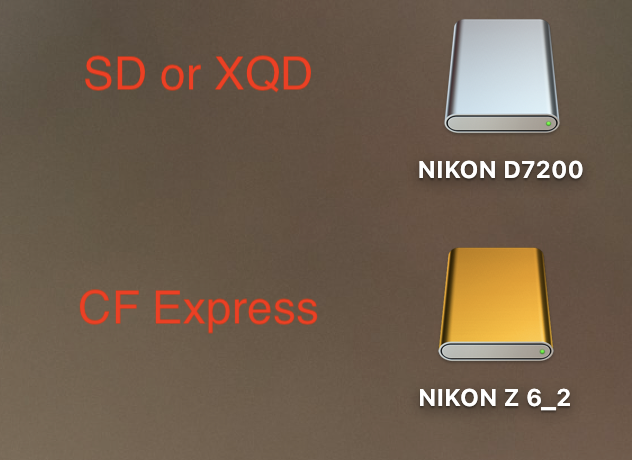
If you aren't seeing the card in Finder or on the desktop, then the problem is in MacOS, not in Capture One.
What camera are you using? What precise version of MacOS and of Capture One.
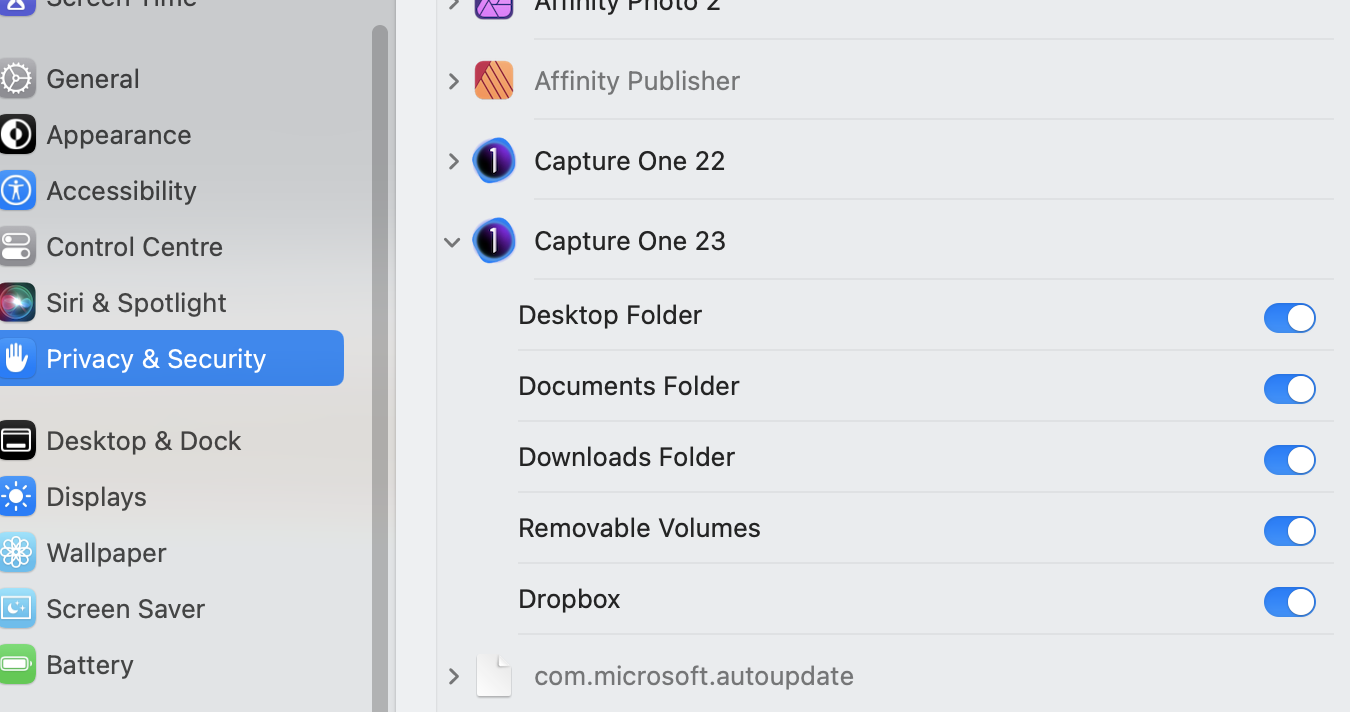
In System Settings (System Preferences before MacOS Ventura) does Capture One have access to the locations it needs to? See next screenshot. This is is in Settings > Privacy & Security > Files and Folders. (Again this is a MacOS thing, not a Capture One thing as such - other apps such as Affinity Photo, Photoshop, etc, also require these settings to work properly.)
Ian
0

La publicación no admite más comentarios.
Comentarios
1 comentario