Why do some pictures look different after export?

I have a problem with some pictures in a session. I have edited them in capture one (see picture right side) and after the export they look totally different (see Photoshop on the left side). Very frustrating. Tried everything from JPG to tiff; tried exporting them from another catalogue / session too. Imported the RAWs again, just in case ... smae results. Color profiles are the same in every stage of the process. They are RAW files taken with FUJI X-T5.
What makes it even more irritating: There are other pics taken with the same camera, same settings, same kind of picture style that work perfectly and look how I want them to look.
Makes absolutely no sense to me and costs me time and nerves :-((
Plus: Lightroom exports them without any problem.
Has anybody an idea what could be a solution? (I know, I can switch back to Lightroom, but that does not count as solution ;-)
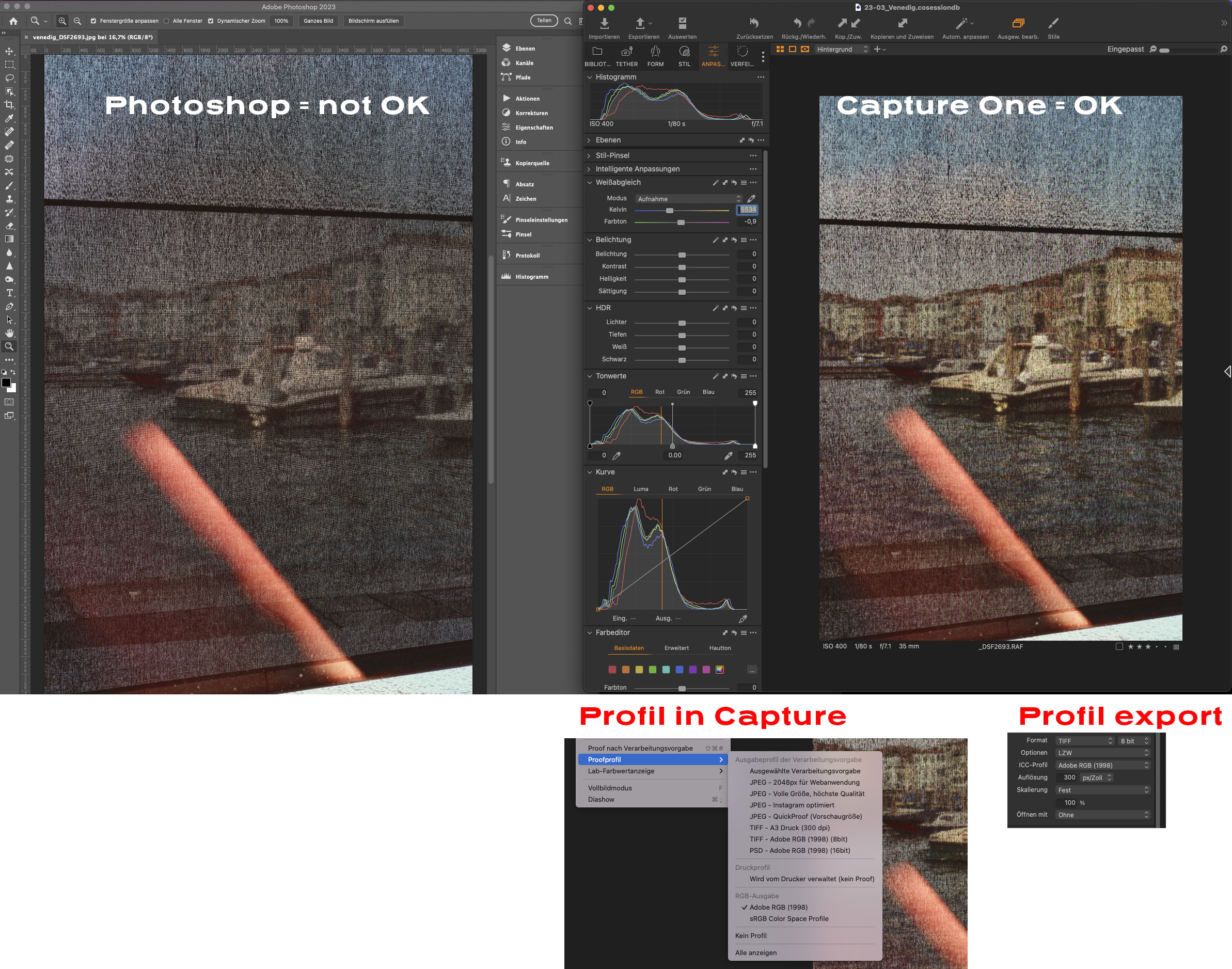
-

Moin! Kann es sein, dass du in PS unter "Ansicht" > Farbprofil ausgewählt hast?
0 -
Hey,
ich gebe zu, so wirkt das in PS geöffnete Bild. Die Einstellung ist aber nicht auf Proof. Dem wiederspricht auch der Fakt, dass alle (anderen) Bilder nach dem Export der bearbeiteten Version in C1 optisch (+Histogramm) entsprechen. Nur nicht diese. Mir ist nun aufgefallen: Wenn ich in C1 in eines dieser Motive reinzoome, springt die Ansicht plötzlich auf das später in PS sichtbare Schema (was auch bei keinem anderen Motiv passiert). C1 scheint womöglich mit der detailreichen Struktur im Motiv überfordert. Vom Support C1 kam bisher leider nur der Tipp, das Profil im Prozess zu vereinheitlichen, was jedoch (s. Screenshot) schon der Fall ist.
Trotzdem lieben Dank für die Hilfestellung :-)
0
La publicación no admite más comentarios.
Comentarios
2 comentarios