16.3 update issue

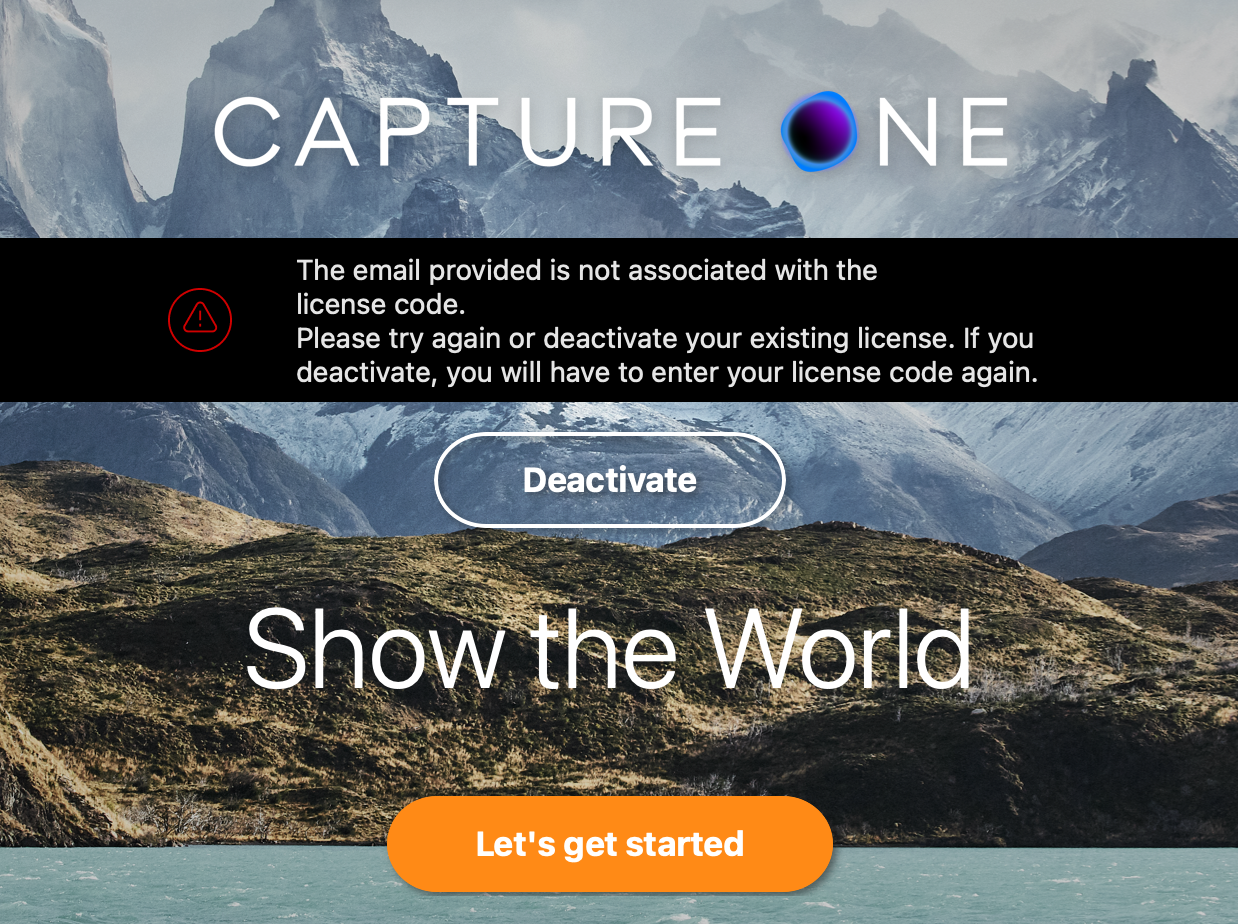
Hi, I'm running in to a strange issue. Normally I download updates, install the new version, open and keep moving along. I have the yearly subscription and when I open the new update (tried downloading it from different links on the CO website) it attempts to login and authorize, but then tells me my email address is not associated with a license, see screenshot. I also noticed that instead of overwriting the previous version of Capture One 23, it is now named just Capture One so I have two, which is ok because I still need to open up my previous version in order to work since I'm now locked out. I have to say, just as a side note that this is my big fears with subscription models. There's always a chance the authentication can break which would leave me completely stranded.
-

Gus Cantavero Hi, Gus. Pretty sure I have an idea what's going on. First off, as to the dual install: This is normal behavior for any Mac app. Previous versions of Capture One were issued under annual names. Capture One 23, for instance. You have that installed on your Mac. Beginning with this release cycle, the name has been changed to Capture One Pro. There will be no more annual releases. This new release has a new name so Mac doesn't 'replace' on install. Going forward, I think it most likely will as any installation will simply be a newer version of a program that already exists on your Mac. You'll have to manually delete the Capture One 23 install. Finder>Applications (left navigation bar)>Capture One 23> right click/Move to Trash.
As to the inability to activate, I have a guess there, too. Capture One allows us 3 concurrent activations under the license. Log into your C1 account and click on Plans and Service Manage (I think). In there you'll most likely see 3 existing activations. As the license only allows 3, you are not able to add a new activation. You'll have to deactivate 1 or more of your existing activations for older versions of the program. Is this irritating? Sure. But the technical reasons behind it are valid. Going forward, the common name should alleviate this.
I will note that I had to do this process. Once complete I still was not able to activate using my username and password. I think it's likely because my max licenses had already triggered. Who knows. What I do know is that I copied my activation key (or whatever it's called) from that screen and pasted it into the activation window on the Capture One Pro app. (Highlight the full activation key. Command + C. Click on the first box for the activation key. Comman + V. Fills in the whole thing for you.)
Give that a shot. I think that'll get you up and running.
Drew Endicott Maybe try this. I tend to send rant posts with profanity to the mod queue.
0 -
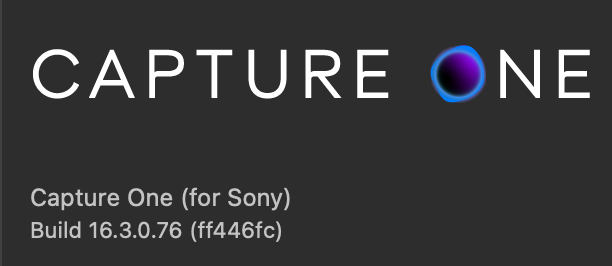
Yeah unfortunately I tried deactivating my previous activations earlier today before posting and should have mentioned it.It says I have two activations remaining. One thing I think is odd is that when I open the CO app and open the about dialog it says it is the (for Sony) edition. I tried downloading from a few different links and get the same result. I don't have the Sony exclusive license if that still exists. Strangely it's not even giving me the opportunity to input my license number and have tried several different ways, like using another browser to go through the activation. Any thoughts?
And I can still work because my CO23 is still working fine. So I'm not freaking out or anything.
 0
0 -
When I open the app...
Which app? The one you most recently installed? Your daily driver? I'm very confused as to how you got a Sony version of the software inserted here.
Where are you looking for your download file? You bought Capture One 23 or the new Capture One Pro? Where did you buy the software? Online from Capture One? From a retailer?
If you have an account, you can download the software by logging into your Capture One account at capture one.com. Click the little person at top right to get to the login page. I'm assuming you created an account? If not, open your confirmation email and follow instructions there. If you bought from a retailer, create an account and add your activation key.
There's always a chance the authentication can break which would leave me completely stranded.
I don't follow here. You don't authenticate every time you open the software. You authenticate once then you're good for a window (30 days, I think). Every time you log in the software attempts to contact the servers and confirm your subscription. If it does, the window is reset and you're good for another period. If you open the software and the authentication servers can't be contacted, you go on about your business as long as you're within the window. Make sense?
0 -
Ok let me start over. I navigate to my account, plans and services management. Under my subscription I click the download link. It gives me the installer for Capture One 16.3. I run it, and try to activate. It brings me to the online authentication, I log in and the website brings me back to Capture One which gives me the email address error message shows above. When I go to Apple menu, and about Capture One, it says it is Capture One (for Sony), screenshot above. Which I don't even have. My subscription is through Capture One, which I believe is the only place you can get a subscription. I've been a customer for several years and never had an issue.
The issue with the authentication is exactly this scenario. It can break, which I am currently experiencing.
I appreciate you trying to help.
0 -
Ok, for whatever reason, third attempt at deactivation and re-entering the activation code worked!
0 -
Gus Cantavero You just needed to lean forward in your chair and lift your left foot off the floor. Helps if you type with your right index finger only. :)
Happy to hear you're up and running!
0 -

Hey Brian, I was having a difficult time updating to the newest release. I'm subscription user for the last 5 years or so and I was keen to implement the new AI tech and the re-tether options. I learned from your post regarding C1-23 and C1 Pro After deleting 23 and installing the new Pro version it went straight thru!! Problem solved!!! Thank you for the insight!
Kenny Slusser
0 -
@.... Thank you, sir! Very happy I was able to help. :). Hope you enjoy the new AI as much as I have. I've been at it all day. Everything from candids/lifestyle to landscape. I will say my biggest complaint is lips. The AI brush seems to be having trouble picking out lips. Fingers crossed for the next iteration!
0
Cette publication n’accepte pas de commentaire.
Commentaires
8 commentaires