Batch Rename Images

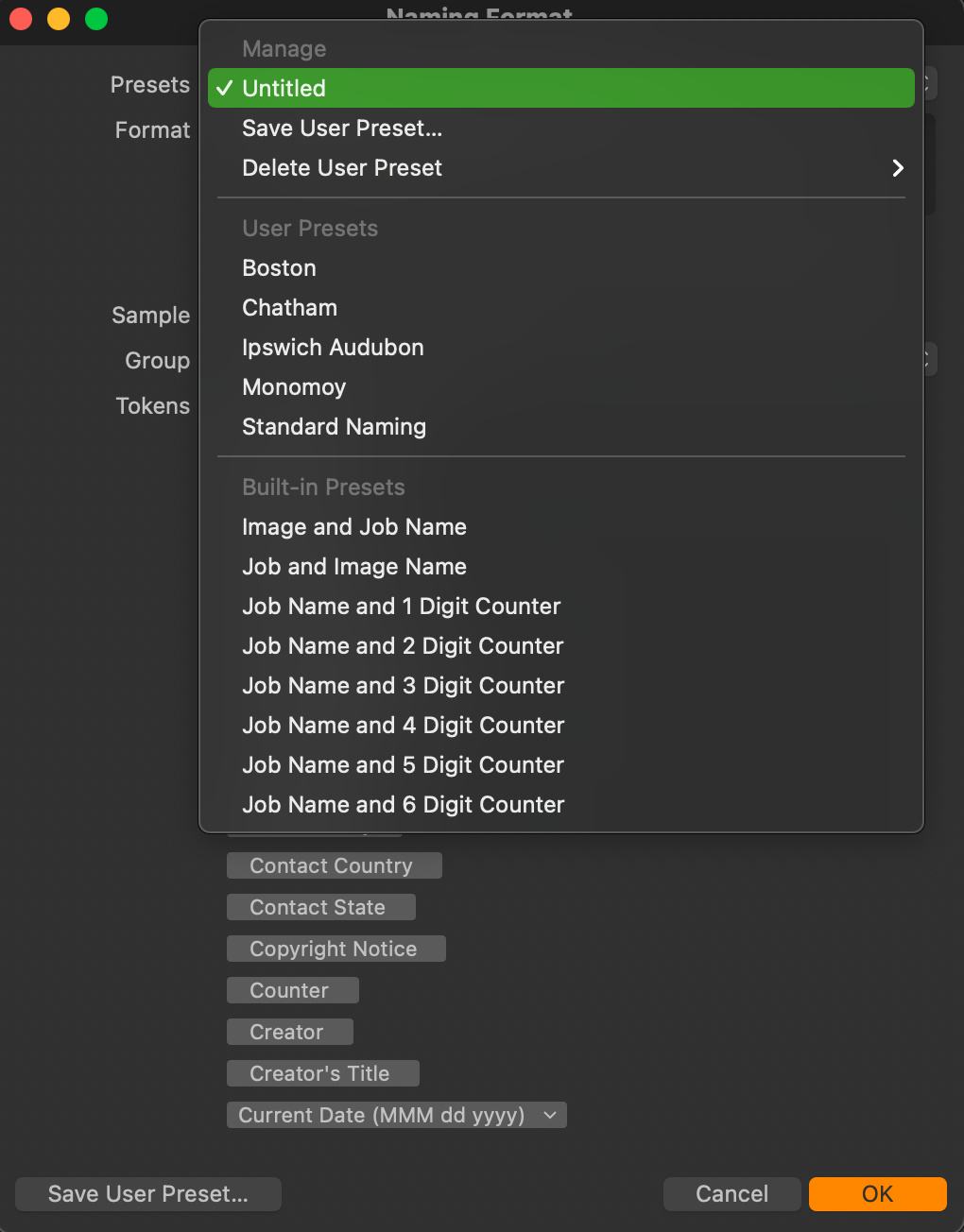
Does anyone know where the presets for Batch Rename Images... are stored? I can't find them under Application Support >> Capture One.
Thanks.
-

As far as I know, this operation is a one timer, no preset is saved
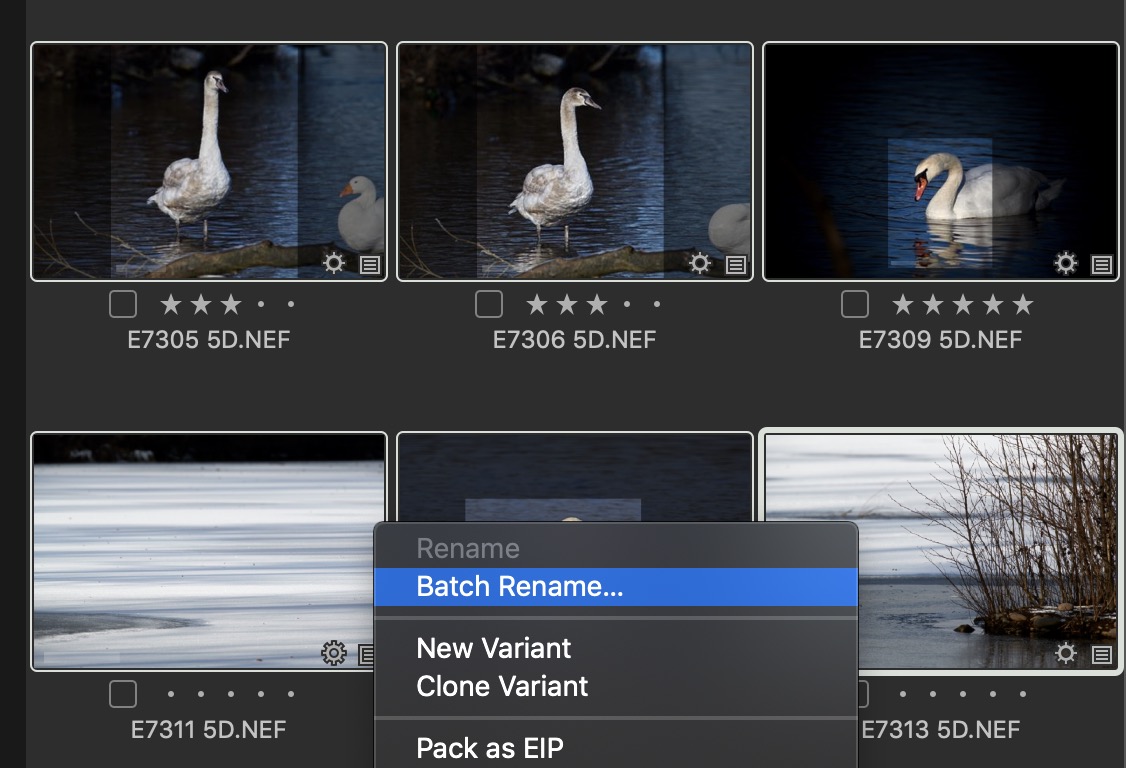
except the last one used..Right click image(s) and select "Batch Rename" in the sub menu.
 0
0 -
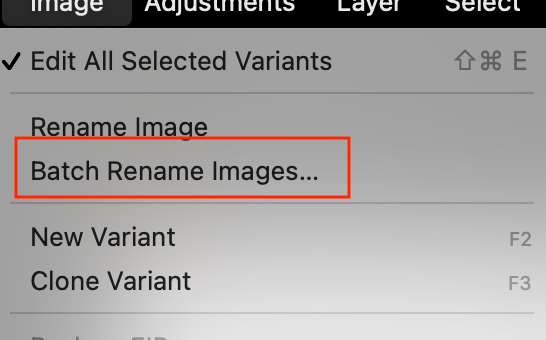
I should have been clearer. I am doing this from the menu.
 0
0 -

Michael,
In Windows they are in the user.config file.
Iirc that means plists for a Mac?
Perhaps sort of logical in some ways but not totally intuitive?
0 -
Yes that is it SFA. It is stored in the plist file for some reason, unfortunate.
I have run into the problem where CO stalls, has trouble with anchor points and a few other issues. Support's response is to reset the preferences / plist file. That works fine but because the rename presets are stored in the plist file, all the rename presets are lost. I'm sure its a low priority but I'll suggest they move those presets outside of the plist file.
0 -
So far as I have looked the only things in the plist file that might otherwise be in with the other collections of user defined stuff are dynamic and of a nature, generally, that might not have much use of legacy definitions.
That's not to say there would be no legacy re-use but possibly not very much for re-naming purposes.
For naming one can easily imagine having set rules to be applied time and again - but for renaming I'm not so sure.
However if you have built renaming into your workflow it would obviously be useful to you to have the batch definitions retained.
I think I would be looking for a different approach at some part of the process rather than renaming (which I use rarely and try to avoid using in any part of a process because I feel it can be too easy to break links, etc.)
Nevertheless the user.config/plist solution does seem a little odd and so I wonder if there is a technical advantage to the choice made.
0 -
When you say break links, are you referring to sessions?
Using file names for reference is probably a result of my early years in tech where everything was done at the operating system level. What other approaches would you suggest I look at?
0 -
Well if using a session as an example an image in a folder might possibly belong to more than one session.
There are similar possiblities for Catalog entries if the files are "Referenced" in terms of the way they are managed.
If one renames in one session the other session may not longer be able to find the images based on some aspects of its internal cosessiondb database. Albums for example.
Likewise with, say, outputs. If one has produced some files based on the name of a source file and then changes the name of the source file the is potential for the connection between the two to become less obvious (or totally non-existent). That may not be a problem now when the session is active but might offer some challenges a few years down the line if one finds or is asked for a copy of an old image based on a name that was later changed for the original.
I have some concerns, if people used LCC file functionality, that internal references for which file was used may not be checked. Not sure about that - it's not something I use much at all currently. But for some that might be important to know.
Obviously I'm writing about generalisation here and specific situations may make them moot. However they are all things to consider. I tend to try to make naming useful on import (early correction with rename batches if I make a mistake of decide to change something) and then carry that through to the output but perhaps add information about output format and perhaps who or what a particular output run is for.
So the output file naming at the end of the process then gives me the potential to find files when asked AND have an easy way to find the original files using any of the likely very many systems that offer searches these days. My NAS, for example, without having to touch Capture One to find the file.
I try to work to a "set it and forget it" approach to basic file naming. Or correct early if I feel a need to change my original naming.
But I think the main point about links is simply that renaming batches have their place but for me that place does not seem to be as a part a workflow strategy with a repeated use over and extended time period (hence the plist location?). I could see it as a possibility within, say, a particular session/project. Even so I would be looking for an up-front naming convention that would avoid renaming batches as far as possible within the workflow simply because I could see it becoming messy at some future point. And I see less benefit in saving previous rename rule sets when likely needs will be random and can be quickly created when necessary.
However you use case may have a very different purpose when the steps make complete sense. If the projects are suitable self contained and complete and repeatable that it makes sense from a production efficiency POV then fine.
Whichever way, of course, the rename should be run within C1 for all appropriate changes to be made!
0 -
Thanks for taking the time to explain some options and your process. It's helpful to hear what others do as part a evaluating how effective my process is.
0 -
My standard naming format is a date followed by a counter. So for instance for an image taken today it might be 21-01-17-0135.NEF. I use batch rename quite often because I may import images from two cameras and want to rejig the names assigned at import to have them match the date order. From one time of doing it to another it remembers that I used the [Date]-[Counter] tokens. But I still have it saved as a preset, because there have been times when I have wanted to rename I'm some other way, for instance with find and replace, and I want to be able to go back to my usual format easily. As I don't use lots of different renaming formats, I suppose it would not be too difficult to recreate the preset if I had to.
Which is a bit of a long-winded way of saying that saving a preset is a good idea, but unless you need a lot of them, it's not to arduous to recreate them.
Ian
0

Cette publication n’accepte pas de commentaire.
Commentaires
9 commentaires