Crop Aspect Ratio

I crop almost every photo I take. I almost NEVER crop it in the original aspect ratio as it was shot. Isn't that mostly the whole reason to crop?! Can't "unconstrained" in crop be made sticky or a preference? Or even be able to have a shortcut assigned to it?! I have to go to the menu for EVERY SINGLE PHOTO I crop to choose "unconstrained"!!! I know that previous versions of Capture One did not have this behavior. It has almost made me downgrade to a previous version to get this option back. PLEASE change this behavior to make C1 more time efficient.
-
You can go to the Capture One Preferences and select your choice in the "crop" tab, at "Aspect ratio behaviour".
0 -
I can't find that anywhere Robert!
This is what I see in prefs...
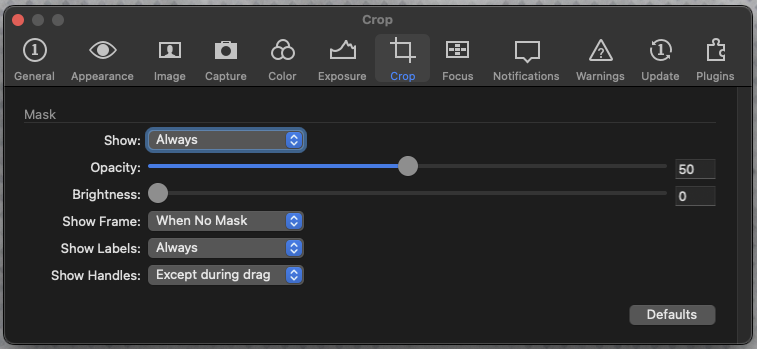 0
0 -
Ahhhh Robert! I just checked for an update, which there was one, and that option is now there!!
Hallelujah!!!
Thanks so much, you've save me a LOT of time!
I really appreciate your response. Have a great day!
0 -
Pleasure, Suzanne !! I'm glad I could help.
0 -
I actually looked for such a setting and completely missed that "Use global aspect ratio " would accomplish this.
0
Cette publication n’accepte pas de commentaire.
Commentaires
5 commentaires